Table of Contents
3000 Appliances Getting Started Guide|33
Item Description
1 Retaining clip
2 Bracket
3 Screw
4 Slot for placing the bracket
5 Hole for the screw
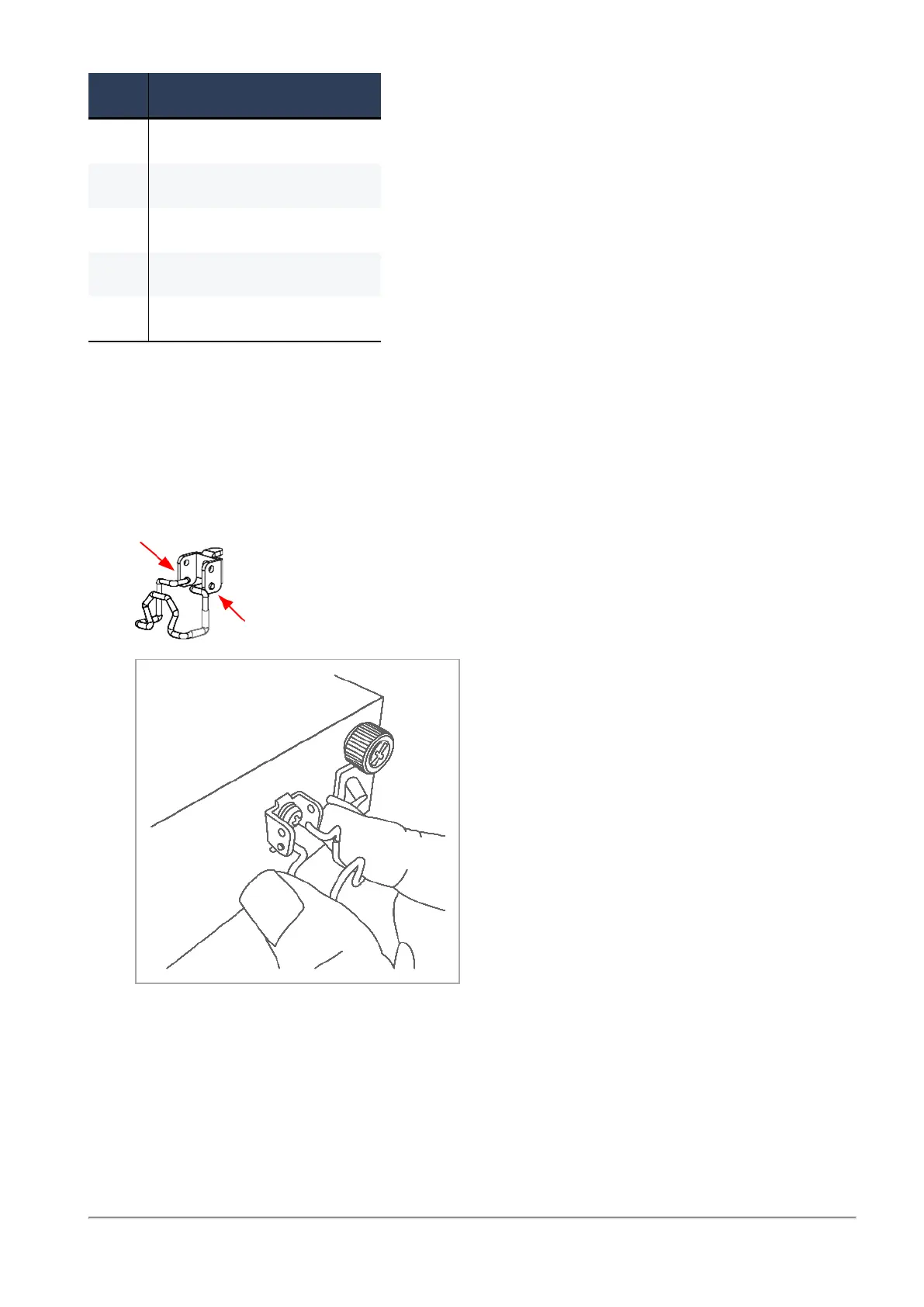
To install the retaining clip:
1.
Place the bracket (#2) in its designated slot (#4) on the rear of the appliance.
2.
Insert the screw (#3) through the bracket hole and screw it into the hole (#5).
3.
Squeeze the retaining clip (#1) sides and insert the hooks into the two bottom holes on the
bracket (#2).
To secure the power adapter cord with the retaining clip:
1.
Make sure the retaining clip is in its open position.
2.
Connect the power adapter cord to the power outlet.








 To Next Page