Table of Contents
3000 Appliances Getting Started Guide|31
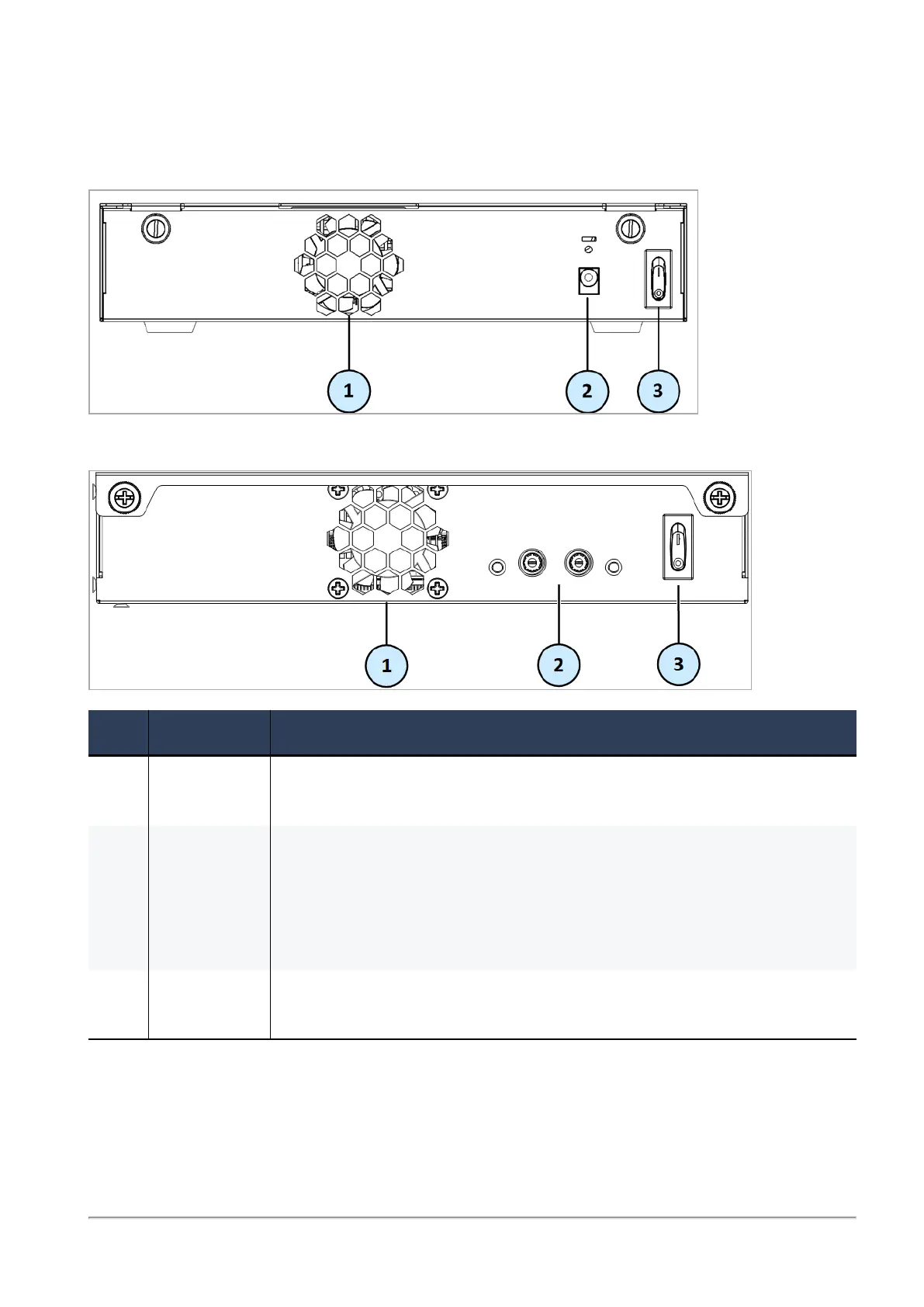
Rear Panel
3100/3200
3600/3800
Item Component Description
1 Cooling fan
unit
2 Power inlet
receptacle
Connects to the power adapter unit's cable.
In 3100/3200 - Install the power adapter retainer clip to avoid accidental
power cord removal.
In 3600/3800 - Push in the power plug, then screw in the adapter cable.
When the LED is green, power is switched on.
3 Main power
switch








 To Next Page