1 Safety Warning
1.1 We reserve the rights to make some modifications about the product in this
manual without prior notice.
1.2 Please charge the smart watch for at least 2 hours before first use.
2 Product Details
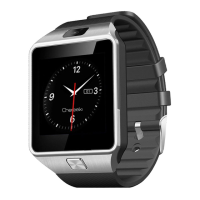
2.1 Appearance and Wearing
Please wear this Bluetooth smart watch in the correct direction: the power key is
below the screen, and the camera is above the screen.
zPower Key: Long press to power ON/OFF and short press to exit from menu to
clock. In standby mode, short press to turn ON/OFF the screen;
zUSB Port: Charge / Data transfer (Micro USB);
zTouch Panel: Tap on the capacitive touch screen to implement all its features.
zCamera: Take photos.
zMicrophone: Audio input.
zSpeaker: Audio output.
2.2 Quick Access
After power on, slide left or right to enter the menu. Slide left to next page, and right
to previous page. Slide distance should over half of the screen, or it will be regarded
as a tap. Short tap the icon to run the application.
2.3 Change Dial Style


 To Next Page