EasyManua.ls Logo

Chereeki DZ09 - Important Notes; Charging and Cable Usage; Strap Handling and Bluetooth Stability; Notification and SIM Card Requirements

Chereeki DZ09
32 pages
Print Icon
To Next Page IconTo Next Page
To Previous Page IconTo Previous Page
Loading...
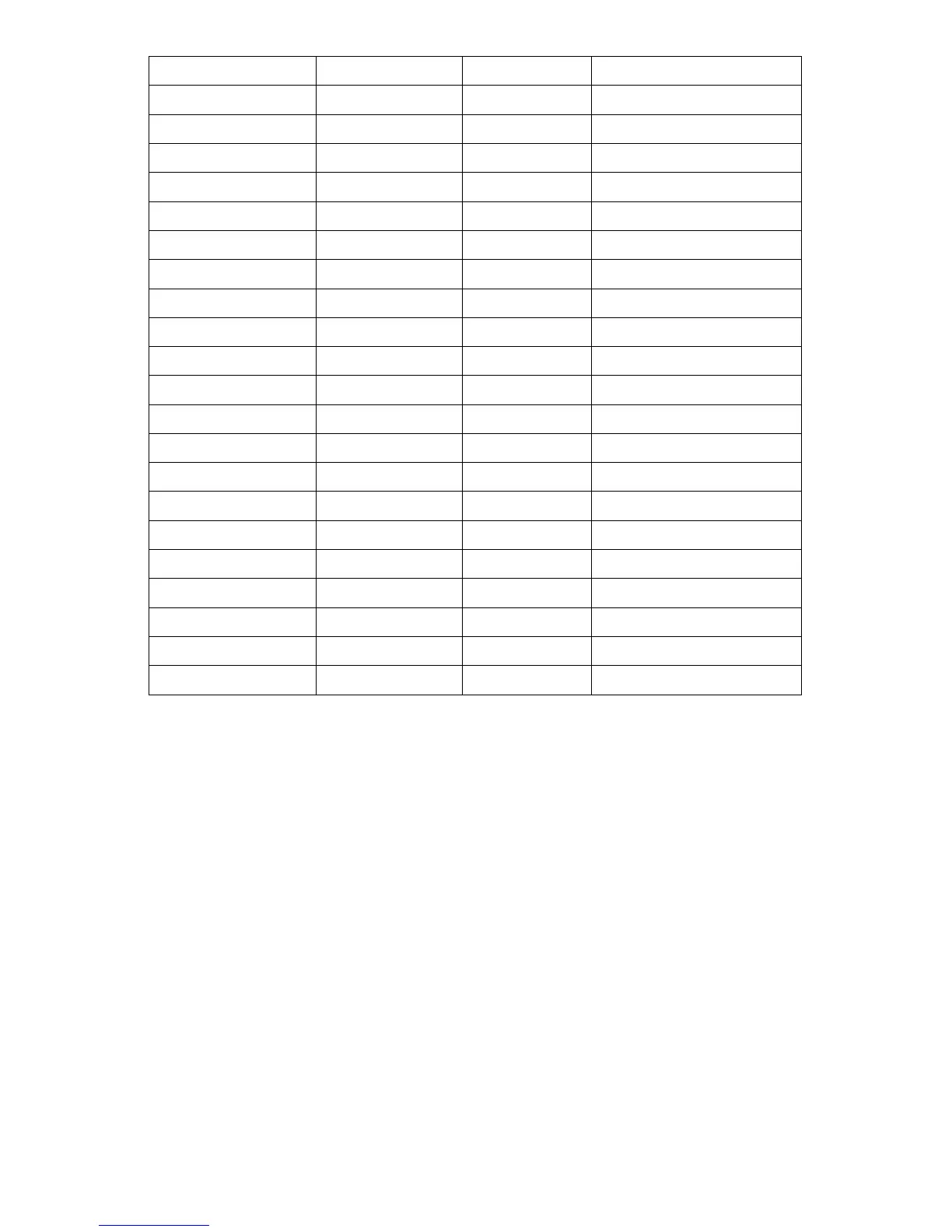
Android
iOS
SIM+TF
Hands Free
Ĝ
Ĝ
Ĝ
SMS Push
Ĝ
Ĝ
Send SMS
Ĝ
Ĝ
Music Player
Ĝ
Ĝ
Ĝ
Phone Push
Ĝ
Ĝ
Ĝ
Anti-lost
Ĝ
Ĝ
Sedentary Remind
Ĝ
Ĝ
Ĝ
Alarm
Ĝ
Ĝ
Ĝ
BT Notification
Ĝ
Sleep Monitor
Ĝ
Ĝ
Ĝ
Clock
Ĝ
Ĝ
Ĝ
Phonebook
Ĝ
Ĝ
Ĝ
Calendar
Ĝ
Ĝ
Ĝ
Camera
Ĝ
Build-in Camera
Ĝ(Connect to Android)
WhatsApp
Notification Only
Ĝ(Connect to Android)
Facebook
Notification Only
Ĝ(Connect to Android)
Twitter
Notification Only
Ĝ(Connect to Android)
Audio Recorder
Ĝ
Ĝ
Ĝ
Pedometer
Ĝ
Ĝ
Ĝ
Browser
Ĝ
Connect BT Headsets
Ĝ
5 Notes
5.1 Please fully charge the smart watch before use. Charging time: 1-2 hours.
5.2 Please use standard charge cable. Mini USB charge cable for Android smartphone
is compatible.
5.3 Please do not bend the strap to the opposite direction with excessive strength.
5.4 Bluetooth may disconnect occasionally, please reconnect it when necessary.
5.5 Due to differences of smartphones and the formats of songs, sometimes the names
or lyrics of songs may not display properly.
5.6 Notification push function is available for Android only. You need to install BT
Notification on your smartphone first. If you need to read the text content of
WhatsApp, Facebook or Twitter, you need to install a SIM card (frequency: GSM
850/900/1800/1900 MHz).
6 Common Trouble Shooting

4