CHERRY KC 6000C FOR MAC
Corded Mac Keyboard
1 / 3 © Cherry Americas • 5732 95th Avenue, Suite 850 • Kenosha, WI 53144 • USA
Phone: 262.942.6508 • keyboardsupport@cherryamericas.com • cherryamericas.com • 2022-04-22
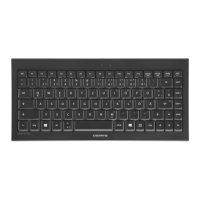
Models may vary from the image shown
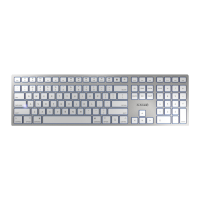
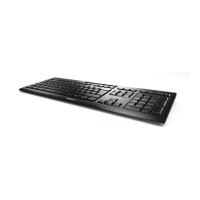
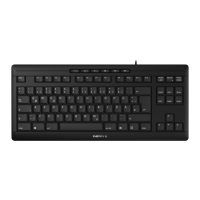
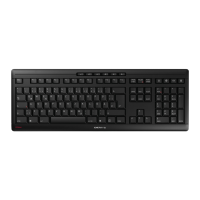
Ultra-flat design keyboard with Mac layout
and USB-C connection
The wired KC 6000C FOR MAC is the perfect companion for
frequent typists on a MAC.
The keyboard with a 5.9 ft long cable and Mac layout scores with
13 special functions arranged on the F-keys such as Mission
Control, Spotlight Search, screen brightness, Lock PC and media
control. They are executed directly. To access the default
functions on the F-keys, hold down the FN key and select the
appropriate key. If you want to run the standard functions
permanently, press the Control and FN keys at the same time. The
FN LED in the F14 key lights up when the FN key is locked.
Even users with high demands will get long-term enjoyment from
the KC 6000C FOR MAC. The in-house CHERRY SX scissor
technology ensures highly comfortable and quiet typing. Users
who like to write on laptop keyboards will feel particularly at
home with the chiclet design keys right away. With the help of the
computer keyboard’s numeric keypad, frequent input of numbers
becomes effortless. The compact slim keyboard also has an in-
built metal plate, making it stable and non-slip on your desk.
Thanks to the rubber feet (included), the keyboard can be easily
adjusted to the individual user’s preferred angle.
The CHERRY KC 6000C FOR MAC is a high-quality alternative to
other Mac keyboards. The flat Mac keyboard is a gain for the desk
on every level. The flat cable keyboard can be used on all end
devices with a USB-C connection and operating system MAC OS X
10.13 and higher. With plastic-free packaging, the keyboard
scores highly environmentally too.
Decisive advantages
• Keyboard in chiclet design with Mac layout
• 5.9 ft cable with USB-C connection
• Quick access to 13 frequently used Mac functions
• Compact and slim housing
• Precise scissor mechanism for an ideal operating feeling
• High weight due to integrated metal plate
• Exceptional design with shimmering blue key frame
• Durable key labels
• Numeric keypad for convenient number input
• Rubber feet for height adjustment for ergonomic writing
Errors, technical changes and delivery options reserved. Technical
information refers only to the specifications of the products. Features may
differ from the information provided.

 Need help?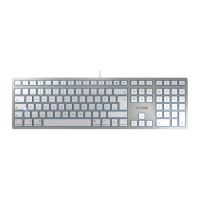


 To Next Page
 General