7
Congratulations ...
CHERRY has developed and produced innova-
tive input systems for computers since 1967.
You can now experience the difference in qual-
ity, reliability and design with your new favorite
accessory.
Always insist on original CHERRY products…
For information on other products, downloads
and much more, visit us at
www.cherry-world.com
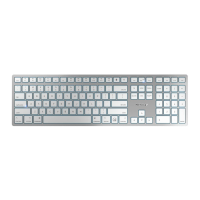
Your CHERRY KW 3000 stands out especially
due to the following features:
• Cordless freedom with a range of up to 8
meters
• Battery status LED
• You can configure the F-keys and Hotkeys
(except standby) using KeyM@n software (as
a free download at: www.cherry.de/
deutsch/service/download.php)
1Tips
1.1 Cleaning the keyboard
1 Clean the keyboard with a slightly damp
cloth and some mild cleaning agent (e.g.
dishwashing liquid).
2 Dry off the keyboard with a soft, lint-free
cloth.
1.2 RSI syndrome
CAUTION: Damage may be caused
by harsh cleaning agents or liquids
in the keyboard
• Do not use solvents such as gasoline or
alcohol and scouring agents or scouring
sponges for cleaning.
• Prevent liquids from entering the keyboard.
• Do not remove the keycaps of the key-
board.
RSI stands for "Repetitive Strain
Injury". RSI arises due to small
movements continuously repeated
over a long period of time.
Typical symptoms are discomfort in the fin-
gers or neck. For further information see:
www.cherry.de/english/service/
servicedownload_rsi.htm
1.3 Troubleshooting
1 Check whether the batteries are inserted
correctly and have sufficient voltage.
2 Connect the receiver to another USB port on
the PC.
3 Establish a new connection to the receiver:
• Disconnect the receiver from the USB port
and plug it in again.
• Within 30 seconds, keep the keyboard as
near to the receiver as possible, then press
the esc and Q keys at the same time.
• Release the keys when the battery status
LED on the keyboard flashes after
approx. 3 seconds.
• Set up your workspace ergonomically.
• Position the keyboard and mouse in such a
manner that your upper arms and wrists
are outstretched and to the sides of your
body.
• Take several short breaks, with stretching
exercises if necessary.
• Change your posture often.
OPERATING MANUAL
CHERRY KW 3000 – Wireless Keyboard
US













 To Next Page