Audio
100
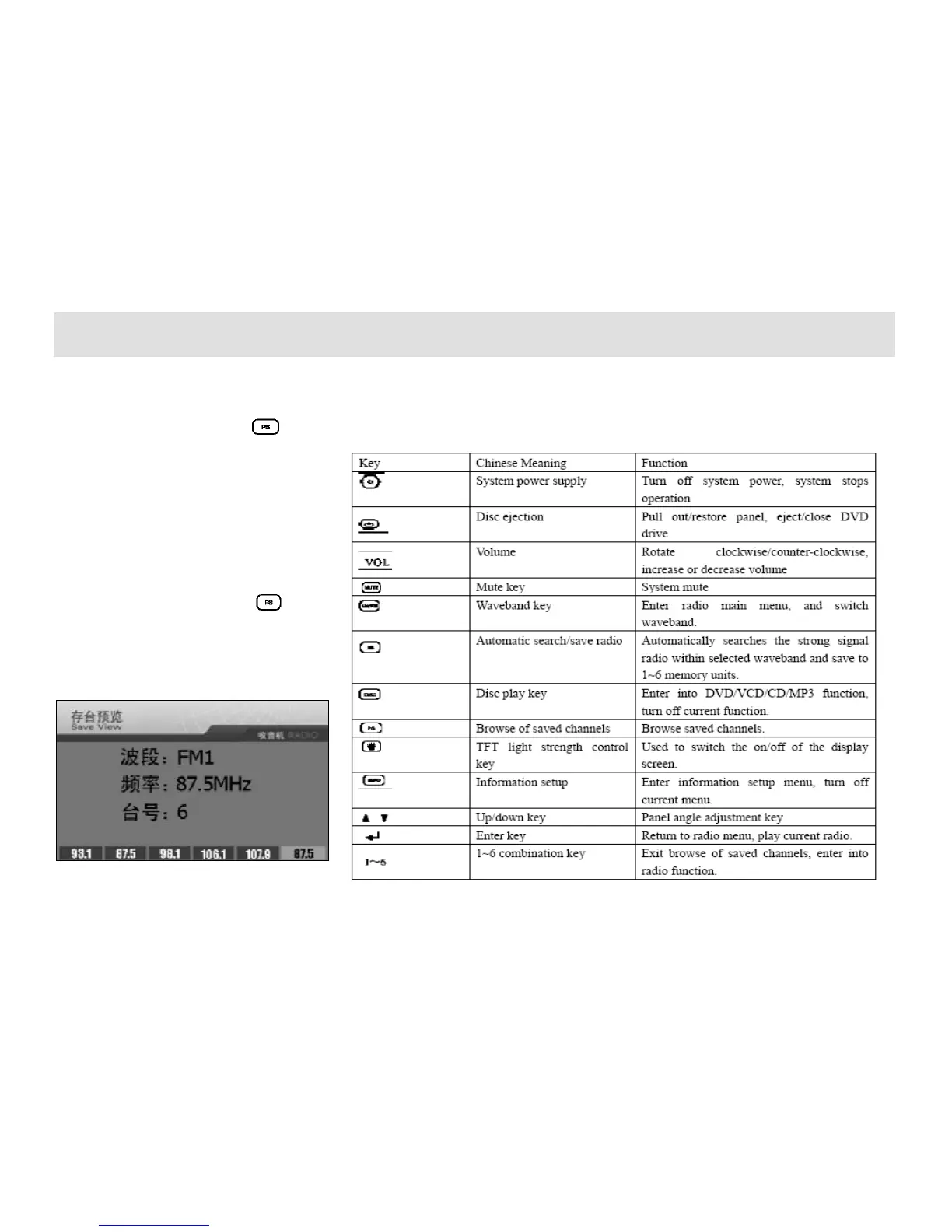
Preview of Saved Channels
Under radio interface, press key
and the device will enter into the browse
status of the saved channels to browse the
saved channels under current waveband.
During the preview of saved channels, the
device will automatically search the
information of saved 6 radio channels
under current waveband with 5 seconds
play for each channel. When to receive the
radio channel currently in preview status
during the preview, press the key
once (or the saved unit key corresponded
to the current radio channel) to cancel the
preview function and continue the
reception of the radio.
Please refer to the table for the operations
of function keys. The keys not included in
the table



 To Next Page