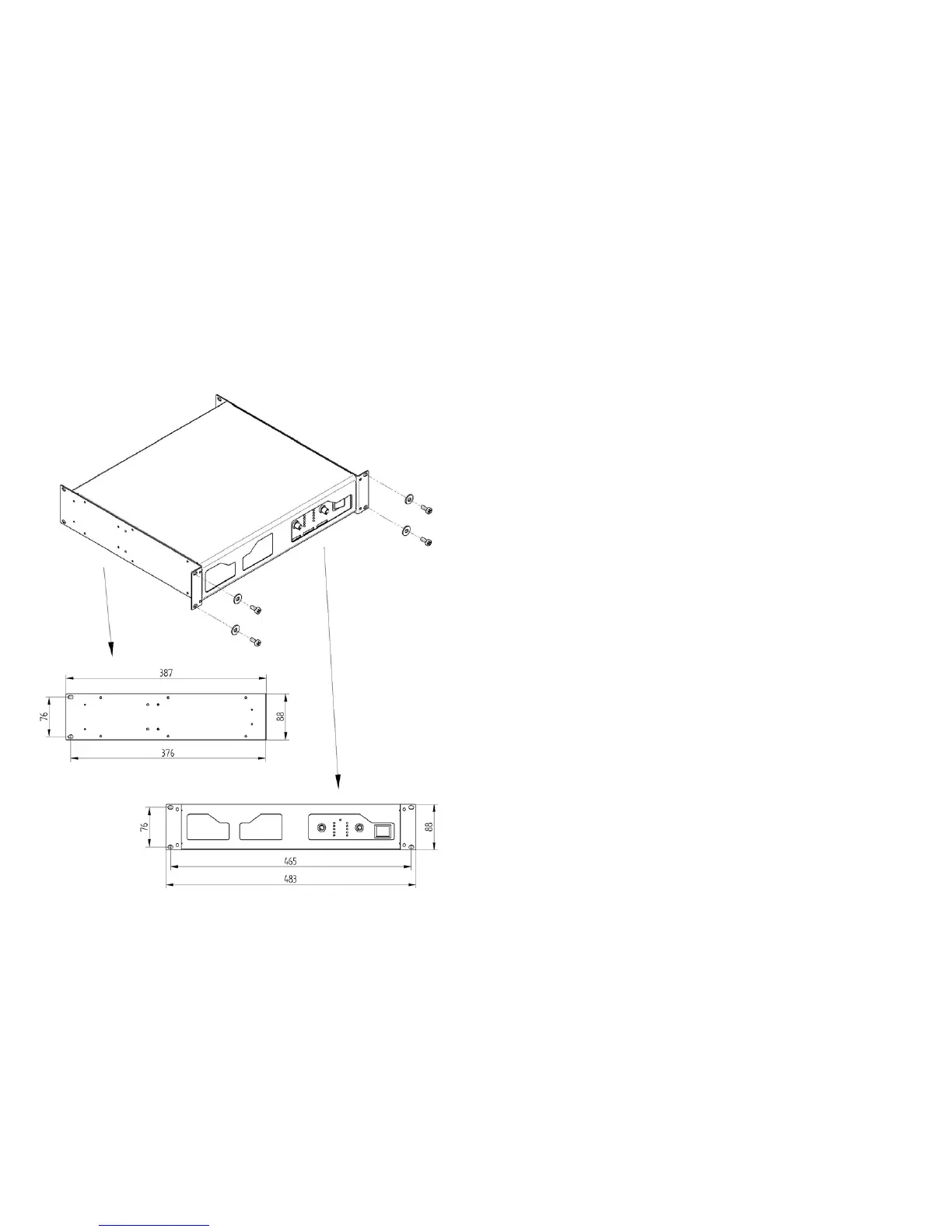
The amplifier can be used in 19‘’ rack mounting or single.
Use 4 screws and washers when mounting the amplifier to the front rack rails.
Support the amplifier at the rear also, especially in mobile use.
Audio connections
Always use good quality cables of the appropriate type.
Take care of cables and check their condition frequently. Grip them by the connector, do not pull
them.
Bad quality cables is frequent cause of operation problems.
Note: If you use a balanced signal then use only balanced cables. Even one unbalanced cable
will unbalance the entire signal chain, possibly causing hum.
Safe operating levels
The protective muting system guards against excessive internal temperatures.
With normal cooling and 2-16 ohm loads the amplifier will handle the full power ! Lower load
impedances and higher signal levels produce more internal heating. With 4-ohm loads, frequent
and prolonged clipping may trigger protective muting.
Bridge mode doubles the output impedance; so 4-ohm is the minimum load mpedance.
Interference – preventing and identifying
First of all check that the amplifier is installed in a place free from industrial or RF (radio
frequency) interference. Avoid installing it very near TV sets, mobile phones, etc. as these can
cause interference.
When connecting the other components of your sound system watch out for so-called “ground
loops” which could cause hum and jeopardize excellent sound quality.
To identify the cause of any interference in your sound system, connect the various sections of
the mixer to other equipments in the following order and listen to resultant sound :
Outputs : amplifiers + loudspeaker boxes (Master outputs)
amplifiers + monitors (AUX outputs)
effects (AUX outputs or EFF send/return)
Inputs : instruments with line signals (keyboards, samplers, recorders, ...)
microphones (lastly and one by one).
Protection and maintenance
After long period of use, particularly in dusty surroundings, accumulated dust may obstruct
cooling. Without opening the amplifier dust can be removed with a jet of compressed air, forcing
it through the vents. But first make sure that the amplifier is disconnected from the mains supply.
If dust is excessive do not open the amplifier but contact the nearest qualified centre.
Any dust on the outside of the enclosure can be removed using a dry soft cloth or brush. Never
use alcohol, acetone or solvents of any kind.
The amplifier requires no further maintenance.
9 10



 To Next Page