In Brief 1-13
Exterior Lighting
Exterior Lamps
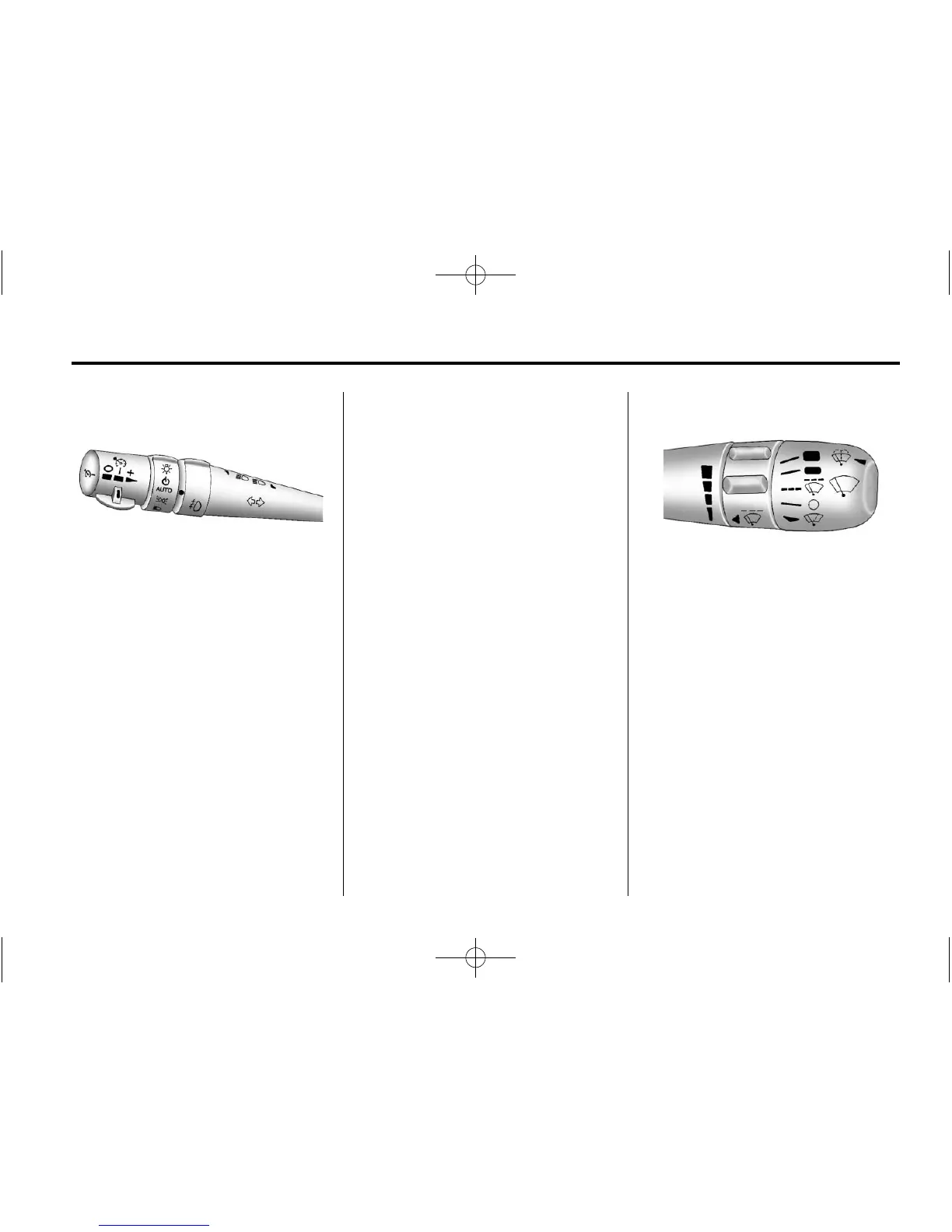
The exterior lamp control is located
to the left of the steering wheel, on
the multifunction lever.
O : Turn the band with this
symbol on it to operate the exterior
lamps.
O : Turns off all lamps.
AUTO: Sets the exterior lamps
to automatic mode. AUTO mode
turns the exterior lamps on and off
depending on how much light is
available outside the vehicle.
; : Turns on the parking lamps
together with the sidemarker lamps,
taillamps, license plate lamps, and
instrument panel lights.
5 : Turns on the headlamps
together with the parking lamps,
sidemarker lamps, taillamps, license
plate lamps, and instrument panel
lights.
Turn and Lane-Change Signal
The turn signal lever has two
upward and downward positions to
signal a lane change or a turn.
.
For a lane change, raise or
lower the lever. The signal
automatically flashes three
times.
.
For a turn, raise or lower the
lever all of the way up or down.
The turn signal will stop flashing
when the turn is completed.
For more information, see:
.
Exterior Lamp Controls on
page 6‑1.
.
Turn and Lane-Change Signals
(Auto Signal) on page 6‑4.
Windshield Wiper/Washer
The windshield wiper lever is
located on the right side of the
steering column.
1 : Use for fast wipes.
6 : Use for slow wipes.
& : Use to set a delay between
wipes.
x : Use for a delayed wiping
cycle. Turn the intermittent adjust
band down for a longer delay or up
for a shorter delay.






 To Next Page