Chevrolet Express Owner Manual - 2012 - crc - 11/11/11
7-18 Infotainment System
CD/AUX (CD/Auxiliary): Press to
play a CD when a portable audio
device is playing. Press again and
the system begins playing audio
from the connected portable audio
player. If a portable audio player is
not connected, “No Input Device
Found” displays.
Using the USB Port
Radios with a USB port can control
a USB storage device or an iPod
®
using the radio buttons and knobs.
See “Playing an MP3” in CD Player
on page 7‑12 for information about
how to connect and control a USB
storage device or an iPod.
USB Support
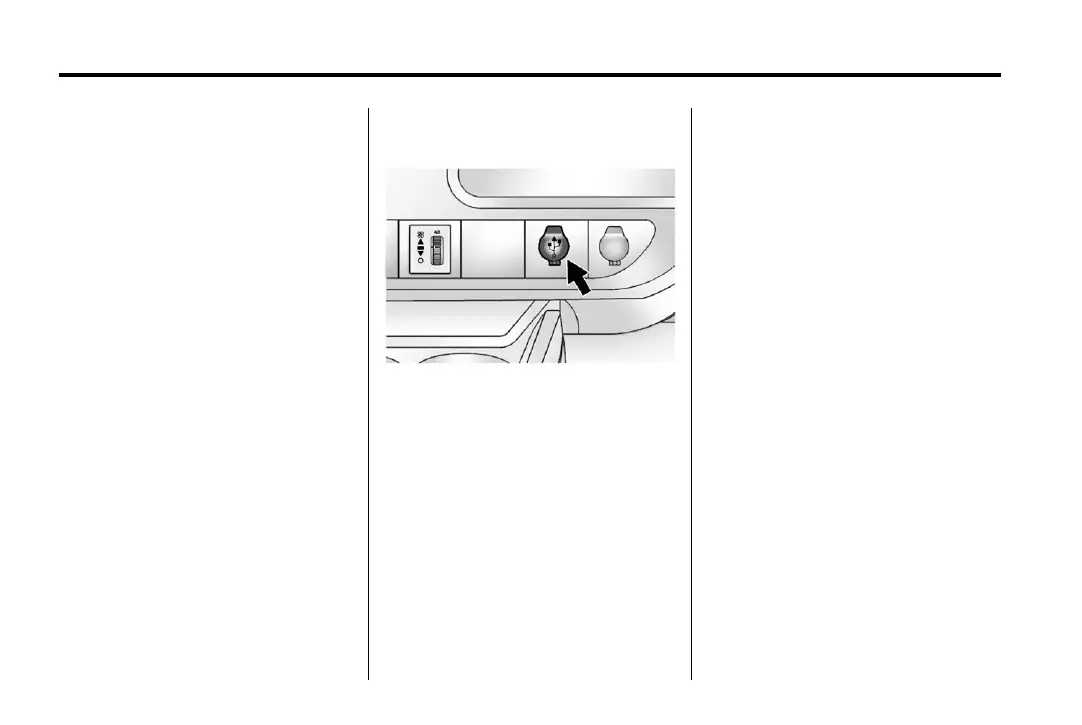
The USB connector is located on
the instrument panel and uses the
USB 2.0 standard.
USB‐Supported Devices
.
USB flash drive
.
Portable USB hard drive
.
Fifth generation or later iPod
.
iPod nano
.
iPod touch
.
iPod classic
Not all iPods and USB drives are
compatible with the USB port.
Make sure the iPod has the
latest firmware from Apple
®
for
proper operation. iPod firmware
can be updated using the
latest iTunes
®
application.
See www.apple.com/itunes.
For help with identifying the iPod, go
to www.apple.com/support.
Radios that have a USB port can
play .mp3 and .wma files that are
stored on a USB storage device as
well as AAC files that are stored on
an iPod.
USB‐Supported File and Folder
Structure
The radio supports:
.
Up to 700 folders.
.
Up to eight folders in depth.
.
Up to 65,535 files.
.
Folder and file names up to
64 bytes.









 To Next Page