110 Infotainment system
product will automatically switch to
the previously used function or the
FM radio function.
■ If the USB storage device to be
played is already connected,
repeatedly press the CD/AUX
button to select the USB player. It
will automatically play from the
previous playing point. Afterwards,
the functions of the USB player are
operated similarly to CD/MP3
playback.
Ending USB music files playback
Press the RADIO BAND or CD/AUX
button to select other functions.
To end play and disconnect the USB
storage device, use the USB menu →
USB removal function to safely
remove the USB storage device.
Using the USB menu
The instructions for "random/repeat/
folder/MP3 music box" from the USB
menu are similar to the CD/MP3
player's CD menu, only the "USB
removal item" has been added. Refer
to the CD/MP3 player functions from
the CD menu.
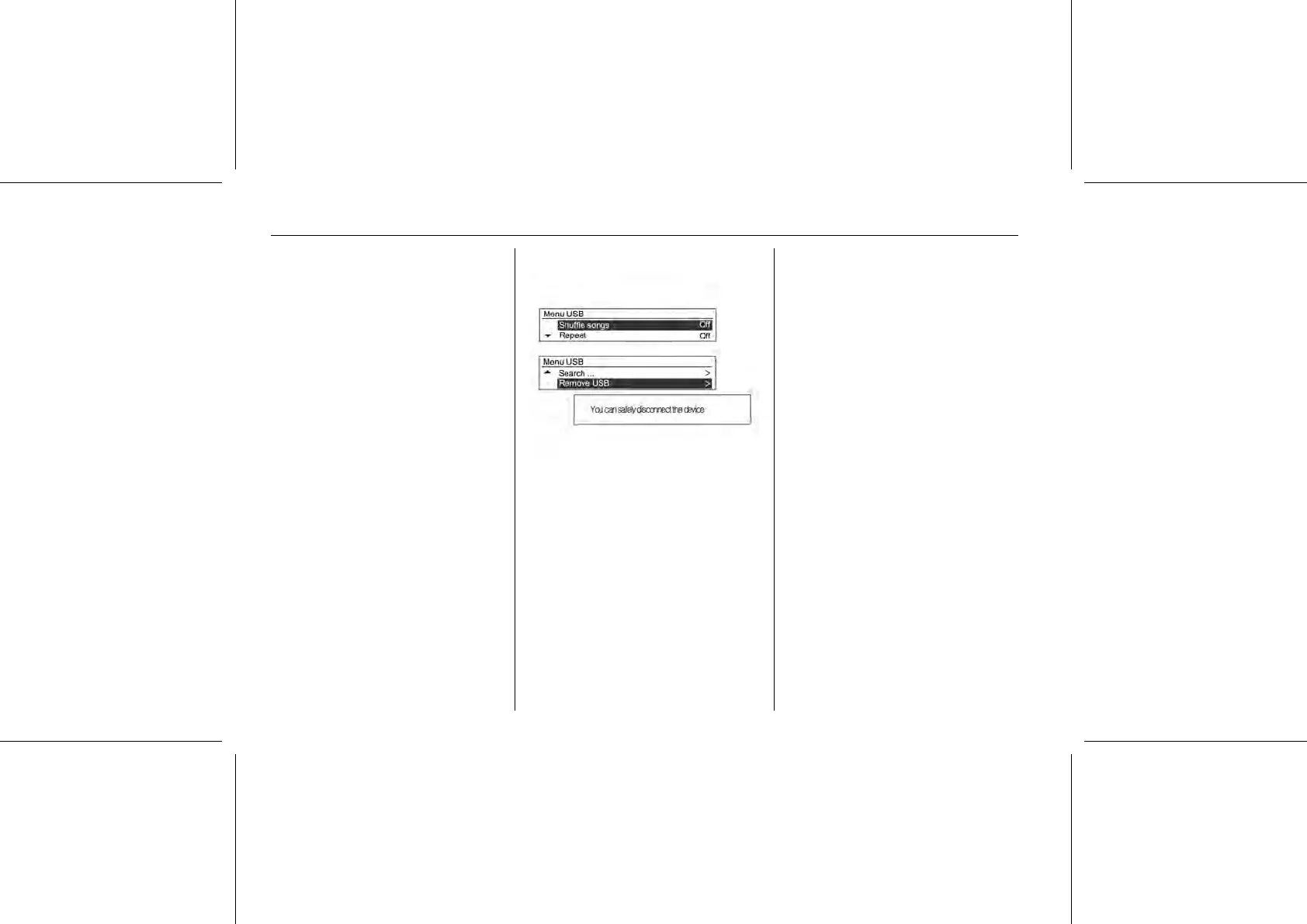
USB Menu → Remove USB
Press the MENU-TUNE button from
play mode to display the USB menu.
Turn the MENU-TUNE control knob to
move to the Remove USB, and then
press the MENU-TUNE button to
display the message notifying you
that it is safe to remove the USB
device.
Disconnect the USB device from the
USB connection terminal.
Return to the previously used
function.
iPod® Player
Limited to models supporting the
iPod® connection
Main buttons/Control knob
The following main buttons and
controls are used to play iPod® music
files.
(9) CD/AUX button
Press the button repeatedly when the
iPod® is connected to select the
iPod® play mode.
(14) MENU-TUNE button with control
■ Turn the control knob to move and
display the track list that is playing.
■ Press the button to display the
menu screen provided by the
current item or current mode.
(8) dSEEKc buttons
■ Press these buttons to play the
previous or next track.
■ Hold down these buttons to rewind
or fast-forward, and then release to
play at normal speed.
(7) INFORMATION [INFO] button















 To Next Page