8
F
Optional equipment
DRIVER INFORMATION CENTER (DIC)
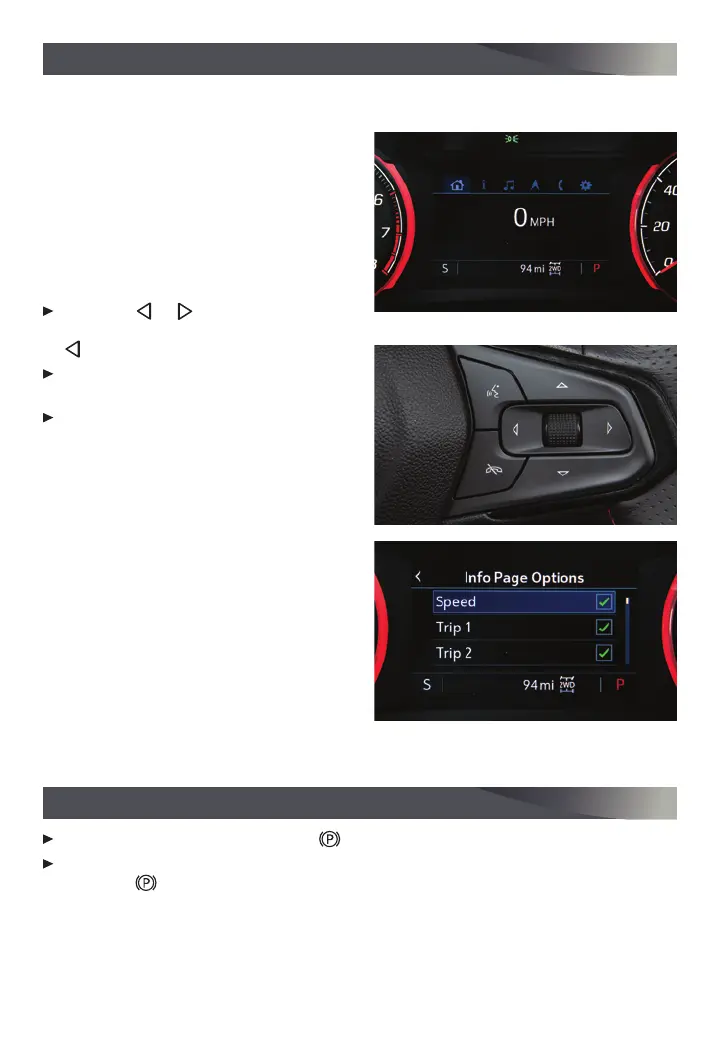
The DIC on the instrument cluster displays a variety of vehicle messages and information.
DIC CONTROLS
If equipped with the base DIC, use the
controls on the right side of the steering
wheel to select the Trip and Vehicle menus.
If equipped with the color DIC
F
, use the
controls on the right side of the steering
wheel to select the Info (includes trip and
fuel information), Audio, Navigation, Phone,
and Options menus.
Press the
or
button to move
between the display zones. Press the
button to exit a display menu.
Rotate the thumbwheel up or down to
scroll through the menus.
Press the thumbwheel to open a menu,
or to select or reset an item.
SELECT INFO PAGES (COLOR DIC
F
)
1. Use the controls to open the Options
menu.
2. Scroll to Info Page Options. Press the
thumbwheel to enter the menu.
3. Scroll through the list of items.
4. Press the thumbwheel to select or dese-
lect an item to display in the Info menu.
See Instruments and Controls in your Owner’s Manual.
ELECTRIC PARKING BRAKE
To apply the parking brake, pull the
Parking Brake switch on the center console.
To release the parking brake, turn on the ignition, press the brake pedal, and then
press the switch.
Note: The parking brake will release automatically if the vehicle is running, placed into gear, and an
attempt is made to drive.
See Driving and Operating in your Owner’s Manual.
Color DIC
F
shown






 To Next Page