20
We recommend that you delete pho-
tos or films stored by switching on
the parent unit in Gallery mode. For
details, see paragraphs 4.2.1 and 4.2.2.
The photos saved may only be con-
sulted when the parent unit is working
in Gallery mode. For details, see para-
graph 4.2.1.
Film Recording and Film Gallery
Function
Using the Film Recording function, you
can record the child’s best moments
when the units are linked and operat-
ing in Baby Monitor mode.
To start recording the best moments
filmed using the video camera and
shown on the display, press the record
film button (7).
The toolbar (17) will show the .REC
icon, indicating that recording is in
progress. To stop recording, press the
film recording button (7) again and
the .REC icon will disappear from the
toolbar.
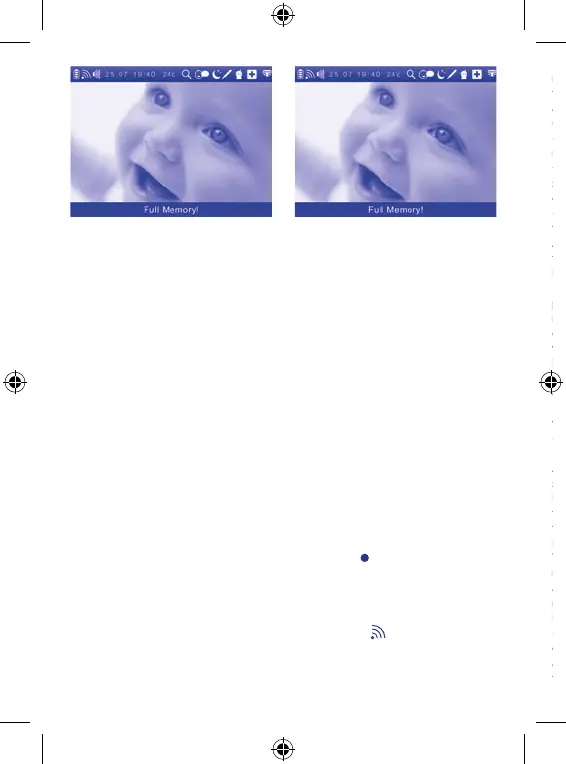
If there is no space in the memory on
the parent unit, the display will show
the message ‘FULL MEMORY’ and the
video will not be saved.
We recommend that you delete pho-
tos or films stored by switching on
the parent unit in Gallery mode. For
details, see paragraphs 4.2.1 and 4.2.2.
The films saved in the internal memo-
ry may only be viewed when the par-
ent unit is working in Gallery mode.
For details, see paragraph 4.2.2.
Luminous and acoustic operating sta-
tus indicators:
• The power and link indicator light (8)
supplies 3 different pieces of informa-
tion:
- Steady green: the appliance is on in
Baby Monitor mode and properly con-
nected to the child unit.
- Flashing green: indication of loss or
absence of link with the child unit in
Baby Monitor mode.
At the same time, the image of the
child disappears from the display
(4) and the
icon is displayed. After
about 10 seconds, 2 beeps per second
will be heard.
As soon as the link is restored, the
beep will switch off, the display (4)
will show the
icon and the indica-
tor light (8) will light up steady green.
NOTE: when the parent unit is
switched on, it searches for the chan-
nel to link to the child unit, therefore
the indicator light (8) will flash green
and the display will show the
icon
until a link is established.
-Off: appliance off or on in Gallery
mode.
• The rechargeable lithium-ion battery
status indicator light (9) supplies 3
different pieces of information:
- Flashing red: the rechargeable bat-
tery (13) is almost flat.
At the same time on the display (4),
the battery flat icon
appears and a
beep is heard each second.
If you want to continue using the ap-
pliance, it is advisable to charge the
rechargeable lithium-ion battery (13);
otherwise, the appliance will stop
working. Charge the rechargeable
lithium-ion battery (13) by connect-
ing the mains adapter (1) to the par-
ent unit power and charger connector
(14). When charging starts, the beep
will switch off.
- Steady red: the rechargeable battery
(13) is charging.
At the same time, the display (4) will
show the battery icon with internal
bars lighting up in succession. Leave
the battery to charge until the indica-
tor light (9) switches off and until the
icon on the display remains steady.
The parent unit can still be used to
monitor the child while the recharge-
able battery is charging, but the time
required to reach full charge will be
longer.
-Off: the rechargeable battery is
charged or is operating via mains
adapter (1) without rechargeable bat-
tery:


 To Next Page
 Loading...