28
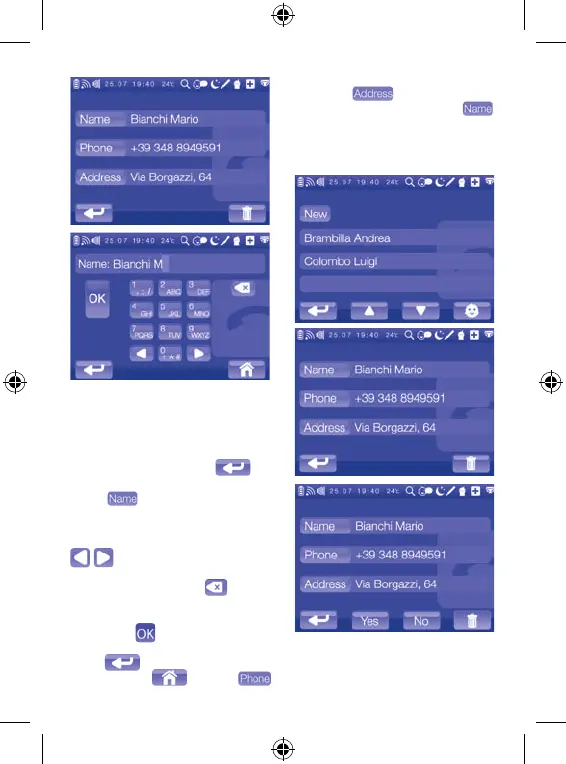
To edit a saved contact, touch the
name of the contact on the Contact
List: the display will show the com-
pleted tab of the saved contact. To go
back to the Contact List menu without
making any changes, touch
.
Touch to change the name of
the contact. Use the keypad to make
any additions or, if corrections are re-
quired, scroll through the string using
up until the character to the
right of the one to correct, delete the
incorrect character using
and en-
ter the correct character.
Once you have finished, save the data
by touching
. To return to the con-
tact tab without making any changes,
touch
. To go back to the main
menu, touch . Touch
to edit the telephone number of the
contact or
to edit the address
in the same way described for .
After saving the data, the updated tab
will be included in the Contact List.
Deleting a contact
To delete a saved contact, touch the
name of the contact on the Contact
List: the display will show the com-


 To Next Page