29
to edit the telephone number of the
contact or to edit the address
in the same way described for .
After saving the data, the updated tab
will be included in the Contact List.
Deleting a contact
To delete a saved contact, touch the
name of the contact on the Contact
List: the display will show the com-
pleted tab of the saved contact. To go
back to the Contact List menu without
making any changes, touch
.
To proceed with deletion, touch
: the display will show the pos-
sibility to choose between “YES” and
“NO”. Select ‘YES’ to conrm the de-
letion and return to the updated Con-
tact List. Choose ‘NO’ not to conrm
the deletion and remain in the contact
tab.
Note: if, while navigating in the
sub-menu, no point of the display is
touched for 10 seconds, the display
(4) will automatically go back to dis-
playing the image filmed by the video
camera (5) on the child unit.
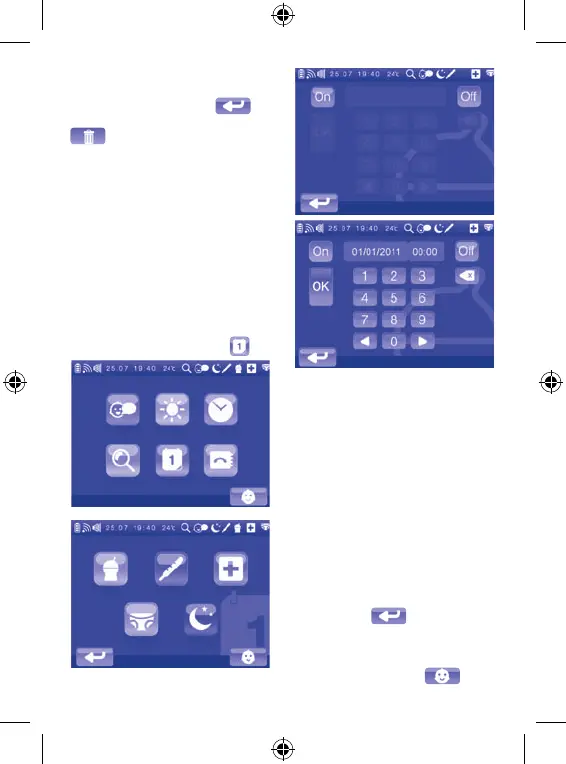
3.2.6 Reminder setting menu
To select the reminder to set and ac-
tivate, access the corresponding sub-
menu by touching its icon on the main
menu. The display (4) will show the
Choosing a Reminder sub-menu.
It is possible to set up and activate the
following reminders:
• meal reminder
• measure fever reminder
• medicine reminder
• nappy change reminder
• sleep reminder
Note: if, while navigating in the
Choosing a Reminder sub-menu, you
wish to exit and go back to the main
menu, touch
. If, on the other
hand, you wish to exit the main menu
and go back to displaying the full
screen image filmed by the video camera
(5) on the child unit, touch
. To set
and activate a reminder, access the


 To Next Page