42
Electrostatic
or electroma-
gnetic noise
Electrostatic or electro-
magnetic interference
due to electrostatic or
electromagnetic fields
emitted by other elec-
trical equipment: e.g.
domestic appliances,
cellular or cordless pho-
nes etc.
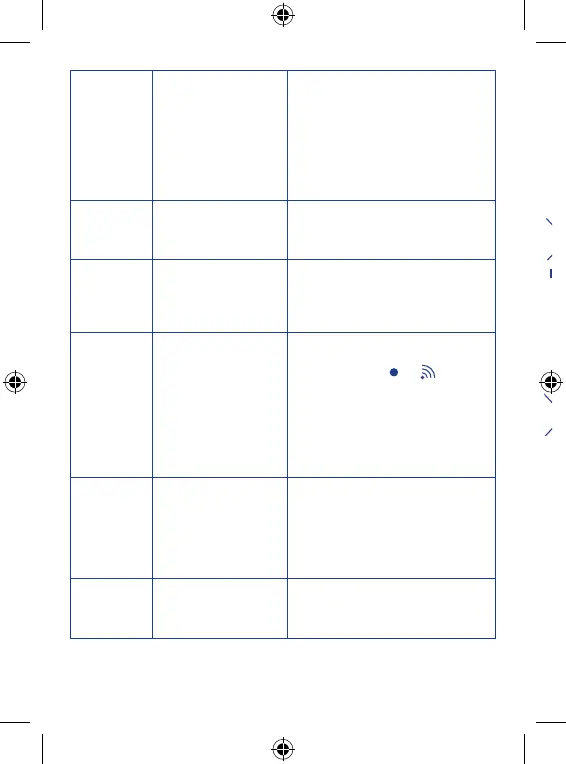
Identify and, if possible, eliminate the
cause of interference.
Presence of
hissing or
whistling
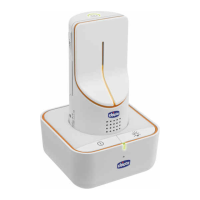
- The units are too close
together.
- Parent unit (receiver)
volume too high.
- Move the units further apart.
- Lower the parent unit (receiver)
volume, pressing
the volume adjustment button (5b).
The parent
unit (receiver)
emitting weak
sounds
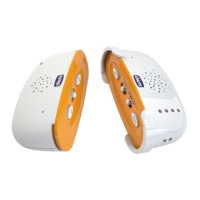
- The child is too far
away from the child unit
(transmitter).
- Parent unit volume
level too low.
- Move the child unit (transmitter)
within 1-1.5m away from the child.
- Increase the volume level on the
parent unit pressing
the + volume adjustment button (5a).
The child
unit does not
switch on in
music mode
-the child unit is on in
Baby Monitor mode.
-the MP3 player con-
nected to the child unit
is off or set to minimum
volume.
-Check if the power and link indicator
light (12) is on. If it is on and the
display shows the
or icon, the
product is working in Baby Monitor
mode.
Switch off Baby Monitor mode and
switch on Music mode.
- Check the MP3 player conditions
and, if necessary, switch it on and
increase volume.
Temperature
is not shown
on the parent
unit display.
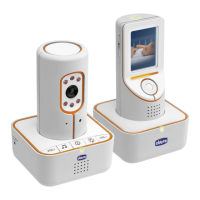
-The parent unit is on in
Gallery mode.
-Absence or loss of link
with the child unit.
-Check if the parent unit power and
link indicator light (12) is on. If this is
off, the product is working in Gallery
mode. Switch on the product in Baby
Monitor mode.
-Move the parent unit closer to the
child unit to establish a connection.
The parent
unit does not
switch on in
Gallery mode.
-The parent unit is on in
Baby Monitor mode.
-Switch off Baby Monitor mode and
switch on Gallery mode.


 To Next Page