41
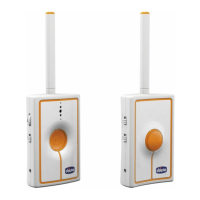
Parent unit
(receiver)/
child unit
(transmitter)
power and
link indicator
(8) off
The parent
unit (receiver)
does not
emit any
sounds
- No discernible sounds
are arriving to the child
unit (transmitter).
- .The voice activation
function has been se-
lected.
- Parent unit (receiver)
volume set at minimum.
- Child unit alkaline
batteries and/or parent
unit lithium-ion battery
completely flat.
- The parent unit (recei-
ver) may be off in Baby
Monitor mode.
- Just as soon as discernible sounds
from the environment are present, the
transmitter will be activated. In
any case, for peace of mind, test
transmission with the help of another
person who can try to speak in the
room the child unit (transmitter)
is on.
- If the display shows the
icon,
the voice activation function is active.
As soon as sounds present in the
child unit environment exceeds the
threshold for voice activation, the
parent unit will emit sounds.
- Adjust the parent unit (receiver)
volume, pressing
the + volume adjustment button (5a)
until sounds can be heard.
- Replace the alkaline batteries in the
child unit and/or charge the lithium-
ion battery in the parent unit.
- Switch on the parent unit (receiver)
in Baby Monitor mode.
The parent
unit (receiver)
display does
not show any
image (black
screen)
-The parent unit (recei-
ver) and/or child unit
may be off.
- Absence or loss of link
with the child unit.
- The voice activation
function has been se-
lected.
-Check that both units are on cor-
rectly.
- If the display shows the
, icon,
move the units closer together and/or
relocate the units themselves in order
to reduce the number of obstacles,
metal structures, reinforced concrete
walls, etc. interposed between them
and/or check that the child unit is on.
- If the display shows the
icon,
the voice activation function is active.
As soon as sounds present in the
child unit environment exceeds the
threshold for voice activation, the
parent unit will emit sounds and will
display an image of the child again in
real time.
Image colours
on the display
are very light
- Too much display
brightness.
-Enter the Adjusting the display
brightness sub-menu in Baby Monitor
mode and choose a lower level of
brightness.
Image colours
on the display
are very dark
- Too little display
brightness.
- Night vision activated.
-Enter the Adjusting the display
brightness sub-menu in Baby Monitor
mode and choose a higher level of
brightness.
- Check the lighting conditions of the
room where the child unit is located.
If the room is dark or in low light con-
ditions, alteration of image colour on
the display is to be considered normal.
Interference - In rare cases, even if
HOPPING technology
ensures high immunity
to interference from
analogue appliances,
interference can be
caused by the presence
of another intercom
or similar transmission
appliance switched on
nearby or by electroma-
gnetic pollution (proxi-
mity to antennas with
radio transmitters, high
voltage cables, etc.).
Move away from analogue equipment
and/or leave the area in which it is
located.
Presence of
obstacles,
metal struc-
tures, reinfor-
ced concrete
walls, etc.
interposed
between the
child unit
(transmitter)
and the
parent unit
(receiver)
- Presence of obstacles,
metal structures, rein-
forced concrete walls,
etc. interposed between
the child unit (transmit-
ter) and
the parent unit (re-
ceiver).
- Child unit alkaline
batteries and/or parent
unit lithium-ion battery
almost flat.
- Move the units closer together and/
or relocate the units themselves in
order to reduce the number of ob-
stacles, metal structures, reinforced
concrete walls etc. between them
- Replace the alkaline batteries in the
child unit and/or charge lithium-ion
battery in the parent unit.


 To Next Page
 Loading...