EasyManua.ls Logo

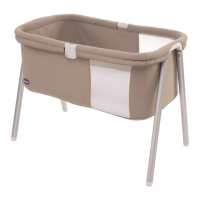
Chicco Dream Cradle - User Manual

Chicco Dream Cradle
68 pages
Go to English
Print Icon
To Next Page IconTo Next Page
Loading...

Questions and Answers

  • J
    Jessica RobertsAug 10, 2025
    How to fix Chicco Baby Accessories Dream Cradle application that does not connect?
    • B
      bgardnerAug 10, 2025
      If your Chicco Baby Accessories Dream Cradle application won't connect, here are some things to try: 1. Make sure no other smartphones are connected to The Dream Cradle. 2. Verify that The Dream Cradle is plugged in and the power button is lit. 3. The application's Bluetooth button should be flashing yellow; if it's red, press it to make it flash yellow. 4. Try pairing your smartphone and The Dream Cradle again. 5. Turn The Dream Cradle off and on using the button on the back. 6. Close and reopen the application on your smartphone.
  • J
    Jessica HoltAug 25, 2025
    What to do if there is a red circle on the Bluetooth button on my Chicco Dream Cradle Baby Accessories?
    • J
      John CarterAug 26, 2025
      If the Bluetooth button on your Chicco Baby Accessories Dream Cradle application shows a red circle, try these steps: 1. Press the button so it flashes yellow. If the Dream Cradle is on and paired correctly, it should turn solid green, indicating a connection. 2. If it doesn't connect, repeat the pairing process. 3. Turn The Dream Cradle off and on using the button on the back. 4. Close and reopen the application on your smartphone.

Chicco Dream Cradle Specifications

General IconGeneral
BrandChicco
ModelDream Cradle
CategoryBaby Accessories
LanguageEnglish

Related product manuals