PAC810 Installation Instructions
6
Adjustments
Height Adjustment
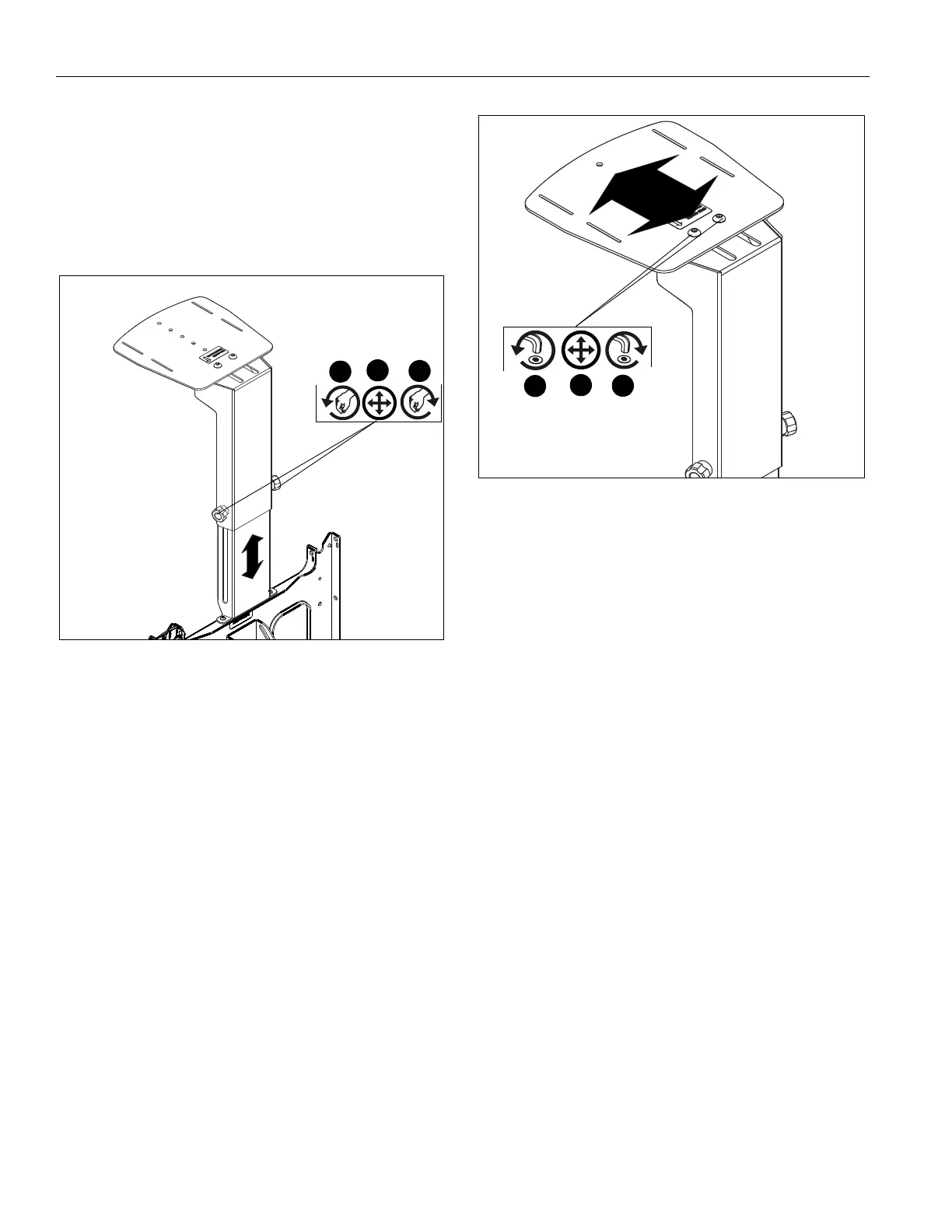
1. Loosen two adjustment knobs on the back of the video
conferencing shelf (A). (See Figure 4)
2. Raise or lower shelf to desired height. (See Figure 4)
3. Tighten two adjustment knobs on the back of the shelf until
mount is secure. (See Figure 4)
Figure 4
Shelf Extension Adjustment
1. Loosen two button head cap screws on video conferencing
shelf (A). (See Figure 5)
2. Adjust shelf to desired mounting position. (See Figure 5)
3. Tighten two button head cap screws on shelf until mount is
secure. (See Figure 5)
Figure 5
1
2
3
1
2
3



 To Next Page