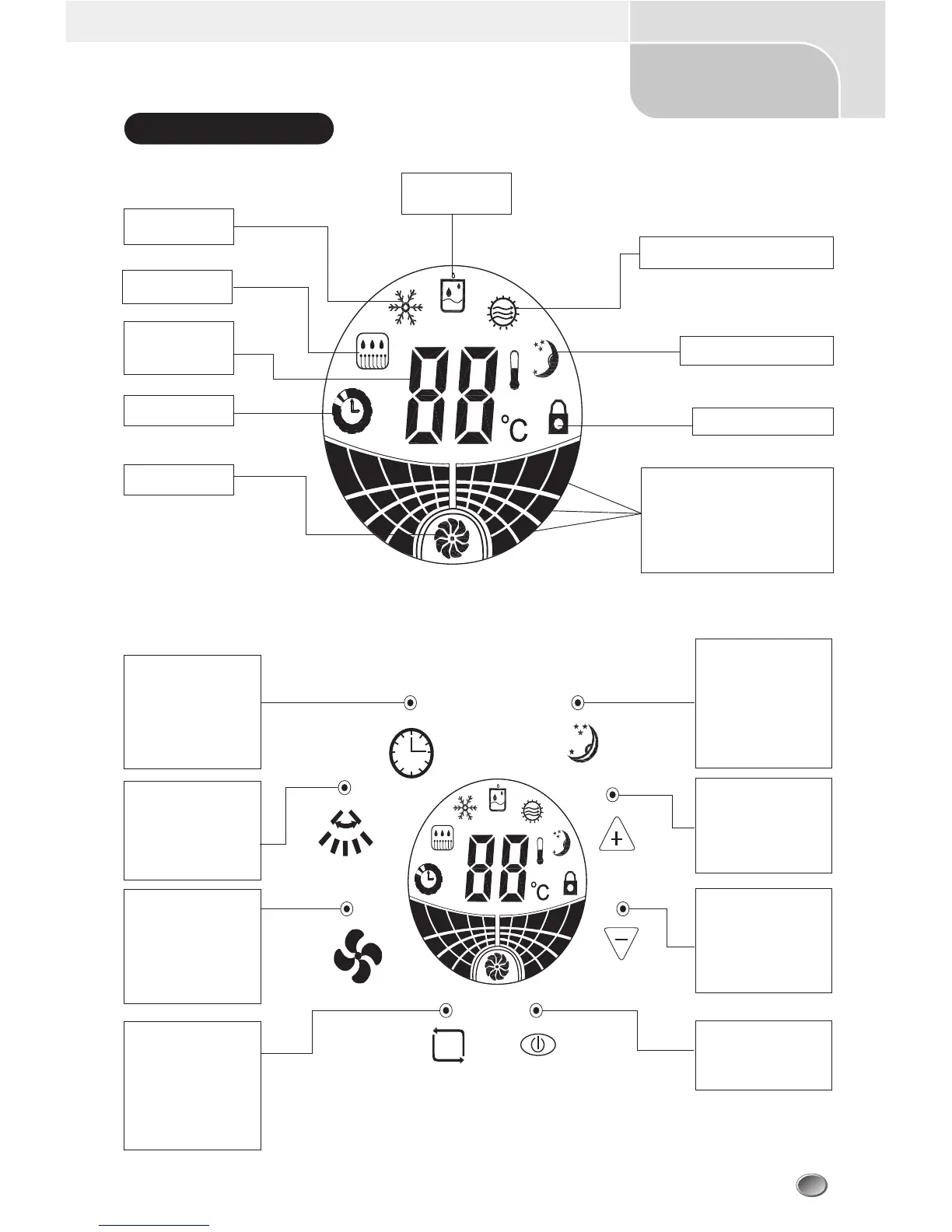
TIMING KEY
To press timing key to set
turning on time,turning off
time and to cancel timing,
the time range is 1-12
hours.
SWINGING WIND
SELECTION KEY
To choose different wind
types of swinging windor
set wind by pressing this
key.
WIND SPEED
SELECTION KEY
Press the key to choose
the wind speed and the
wind speed changes in the
following order with each
press:high,middle,low.
MODE SELECTION KEY
Press the key to choose
operation modes of
refrigerating,
dehumidifying,heating (or
ventilating for refrigerating
only AC unit).
3
USER'S MANUAL
Split Floor-Standing Air Conditioner
Operation Panel
Refrigerating
Operation Display
MODE
Defrosting Operation
Display
Room set
temperature and
failure code display
Timing Display
Display sign of fan
Heating (ventilating) operation display
Sleeping operation display
Dehumidifying
operation display
Display lock-up function
Wind speed operation(swinging wind)
display
one bright fan blade indicates low wind speed,
two bright fan blade indicates middle wind speed,
three bright fan blade indicates high wind speed,
swinging fan blade indicates winging wind.
SLEEPING KEY
Press the key to choose
sleeping mode,the AC will
operate with low wind
speed and automatically
turns off after 8 hours,
Press the key once again
to cancel sleeping mode.
TEMPERATURE+ KEY
Press the key once to
increase the set
temperature by 1
0
C,the
highest temperature is
29
0
C
.
TEMPERATURE- KEY
Press the key once to
reduce the set temperature
by 1
0
C,the lowest
temperature is 18
0
C
.
TURN ON/OFF KEY
Press the key to turn on or
turn off the AC unit.
(1)




 To Next Page