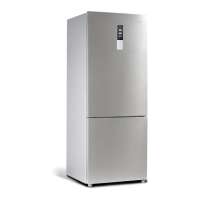
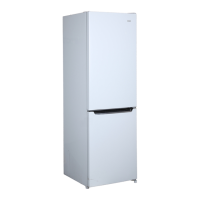
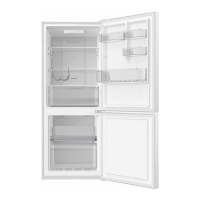
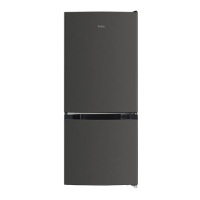
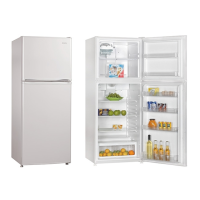
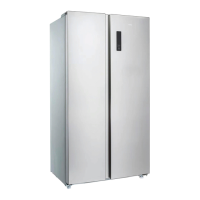
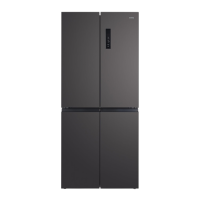
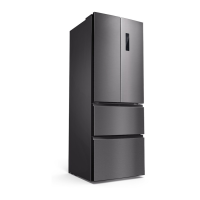
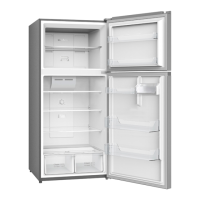
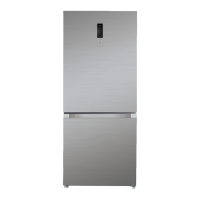
This document is a user manual for a CHiQ bottom mount refrigerator, covering models CBM396NW, CBM395NBS, CBM394NSS, and CBM393NB. It provides essential information for installation, operation, maintenance, and troubleshooting, ensuring safe and efficient use of the appliance.
Function Description
The CHiQ bottom mount refrigerator is designed for normal domestic use, offering both a fridge and a freezer compartment. It utilizes R600a flammable refrigerant in its sealed system, which is environmentally friendly. The appliance features a control panel for various settings, including Smart ECO mode, Fast Freezing mode, Fast Cooling mode, and Vacation mode, allowing users to optimize performance and energy consumption based on their needs.
The refrigerator's internal components include a light, lighting switch, fridge glass shelves, a vegetable and fruit crisper cover, a vegetable and fruit crisper, freezing drawers, and fridge door shelves. These components are designed to help organize and store food efficiently. The appliance also incorporates safety features such as a door open alarm, power cut memory, and power-on delay to protect the compressor. In case of faults, an alarm system displays error codes (E0, E1, E2, EH, or EC) to indicate issues requiring service.
Usage Features
- Smart ECO Mode: This is the default operating mode when the refrigerator is first connected to power. In this mode, the fridge compartment is set to 4°C and the freezer to -18°C, optimizing efficiency and performance. Temperature settings cannot be changed while Smart ECO mode is active. To activate or deactivate, press the Function key until the Smart symbol flashes, then confirm with the OK key.
- Fast Freezing Mode: When enabled, the freezer temperature is set to -32°C for 26 hours. This rapid cooling helps preserve food nutrition and freshness. After 26 hours, the function automatically turns off. It can also be manually turned off by pressing the Function key until the Fast Freeze symbol flashes and confirming with the OK key.
- Fast Cooling Mode: This function sets the fridge temperature to 2°C for quick cooling. Similar to Fast Freezing, it can be activated and deactivated via the Function and OK keys.
- Temperature Setting: Users can manually adjust the temperature for both the fridge and freezer compartments, provided Smart ECO, Fast Freezing, or Fast Cooling modes are not active.
- Fridge Compartment: Press the "fridge" key to cycle through temperature settings (5°C→6°C→7°C→8°C→OF→2°C→3°C→4°C→5°C). "OF" indicates the fridge compartment is switched off, stopping cooling. Users are advised to remove all food before using the "OF" function. The set temperature becomes active after 5 seconds.
- Freezer Compartment: Press the "freezer" key to cycle through temperature settings (-18°C→-17°C→-16°C→-24°C→-23°C→-22°C→-21°C→-20°C→-19°C→-18°C). The set temperature becomes active after 5 seconds.
- Vacation Mode: In this mode, the fridge compartment is set to 14°C, and the temperature settings cannot be changed. It is recommended to remove all food from the fridge compartment before activating this function. Activation and deactivation are done through the Function and OK keys.
- Door Open Alarm: If a refrigerator door remains open for more than 3 minutes, a buzzer alarm will sound continuously. Pressing any key button will temporarily stop the alarm, but it will resume after 3 minutes if the door is still open. The alarm stops once the door is properly closed.
- Power Cut Memory: The refrigerator retains its previous settings after a power failure, restoring them once power is re-established.
- Power-on Delay: To protect the compressor, it will not start immediately after a short power failure (less than 5 minutes). It will restart after 5 minutes.
- Over-temperature Alarm: After a power outage, if the freezer sensor temperature is higher than -10°C, the freezer zone digits on the display will flicker. Pressing any key will show the freezer temperature, and the normal display will restore after 10 seconds or another key press.
- Fault Alarm: If error codes (E0, E1, E2, EH, or EC) appear on the display panel, it indicates a fault with the refrigerator, and users should contact CHiQ service for assistance.
- Energy Saving Tips:
- Allow hot foods to cool to room temperature before placing them in the refrigerator.
- Avoid overloading the refrigerator to prevent the compressor from working harder.
- Properly wrap foods and wipe containers dry to reduce frost build-up.
- Organize and label food to minimize door openings and search times.
- Remove multiple items at once and close the door promptly.
- Door Reversal: The manual provides detailed instructions for reversing the door swing, requiring specific tools and spare parts from the accessory bag. This process involves disassembling and reassembling hinges and door components. It is recommended to contact a qualified technician for this task unless the user is confident in their ability to perform it.
Maintenance Features
- Cleaning the Refrigerator:
- Before cleaning, turn off and unplug the refrigerator from the wall outlet.
- Remove all food content.
- Wash the interior with a damp cloth soaked in lukewarm water and dishwasher liquid. Avoid using chemical detergents that could damage the fridge's coating.
- Keep the door gasket (seal) clean to ensure efficient operation and prevent dislodging or tearing.
- Dry the interior and exterior with a soft cloth.
- Vacation Time:
- Short Vacations (less than three weeks): Leave the refrigerator operating normally.
- Long Vacations (several months): Turn off and unplug the unit, remove all food, and clean and dry the interior thoroughly. To prevent odors and mold growth, leave the door slightly open, blocking it if necessary.
- Repositioning and Relocating the Refrigerator:
- Unplug the power cord.
- Remove all food and drinks.
- Securely tape down all loose items inside and tape the doors closed.
- It is recommended to keep the refrigerator upright during transport. If laid down, lift it upright immediately after moving and wait at least 24 hours before plugging it in.
- General Notes:
- Storing large quantities of food directly in front of the air vent can hinder cooling efficiency by affecting airflow.
- Allow 6 hours for temperature to stabilize after adjusting thermostat settings.
- Avoid frequently opening and closing the door, as this increases internal temperature.
- Be aware that different sections of the refrigerator compartment may have varying temperatures; the back wall and lowest shelf are typically the coolest, while the top door rack is the warmest. Avoid placing raw vegetables too close to the coolest areas to prevent frostbite.
- If the fridge needs a manual defrost due to excessive moisture blocking the air channel, transfer food to another fridge or a container with ice, unplug the unit, and leave both doors open for 24 hours. Then, plug it back in.


 To Next Page
 General