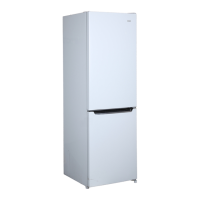
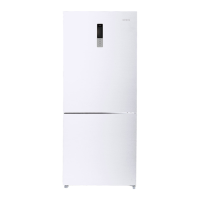
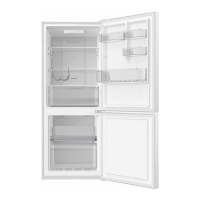
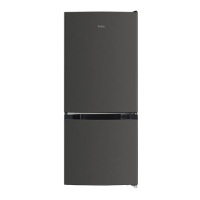
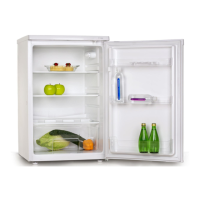
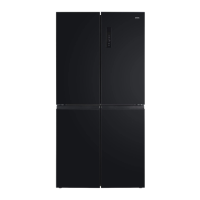
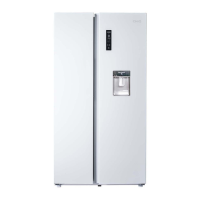
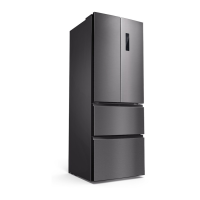
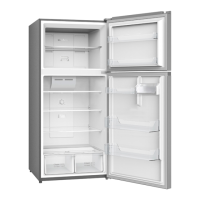
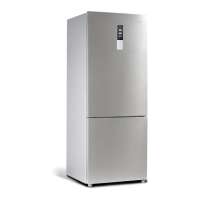
This document is a user manual for CHiQ Frost Free Bottom Mounted Refrigerators, specifically models CBM432W, CBM430B, and CBM431S.
Function Description
The CHiQ Frost Free Bottom Mounted Refrigerator is designed for domestic household use and similar applications such as staff areas in shops and offices, hotels, motels, and catering environments. It features a frost-free system, eliminating the need for manual defrosting. The appliance includes a cooling room (refrigerator) and freezing drawers (freezer).
Important Technical Specifications
- Refrigerant: This model uses 0.053kg of R600a flammable refrigerant in its sealed system. R600a is environmentally friendly, does not damage the ozone layer, and does not increase the greenhouse effect.
- Ventilation: Requires at least 5cm of space between the back and sides for proper air ventilation. The room for installation must be at least 1 cubic meter per 8 grams of refrigerant.
- Power Connection: Requires a dedicated, properly installed-grounded wall outlet. The power cord must be situated in a safe location to prevent damage.
- Temperature Control:
- Refrigerator Temperature Cycle: 2℃→3℃→4℃→5℃→6℃→7℃→8℃→OFF→2℃.
- Freezer Temperature Cycle: -24℃→-23℃→-22℃→-21℃→-20℃→-19℃→-18℃→-17℃→-16℃→-24℃.
- Intelligence Function: Sets refrigerator to 4°C and freezer to -18°C automatically.
- Fast Cooling Function: Sets refrigerator to 2°C. Refrigerator temperature cannot be changed during fast cooling.
- Fast Freezing Function: Allows refrigerator temperature to be set, but not freezer temperature. Fast freezing automatically quits after 26 hours.
- Vacation Function: Sets refrigerator to 14°C. Temperatures in this chamber cannot be changed.
- Power-Off Memory: The refrigerator retains all settings in case of a power outage.
- Power-On Delay: If power is cut and restored within 5 minutes, the unit will delay starting to prevent harm.
- Freezer Over-Temperature Alarm: Activates if freezer temperature is higher than 10℃ when first connected to power.
- Refrigerator Door Opening Alarm: Sounds if the refrigerator door is open for over 3 minutes.
- Sensor Fault Alarm: Displays "E0", "E1", "E2" or other abnormal symbols, indicating a sensor fault requiring repair.
Usage Features
- Installation:
- Remove all exterior and interior packing.
- Allow the unit to stand upright for approximately 4 hours before connecting to power to mitigate cooling system malfunction from transportation.
- Clean interior surfaces with lukewarm water and a soft cloth.
- Place on a leveled/even floor surface strong enough to support its weight when fully loaded. Front feet are adjustable for leveling.
- Avoid direct sunlight, direct heat sources (stove, heater, radiator), and moist or pest-infested areas.
- Ambient temperature should be between 50°F (10°C) and 85°F (29.4°C) for optimal performance.
- Not designed for outside installation.
- After plugging in, allow 2-3 hours for the unit to cool down before placing food inside.
- Do not place items on top of the appliance.
- Operation (Control Panel):
- The display is located in the middle of the refrigerator door.
- Fridge Button: Sets refrigerator temperature.
- Freezer Button: Sets freezer temperature.
- Function Button: Selects fast cooling, fast freezing, intelligence, and vacation modes.
- OK Button: Enters or exits selected functions.
- Display Control: The display light turns off after 3 minutes of no button operation or door closure. Open the door or press any button to light it up.
- Temperature Setting: Click "refrigerator" or "freezer" button to set temperature when the symbol flickers. Temperatures cannot be set during fast cooling, fast freezing, intelligence, or vacation modes. Settings take effect after 5 seconds of no button operation.
- Food Storage:
- Allow hot foods to cool to room temperature before placing them in the refrigerator.
- Do not overcrowd the refrigerator or block cold air vents.
- Wrap foods properly and wipe containers dry to prevent frost build-up.
- Organize and label food to reduce door openings.
- Store cooked meats above raw meats to avoid bacterial transfer.
- Keep raw meats on a plate, covered with cling film or foil.
- Store fruits and vegetables in the salad crisper to prevent excessive water evaporation.
- Effervescent drinks should not be stored in freezer compartments or low-temperature compartments.
- Do not consume water ices when too cold.
- Food should be separately packed or covered to prevent flavor transfer and drying out.
- Limit door openings to conserve energy.
- Freezing Preparations:
- Cool cooked food completely before freezing.
- Chill food in the fridge before freezing if possible.
- Consider cooking method before freezing.
- Do not freeze food in metal containers if planning to microwave directly from the freezer.
- Use special freezer bags, film, polythene bags, plastic containers, or aluminum foil. Avoid thin cling film or glass.
- Exclude as much air as possible from containers.
- Leave a small "air space" when freezing liquids to allow for expansion.
- Freeze liquids in square blocks using polythene bags inside square-sided containers for efficient space usage.
- Shopping for Frozen Foods:
- Check storage guidelines and "Best Before" dates on packaging.
- Verify the temperature of the frozen food cabinet in the store.
- Ensure frozen food packages are in perfect condition.
- Buy frozen products last during shopping.
- Keep frozen food together during transport, ideally in insulated bags.
- Only buy frozen food if it can be frozen immediately.
- Defrosting: This appliance is designed for automatic defrosting; manual defrosting is not required.
- Power Interruption/Failure:
- During extended non-running periods, do not open the refrigerator door as much as possible to keep food safe for hours.
- If a power outage is anticipated, set temperature control to a strong cold position an hour in advance (do not store new food during this time).
- After power is restored, return temperature control to original settings.
- Making ice in watertight containers and placing it in the upper part of the freezer can extend fresh food storage time.
Maintenance Features
- Cleaning:
- Unplug the unit from the wall outlet before cleaning.
- Remove all food content.
- Wash the inside with a damp cloth soaked in lukewarm water and a baking soda solution (2 tablespoons of baking soda to a liter of water).
- Keep the door gasket (seal) clean to ensure efficient operation and prevent dislodging/tearing.
- Clean the exterior (door and sides) with mild detergent and warm water.
- Dry interior and exterior with a soft cloth.
- Vacuum condenser coils when dusty or dirty (condenser is an internal, non-serviceable tube).
- The water tray above the compressor does not need to be emptied as water evaporates from compressor heat.
- Vacation Time:
- Short Vacations (less than three weeks): Leave the refrigerator operating.
- Long Vacations (several months): Turn off, unplug, remove all food, clean and dry the interior thoroughly. Leave the door open slightly (blocking it if necessary or removing it) to prevent odor and mold growth.
- Repositioning and Relocating:
- Turn off and unplug the unit.
- Remove all food and drinks.
- Securely tape down all loose items inside.
- Tape the doors shut.
- Ensure the refrigerator remains in an upright position during transportation.


 To Next Page
 General