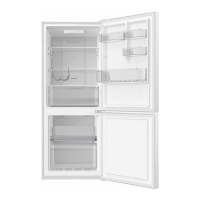
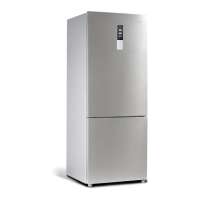
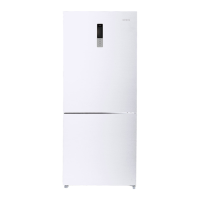
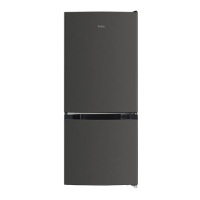
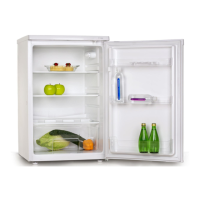
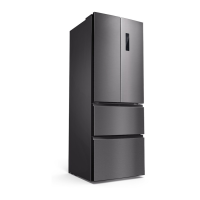
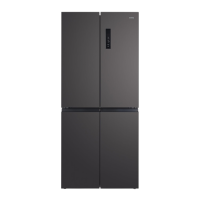
This document is a user manual for a CHiQ Frost Free Bottom Mounted Refrigerator, specifically models CBM251W and CBM250S.
Function Description:
The CHiQ Frost Free Bottom Mounted Refrigerator is a domestic appliance designed for storing food items, featuring separate compartments for refrigeration and freezing. Its "frost free" designation indicates that it automatically prevents ice build-up, eliminating the need for manual defrosting. The bottom-mounted freezer design typically offers easier access to refrigerated items, which are used more frequently. The appliance incorporates temperature controls for both compartments and an air volume control switch to adjust the distribution of cold air between the refrigerator and freezer.
Important Technical Specifications:
- Refrigerant: The appliance uses R600a flammable refrigerant. The manual specifies a quantity of 0.039kg of R600a.
- Refrigerant Safety: The installation room must be at least 1 cubic meter per 8 grams of refrigerant. The refrigerant quantity is also noted on the appliance's Rating Plate.
- Electrical Connection: Requires connection to a properly installed and grounded wall outlet, fitted by a qualified electrician, to meet Australian Electrical Standards.
- Installation Clearance: Requires at least 5cm of space between the back and sides for proper air ventilation.
- Ambient Temperature: Optimal performance is hindered by ambient temperatures below 50°F (10°C) or above 85°F (29.4°C).
- Power Interruption Delay: After being unplugged or losing power, a delay of approximately 3 to 5 minutes is required before restarting to prevent operational issues.
Usage Features:
- Temperature Controls:
- Located on the top of the refrigerator compartment.
- Settings include "FAST COOL," "2," "4," "6," and "8."
- Numbers represent temperature grades, not exact temperatures. Grade 2 is the coldest, and Grade 8 is the warmest.
- "FAST COOL" function rapidly cools food for 2-3 hours, then automatically reverts to the previous setting.
- Grade 4 is recommended for normal operation, but settings can be adjusted to suit individual needs.
- When adjusting thermostat settings, do so by one increment at a time and allow 24 hours for temperature stabilization.
- Air Volume Control Switch:
- Located on the back wall of the refrigerator compartment.
- Settings are "MIN" and "MAX."
- "MIN" setting directs more cold air to the freezer, making the freezer colder and the refrigerator warmer.
- "MAX" setting directs more cold air to the refrigerator, making the refrigerator colder and the freezer warmer.
- A middle setting between "MIN" and "MAX" is recommended for normal operation, but it can be adjusted as needed.
- Food Storage:
- Allow hot foods to cool to room temperature before placing them in the refrigerator to prevent overloading the compressor.
- Wrap foods properly and wipe containers dry to reduce frost build-up.
- Organize and label food to minimize door openings and search times.
- Avoid placing raw vegetables too close to the coolest area (typically the back wall and bottom lowest shelf) to prevent frostbite.
- The top door rack is typically the warmest area.
- Door Operation:
- Refrain from leaving doors open for extended periods to conserve energy.
- Ensure doors are closed completely and gaskets seal properly to maintain temperature and prevent excessive compressor operation.
Maintenance Features:
- Cleaning:
- Initial Cleaning: Before connecting to power, clean the interior with lukewarm water and a soft cloth.
- Regular Cleaning:
- Turn off and unplug the unit before cleaning.
- Remove all food content.
- Wash the inside with a solution of about 2 tablespoons of baking soda to a liter of water.
- Keep door gaskets (seals) clean to ensure efficient operation and prevent dislodging or tearing.
- Clean the exterior (door and sides) with mild detergent and warm water.
- Dry interior and exterior with a soft cloth.
- Vacuum condenser coils when dusty or dirty (condenser is an internal, non-serviceable tube).
- The water tray above the compressor does not need to be emptied as water evaporates due to compressor heat.
- Vacation Care:
- Short Vacations (less than three weeks): Leave the refrigerator operating.
- Long Vacations (several months):
- Turn off and unplug the unit.
- Remove all food.
- Clean and dry the interior thoroughly.
- Leave the door/s open slightly (blocking it open if necessary or removing the door) to prevent odor and mold growth.
- Repositioning and Relocating:
- Turn off and unplug the unit.
- Remove all food and drinks.
- Securely tape down all loose items inside.
- Tape the doors shut.
- Ensure the refrigerator remains in an upright position during transportation.
- Troubleshooting Guide: The manual provides a comprehensive troubleshooting section for common issues such as the refrigerator not operating, light not working, compressor running continuously, and temperature irregularities. It offers solutions like checking power connections, door seals, temperature settings, and ambient conditions.
- Disposal: Emphasizes environmental and personal safety during disposal. The appliance should be taken to an authorized recycle center for safe recycling, as the insulation and refrigerant gas are flammable. Do not dispose of in landfill.
Part Names and Locations (Referencing Diagram):
- Light box assembly
- Refrigerator Glass Shelf
- Crisper Cover
- Vegetable Crisper
- Upper Freezer Drawer
- Freezer Room Glass Shelf
- Bottom Freezer Drawer
- Adjustable Foot
- Upper Bottle Rack
- Egg tray
- Bottom Bottle Rack
Accessories: The accessory bag includes a User Manual, Warranty Card, and Door Stopper (small plastic parts for door reversal purposes only).
Manufacturer's Note: The manufacturer reserves the right to redesign or modify products without notice. Any modifications or upgrades may result in slight variations from the manual, but functionality will remain the same.


 To Next Page
 General