EasyManua.ls Logo

ChiQ CSS559NWD - User Manual

ChiQ CSS559NWD
14 pages
Print Icon
To Next Page IconTo Next Page
Loading...
USER MANUAL
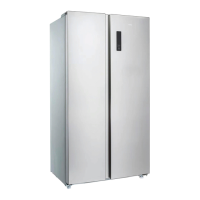
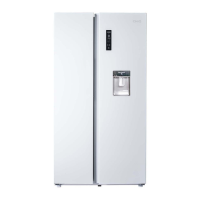
SIDE BY SIDE REFRIGERAT
OR
Customer Service 1300 796 688
www.chiq.com.au
MODEL
CSS559NWD
CSS558NBSD
CSS557NSD

Questions and Answers

Summary

Part Names and Locations

Important Safety Instructions

General Safety Precautions

Key precautions for safe operation, use by children, and maintenance.

Specific Hazard Warnings

Addresses specific risks like servicing, ventilation, and electrical connections.

R600 a Warnings

R600 a Refrigerant Handling

Precautions regarding flammable R600a refrigerant, handling, and ventilation.

Servicing and Usage Restrictions

Guidelines for authorized servicing and prohibited usage within compartments.

Appliance Disposal

Safe and environmentally responsible disposal procedures for the appliance.

Installation Instructions

Before Using the Refrigerator

Initial steps before connecting power, including unpacking and cleaning.

Installing the Refrigerator

Guidelines for proper placement, ventilation space, and floor requirements.

Product Features

Electronic Control

Details the LED display and temperature management system.

Inverter Technology

Explains the benefits of inverter technology for performance and efficiency.

LECO Flavor Preservation

Describes the LECO device for enhancing flavor and freshness.

Green Technology

Highlights the use of eco-friendly refrigerants and insulation.

Energy Saving Tips

Operating Instructions

Function & Setting Overview

Explains the display panel, symbols, and basic operation modes.

Lock Function

Details how to enable and disable the child lock feature to prevent adjustments.

Smart Mode Operation

Describes the Smart mode settings and how to activate/deactivate it.

Fast Freeze Mode Operation

Explains the Fast Freeze function for rapid cooling and its automatic turn-off.

Temperature Setting

Instructions for adjusting fridge and freezer temperatures, including checks.

Fridge Compartment Temperature Control

Step-by-step guide to set the desired temperature for the refrigerator compartment.

Freezer Compartment Temperature Control

Step-by-step guide to set the desired temperature for the freezer compartment.

Alarms and Memory Features

Door Open Alarm

Alerts when a door is left open for an extended period.

Power Cut Memory

Maintains previous settings after a power interruption.

Power-on Delay

Protects the compressor by delaying startup after power restoration.

Over-temperature Alarm

Indicates high freezer temperatures after a power outage.

Fault Alarm

Displays error codes (E0-EC) indicating operational faults.

Water Dispenser

Fill the Water Tank

Instructions for filling the water tank correctly, avoiding spills.

Dispense Water

How to operate the water dispenser and handle drips.

General Care and Maintenance

Cleaning the Refrigerator

Steps for cleaning the interior and exterior, including seal care.

Vacation Time

Guidelines for preparing the refrigerator for short and long absences.

Repositioning and Relocating the Refrigerator

Troubleshooting Guide

Fridge Has No Power

Solutions for issues related to the refrigerator not receiving power.

Light Not Working

Troubleshooting steps if the internal light is not functioning.

Compressor Runs All The Time

Reasons and solutions for the compressor running constantly.

Temperature Too Warm

Diagnosing and fixing issues where the refrigerator is too warm.

Temperature Too Cold

Solutions for problems where the refrigerator is excessively cold.

External Walls Warm

Explanation for warm exterior walls and normal heat transfer.

Popping or Cracking Sound

Normal sounds due to metal expansion and contraction.

Bubbling or Gurgling Sound

Normal sounds of refrigerant circulation.

Vibrations

Troubleshooting tips for excessive vibrations and leveling.

Moisture Inside Walls

Causes and solutions for condensation forming on interior walls.

Moisture Outside

Reasons for exterior moisture, often due to door seals or humidity.

Doors Not Closing Properly

Fixes for doors not sealing correctly due to leveling or obstructions.

Summary

Part Names and Locations

Important Safety Instructions

General Safety Precautions

Key precautions for safe operation, use by children, and maintenance.

Specific Hazard Warnings

Addresses specific risks like servicing, ventilation, and electrical connections.

R600 a Warnings

R600 a Refrigerant Handling

Precautions regarding flammable R600a refrigerant, handling, and ventilation.

Servicing and Usage Restrictions

Guidelines for authorized servicing and prohibited usage within compartments.

Appliance Disposal

Safe and environmentally responsible disposal procedures for the appliance.

Installation Instructions

Before Using the Refrigerator

Initial steps before connecting power, including unpacking and cleaning.

Installing the Refrigerator

Guidelines for proper placement, ventilation space, and floor requirements.

Product Features

Electronic Control

Details the LED display and temperature management system.

Inverter Technology

Explains the benefits of inverter technology for performance and efficiency.

LECO Flavor Preservation

Describes the LECO device for enhancing flavor and freshness.

Green Technology

Highlights the use of eco-friendly refrigerants and insulation.

Energy Saving Tips

Operating Instructions

Function & Setting Overview

Explains the display panel, symbols, and basic operation modes.

Lock Function

Details how to enable and disable the child lock feature to prevent adjustments.

Smart Mode Operation

Describes the Smart mode settings and how to activate/deactivate it.

Fast Freeze Mode Operation

Explains the Fast Freeze function for rapid cooling and its automatic turn-off.

Temperature Setting

Instructions for adjusting fridge and freezer temperatures, including checks.

Fridge Compartment Temperature Control

Step-by-step guide to set the desired temperature for the refrigerator compartment.

Freezer Compartment Temperature Control

Step-by-step guide to set the desired temperature for the freezer compartment.

Alarms and Memory Features

Door Open Alarm

Alerts when a door is left open for an extended period.

Power Cut Memory

Maintains previous settings after a power interruption.

Power-on Delay

Protects the compressor by delaying startup after power restoration.

Over-temperature Alarm

Indicates high freezer temperatures after a power outage.

Fault Alarm

Displays error codes (E0-EC) indicating operational faults.

Water Dispenser

Fill the Water Tank

Instructions for filling the water tank correctly, avoiding spills.

Dispense Water

How to operate the water dispenser and handle drips.

General Care and Maintenance

Cleaning the Refrigerator

Steps for cleaning the interior and exterior, including seal care.

Vacation Time

Guidelines for preparing the refrigerator for short and long absences.

Repositioning and Relocating the Refrigerator

Troubleshooting Guide

Fridge Has No Power

Solutions for issues related to the refrigerator not receiving power.

Light Not Working

Troubleshooting steps if the internal light is not functioning.

Compressor Runs All The Time

Reasons and solutions for the compressor running constantly.

Temperature Too Warm

Diagnosing and fixing issues where the refrigerator is too warm.

Temperature Too Cold

Solutions for problems where the refrigerator is excessively cold.

External Walls Warm

Explanation for warm exterior walls and normal heat transfer.

Popping or Cracking Sound

Normal sounds due to metal expansion and contraction.

Bubbling or Gurgling Sound

Normal sounds of refrigerant circulation.

Vibrations

Troubleshooting tips for excessive vibrations and leveling.

Moisture Inside Walls

Causes and solutions for condensation forming on interior walls.

Moisture Outside

Reasons for exterior moisture, often due to door seals or humidity.

Doors Not Closing Properly

Fixes for doors not sealing correctly due to leveling or obstructions.

ChiQ CSS559NWD Specifications

General IconGeneral
BrandChiQ
ModelCSS559NWD
CategoryRefrigerator
LanguageEnglish

Related product manuals