EasyManua.ls Logo

ChoiceMMed MDTS100 - User Manual

ChoiceMMed MDTS100
22 pages
Print Icon
To Next Page IconTo Next Page
Loading...
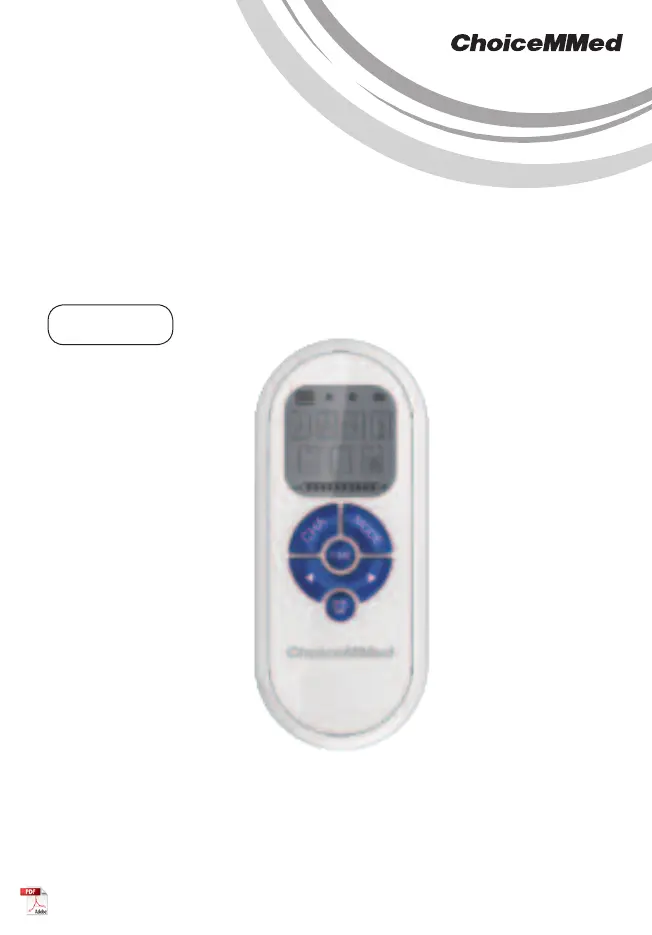
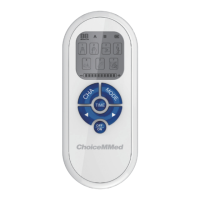
Electronic Pulse Stimulator
INSTRUCTION MANUAL
MDTS100
*Bluetooth function is available
for selected device.

Questions and Answers

  • K
    Kevin HardinAug 6, 2025
    What to do if my ChoiceMMed MDTS100 Medical Equipment device does not turn on?
    • B
      Barbara RiggsAug 6, 2025
      If your ChoiceMMed Medical Equipment device doesn't turn on, the first thing you should do is check the batteries. Remove them and then reinstall them to ensure they are correctly placed.
  • A
    Antonio BassAug 14, 2025
    How to fix weak or no stimulation with ChoiceMMed MDTS100 Medical Equipment?
    • R
      rebecca45Aug 14, 2025
      If your ChoiceMMed Medical Equipment provides weak or no stimulation, ensure the electrode pads are making good contact with your skin by removing, cleaning, and replacing them. Check that the electrode pads aren't touching each other; if they are, separate them. Verify that the wires are properly connected to both the electrode pads and the device itself by disconnecting, cleaning, and reconnecting them. Finally, check the batteries and replace them if necessary.
  • C
    Carla BrownAug 21, 2025
    Why does my skin get red using ChoiceMMed Medical Equipment?
    • J
      john11Aug 21, 2025
      If you experience skin redness after using your ChoiceMMed Medical Equipment, it might be due to prolonged stimulation. To address this, stop the treatment or move the electrode pads to another area.
  • L
    Laurie GarciaAug 29, 2025
    What to do if skin feels numb using ChoiceMMed MDTS100 Medical Equipment?
    • S
      shannonharrisAug 29, 2025
      If your skin feels numb after using the ChoiceMMed Medical Equipment, it could be due to dirty electrode pads or poor contact with the skin. Try cleaning the electrode pads with a damp cloth or replacing them. Also, remove the electrode pads and reapply them to ensure they adhere closely to your skin.

Summary

Box Contents

Introduction

Indications for Use

Features

General Safety Warnings

Critical Safety Dangers

Highlights critical risks like pacemakers, surgical equipment, and chest electrode placement.

Important Warnings

Advises physician consultation for conditions and cautions about accessories and equipment proximity.

Important Notices and Precautions

Details precautions like avoiding driving, humidity, and specifies conditions for not applying stimulation.

User Awareness and Cautions

Provides cautions on physician consultation, device limits, skin reactions, and MRI environments.

Device Specifications

Environmental Conditions

Details temperature, humidity, and atmosphere pressure for transportation, storage, and operation.

Technical Specifications

Lists physical dimensions, weight, power requirements, battery life, and electrical parameters.

Stimulation Mode Parameters

Mode 1 & 2 Parameters

Details parameters and output waveforms for Stimulation Modes 1 and 2.

Mode 3 Parameters

Details parameters and output waveforms for Stimulation Mode 3.

Mode 4 & 5 Parameters

Details parameters and output waveforms for Stimulation Modes 4 and 5.

Mode 6 & 7 Parameters

Details parameters and output waveforms for Stimulation Modes 6 and 7.

How the Device Works

Understanding Your Unit

Operating Instructions

Battery Installation

Instructions for inserting AAA batteries into the device compartment.

Connecting Wires and Pads

Guide for connecting electrode pads to wires and then to the device's output channels.

Electrode Pad Placement

Guidance on applying electrode pads to the body for effective pain relief.

Device Power On

How to turn the electronic pulse stimulator on.

Selecting Output Channels

Instructions on selecting output channels (A, B, or both) for stimulation.

Selecting Stimulation Modes

Guide to choosing one of the seven available stimulation modes.

Setting Stimulation Time

How to adjust the duration of stimulation from 5 to 20 minutes.

Adjusting Stimulation Intensity

Instructions on increasing or decreasing the intensity level of stimulation.

Device Power Off

How to turn off the electronic pulse stimulator and disconnect accessories.

Quality Assurance Tests

Key Functionality Tests

Details tests for buttons, mode selection, intensity adjustment, and timer display.

LCD Display Check

Describes the expected information displayed on the LCD screen, including indicators.

Device Accessories

Connecting Wires Description

Details the material, length, and connectors of the lead wires.

Electrode Pads Description

Information on the reusability and care of electrode pads.

Electrode Pads User Guide

Electrode Pad Positions

Illustrates recommended placement positions for electrode pads on the body.

Electrode Pad Application Steps

Step-by-step guide for connecting and applying electrode pads to the skin.

Electrode Pad Application Notes

Important notes regarding pad placement, skin cleaning, device status, and cleaning.

Cleaning and Maintenance

Cleaning and Maintenance Warnings

Highlights critical warnings about water, battery cover, device enclosure, and accessory replacement.

FCC Declaration

Applicable Model and Manufacturer

ChoiceMMed MDTS100 Specifications

General IconGeneral
BrandChoiceMMed
ModelMDTS100
CategoryMedical Equipment
LanguageEnglish

Related product manuals