B
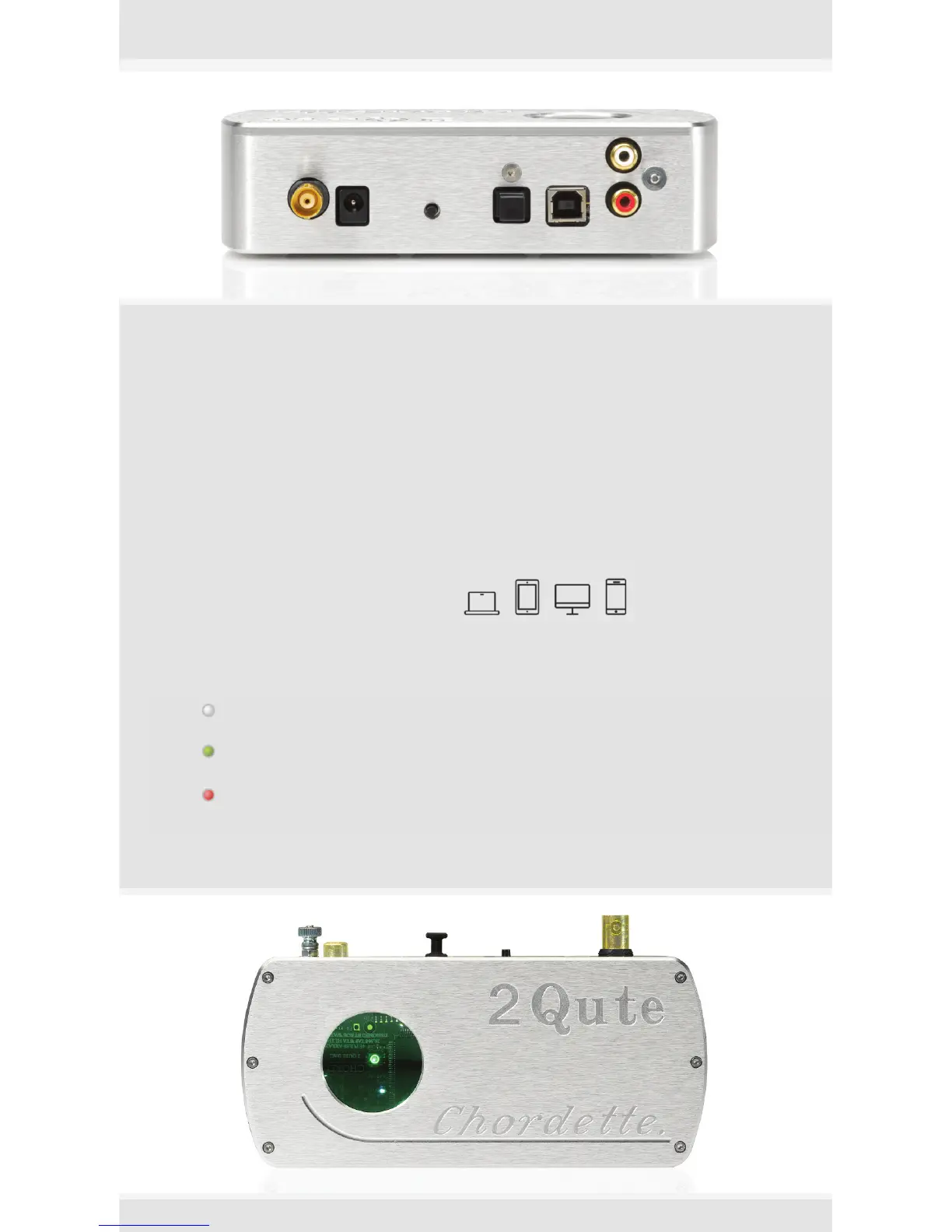
NC coaxial
connection
P
ower
12V
I
nput
switch
O
ptical TOSLink
connection
H
D USB
connection
P
hono
connection
Operation
Plug your power adapter into 2Qute and it will cycle through a sequence of colours
and then be ready for operation. Select the input you wish to use using the input switch
and plug in your input cables, as appropriate.
Driver Installation
If you are using the high definition (HD) USB input with a Microsoft Windows
TM
Vista,
7 or 8 PC then you will need to install the driver software on the supplied memory stick.
Before connecting to 2Qute, double click the driver file to open it and then click the
setup file to start the installation process. Follow the screen prompts to complete the
installation. Apple
T
M
or Android
T
M
platforms are driverless and do not require a driver
to operate.
suitable for all digital devices and computers
Inputs are indicated by coloured source LED
the white LED indicates you are currently using the HD USB input
the green LED indicates you are currently using the TOSLink Optical input
the red LED indicates you are currently using the BNC Coaxial input



 To Next Page