EasyManua.ls Logo

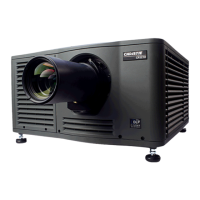
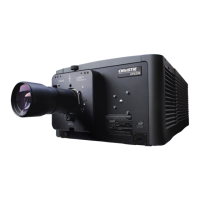
Christie CP2000-SB - User Manual

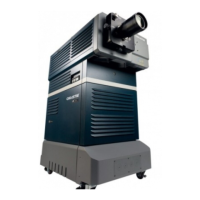
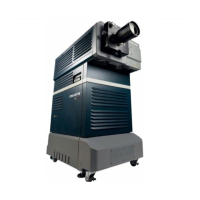
Christie CP2000-SB
203 pages
Print Icon
To Next Page IconTo Next Page
Loading...
CP2000-SB
USER MANUAL
020-100162-06

Table of Contents

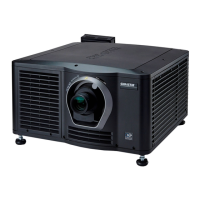
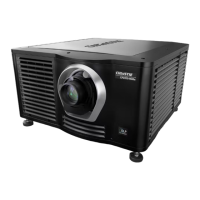
Other manuals for Christie CP2000-SB

Question and Answer IconNeed help?

Do you have a question about the Christie CP2000-SB and is the answer not in the manual?

Summary

Introduction

The Projector

Provides detailed information about the CP2000-SB projector, its technology, and core features.

List of Components

Lists all essential components that should be received with the projector for installation.

Purchase Record and Service Contacts

Information for recording purchase details and contacting service for support.

Who Should Use This Manual

Defines the intended users and their respective roles and responsibilities.

Typographical Notations

Explains special notations, symbols, and formatting used throughout the manual for clarity.

Installation & Setup

Assembly and Connection of Components

Instructions for physically assembling and connecting projector components, including head and pedestal.

Installing and Connecting Sources

Guides on connecting various video sources, servers, and PCs to the projector's ports.

Connecting for Communications

Details on establishing communication links via Ethernet and RS-232 for control and networking.

Adjusting Tilt and Leveling

Procedures for adjusting projector tilt and leveling feet for optimal screen alignment.

Initial Power Up

Step-by-step guide for the initial power-up sequence, including breaker settings and lamp ignition.

Maximizing Light Output

Steps to optimize lamp position and light output using LampLOC™ for peak brightness.

Basic Image Alignment

Procedures for basic optical alignment, including focus and centering the image on the screen.

Offset and Boresight Alignment

Detailed steps for aligning image offset and boresight for optimal focus and image geometry.

Fold Mirror and Convergence Adjustments

Instructions for adjusting fold mirror and DMD convergence for image accuracy and cropping.

Operation

Projector Basics

Description of the main projector components and their features, listed alphabetically.

Power-up Procedure

Step-by-step guide for powering up the projector, including breaker settings and TPC initialization.

Power-down Procedure

Step-by-step guide for safely powering down the projector, including lamp cooling.

Introduction to the Touch Panel Controller

Overview of the Touch Panel Controller (TPC), its interface, and user access levels.

Using the Touch Panel Controller (TPC)

Detailed instructions on operating the projector using the TPC interface, including menus and functions.

Remote Control of the Touch Panel Controller

Instructions for remotely controlling projector functions via ASCII messages over Ethernet.

Upgrading SSM Firmware

Instructions for upgrading SSM firmware using an FTP client application.

Working with the Lamp

Guidance on controlling and managing the projector lamp for optimal performance and life.

Working with the Lens

Instructions on adjusting and working with the projector's lens system, including focus and zoom.

Working with 3 D

Setup and operational details for displaying 3D content, including system requirements and controls.

Working with Servers and Diagnostics

Procedures for server interaction, subtitling, metadata testing, and projector diagnostics.

Cinema Operation

Compatible Cinema Sources

Lists compatible cinema sources and their supported SMPTE formats and frequencies.

Image Formats

Explains standard cinema display formats like flat and scope, and aspect ratios.

Selecting the Cinema Source

Guides on selecting and displaying cinema sources via the TPC Main menu for presentations.

Adjusting the Cinema Display

Information on adjusting cinema display settings, such as source and screen parameters.

Non-Cinema Operation

Compatible Non-Cinema Sources

Lists compatible non-cinema sources and DVI formats supported by the projector.

Selecting the Source

Guides on selecting non-cinema sources via the TPC Main menu for display.

Maintenance

Warnings and Guidelines

Essential safety warnings and guidelines for performing projector maintenance procedures.

Maintaining Proper Cooling

Procedures for maintaining the projector's cooling system, including ventilation and filters.

Maintenance and Cleaning

Guidelines for routine electrical, optical, and component maintenance and cleaning.

Replacing the Lamp & Filter

Step-by-step instructions for safely replacing the projector lamp and air filter module.

Replacing a Lens

Procedures for safely replacing the projector's primary lens assembly.

Troubleshooting

Power

Troubleshooting steps for power-related issues, such as the projector not starting.

Lamp

Solutions for lamp-related problems like ignition failure, dimness, or sudden shutdown.

TPC

Troubleshooting steps for issues with the Touch Panel Controller (TPC) interface and communication.

Ethernet

Steps to resolve Ethernet communication, connectivity, and IP address conflict problems.

Cinema Displays

Solutions for common display problems encountered in cinema operation, like blank screens or artifacts.

Non-Cinema Displays

Solutions for common display problems with non-cinema sources, like jitter or incorrect aspect ratio.

Specifications

Display

Technical specifications related to the projector's display capabilities, including resolution and contrast.

Lenses

Specifications for primary and auxiliary zoom lenses, including part numbers and offset ranges.

Inputs

Details on cinema, DVI, and control port specifications, including connector types and standards.

Power Specifications

Technical specifications for power requirements of the projector head, lamp compartment, and pedestal.

Lamps

Specifications for supported lamps, including types, current ranges, and average life in hours.

Regulatory

Regulatory compliance information, including safety, EMC emissions, and immunity standards.

Environment

Specifications for operating and non-operating environmental conditions like temperature and humidity.

Weight & Size

Physical dimensions and weight specifications for the projector head and pedestal.

Standard Components

List of standard components included with the projector, such as cables and software.

Appendix A: Glossary

Appendix B: ASCII Messages

B.1 Function Codes

Lists and describes ASCII function codes used for remote projector control via Ethernet.

B.2 Messages with Multiple Parameters

Describes complex messages with multiple parameters for relaying information and error reporting.

Appendix C: Serial Communication

C.1 Serial Links to Projector

Explains how to link the projector to serial communication devices using RS-232.

Standard RS-232 Devices

Details on connecting standard RS-232 devices for functions like DCP Librarian use.

Cine-IPM 2 K

Instructions for connecting Cine-IPM 2K devices via the RS-232B port.

Appendix D: GPIO System Integration

D.1 The GPIO Port

Information on the GPIO connector and its pinout for external interfacing.

Example: GPIO and 3 D Device

An example of wiring and configuring GPIO for 3D device synchronization.

Appendix E: Repacking the Projector

Summary

Introduction

The Projector

Provides detailed information about the CP2000-SB projector, its technology, and core features.

List of Components

Lists all essential components that should be received with the projector for installation.

Purchase Record and Service Contacts

Information for recording purchase details and contacting service for support.

Who Should Use This Manual

Defines the intended users and their respective roles and responsibilities.

Typographical Notations

Explains special notations, symbols, and formatting used throughout the manual for clarity.

Installation & Setup

Assembly and Connection of Components

Instructions for physically assembling and connecting projector components, including head and pedestal.

Installing and Connecting Sources

Guides on connecting various video sources, servers, and PCs to the projector's ports.

Connecting for Communications

Details on establishing communication links via Ethernet and RS-232 for control and networking.

Adjusting Tilt and Leveling

Procedures for adjusting projector tilt and leveling feet for optimal screen alignment.

Initial Power Up

Step-by-step guide for the initial power-up sequence, including breaker settings and lamp ignition.

Maximizing Light Output

Steps to optimize lamp position and light output using LampLOC™ for peak brightness.

Basic Image Alignment

Procedures for basic optical alignment, including focus and centering the image on the screen.

Offset and Boresight Alignment

Detailed steps for aligning image offset and boresight for optimal focus and image geometry.

Fold Mirror and Convergence Adjustments

Instructions for adjusting fold mirror and DMD convergence for image accuracy and cropping.

Operation

Projector Basics

Description of the main projector components and their features, listed alphabetically.

Power-up Procedure

Step-by-step guide for powering up the projector, including breaker settings and TPC initialization.

Power-down Procedure

Step-by-step guide for safely powering down the projector, including lamp cooling.

Introduction to the Touch Panel Controller

Overview of the Touch Panel Controller (TPC), its interface, and user access levels.

Using the Touch Panel Controller (TPC)

Detailed instructions on operating the projector using the TPC interface, including menus and functions.

Remote Control of the Touch Panel Controller

Instructions for remotely controlling projector functions via ASCII messages over Ethernet.

Upgrading SSM Firmware

Instructions for upgrading SSM firmware using an FTP client application.

Working with the Lamp

Guidance on controlling and managing the projector lamp for optimal performance and life.

Working with the Lens

Instructions on adjusting and working with the projector's lens system, including focus and zoom.

Working with 3 D

Setup and operational details for displaying 3D content, including system requirements and controls.

Working with Servers and Diagnostics

Procedures for server interaction, subtitling, metadata testing, and projector diagnostics.

Cinema Operation

Compatible Cinema Sources

Lists compatible cinema sources and their supported SMPTE formats and frequencies.

Image Formats

Explains standard cinema display formats like flat and scope, and aspect ratios.

Selecting the Cinema Source

Guides on selecting and displaying cinema sources via the TPC Main menu for presentations.

Adjusting the Cinema Display

Information on adjusting cinema display settings, such as source and screen parameters.

Non-Cinema Operation

Compatible Non-Cinema Sources

Lists compatible non-cinema sources and DVI formats supported by the projector.

Selecting the Source

Guides on selecting non-cinema sources via the TPC Main menu for display.

Maintenance

Warnings and Guidelines

Essential safety warnings and guidelines for performing projector maintenance procedures.

Maintaining Proper Cooling

Procedures for maintaining the projector's cooling system, including ventilation and filters.

Maintenance and Cleaning

Guidelines for routine electrical, optical, and component maintenance and cleaning.

Replacing the Lamp & Filter

Step-by-step instructions for safely replacing the projector lamp and air filter module.

Replacing a Lens

Procedures for safely replacing the projector's primary lens assembly.

Troubleshooting

Power

Troubleshooting steps for power-related issues, such as the projector not starting.

Lamp

Solutions for lamp-related problems like ignition failure, dimness, or sudden shutdown.

TPC

Troubleshooting steps for issues with the Touch Panel Controller (TPC) interface and communication.

Ethernet

Steps to resolve Ethernet communication, connectivity, and IP address conflict problems.

Cinema Displays

Solutions for common display problems encountered in cinema operation, like blank screens or artifacts.

Non-Cinema Displays

Solutions for common display problems with non-cinema sources, like jitter or incorrect aspect ratio.

Specifications

Display

Technical specifications related to the projector's display capabilities, including resolution and contrast.

Lenses

Specifications for primary and auxiliary zoom lenses, including part numbers and offset ranges.

Inputs

Details on cinema, DVI, and control port specifications, including connector types and standards.

Power Specifications

Technical specifications for power requirements of the projector head, lamp compartment, and pedestal.

Lamps

Specifications for supported lamps, including types, current ranges, and average life in hours.

Regulatory

Regulatory compliance information, including safety, EMC emissions, and immunity standards.

Environment

Specifications for operating and non-operating environmental conditions like temperature and humidity.

Weight & Size

Physical dimensions and weight specifications for the projector head and pedestal.

Standard Components

List of standard components included with the projector, such as cables and software.

Appendix A: Glossary

Appendix B: ASCII Messages

B.1 Function Codes

Lists and describes ASCII function codes used for remote projector control via Ethernet.

B.2 Messages with Multiple Parameters

Describes complex messages with multiple parameters for relaying information and error reporting.

Appendix C: Serial Communication

C.1 Serial Links to Projector

Explains how to link the projector to serial communication devices using RS-232.

Standard RS-232 Devices

Details on connecting standard RS-232 devices for functions like DCP Librarian use.

Cine-IPM 2 K

Instructions for connecting Cine-IPM 2K devices via the RS-232B port.

Appendix D: GPIO System Integration

D.1 The GPIO Port

Information on the GPIO connector and its pinout for external interfacing.

Example: GPIO and 3 D Device

An example of wiring and configuring GPIO for 3D device synchronization.

Appendix E: Repacking the Projector

Christie CP2000-SB Specifications

General IconGeneral
Lamp TypeXenon
Projection TechnologyDLP
Resolution2048 x 1080
Contrast Ratio2000:1
Input ConnectorsHDMI, DVI
Lamp Life2000 hours (standard mode), 3000 hours (economy mode)

Related product manuals