22
If you need to disable the WOL function on the Chromebox Mini,
Please follow below procudures :
1.
Log in to chrome OS and press Ctrl + Alt + T to enter the
Chrome OS command mode.
2.
Key-in below command to disable WOL. To use this function,
turn Verification Off (Developer Mode).
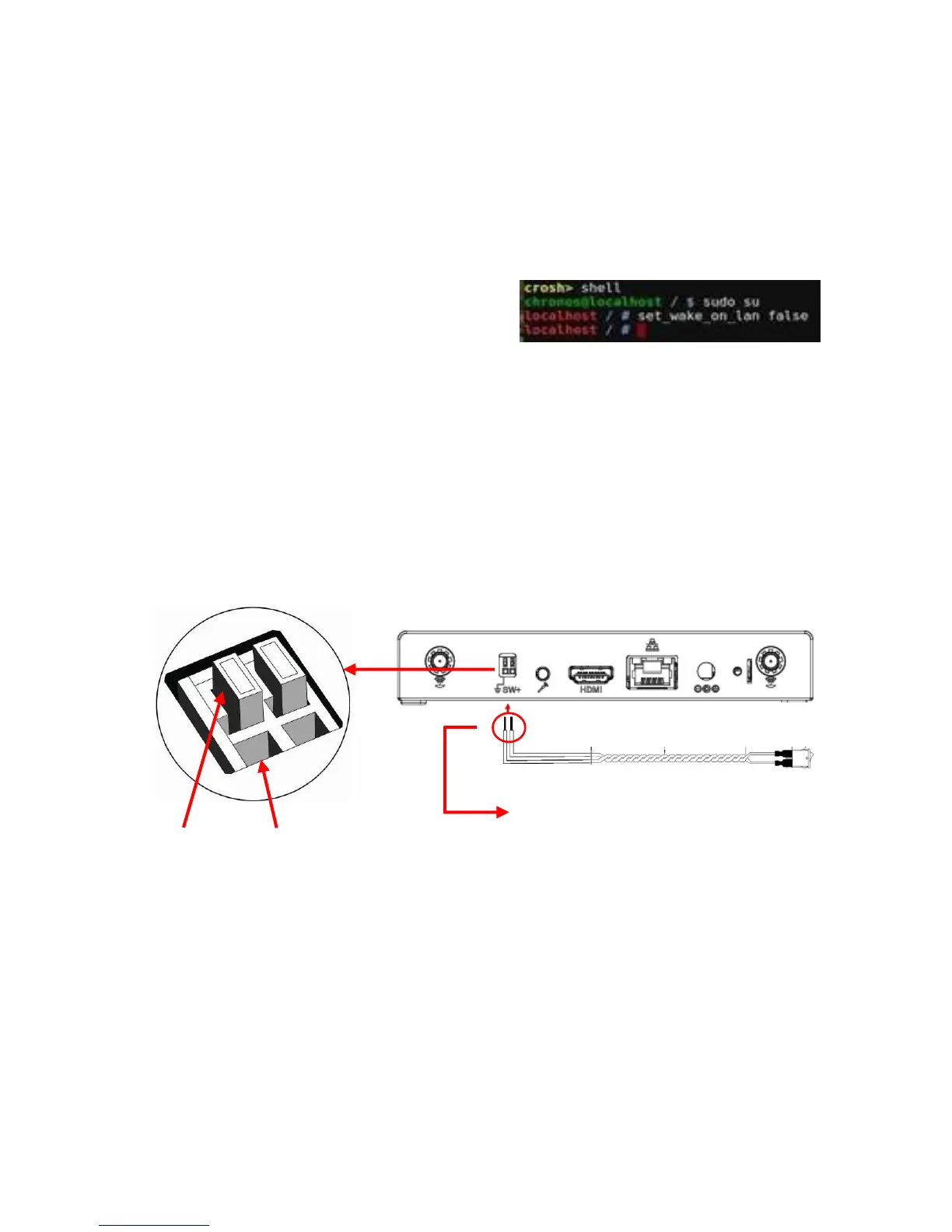
crosh > shell
chronos@localhost / $ sudo su
Localhost / # set_wake_on_lan false
Note : The default WOL function will be restored after reboot.
External Power Switch
The external power switch at rear side of Chromebox Mini allows you
to extend the power switch base your demand, and you can decide your
own switch specification and cable length depends on the application,
just follow the wire gauge and strip length provided below.
The design of external power switch is a screw-less type spring clamp
pluggable terminal block, you can insert a wire by press the button on the
terminal, please refer to the procedure below.
Step 1 Please prepare a pin or rod that hard enough for pushing the
button on the terminal block
Step 2 Push the button in the end and hold it
Step 3 Insert the wire into the hole and make sure the stripped portion is
fully inserted
Step 4 Release the pin or rod then the wire will clamp by the terminal


 To Next Page