23
block
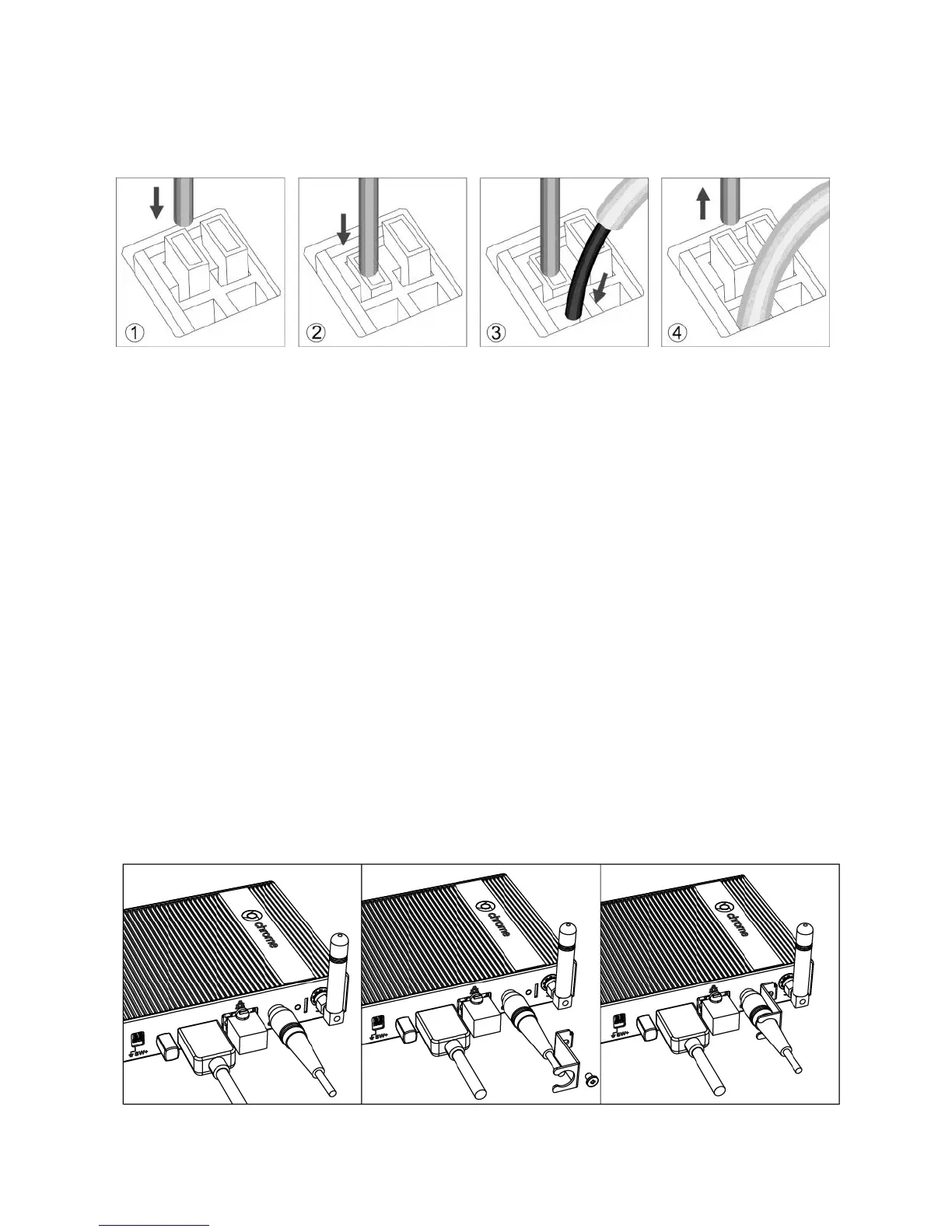
Step1 Step2 Step3 Step4
DC-In Jack Holder
The DC-In jack holder allows you to fix the DC-in jack firmly on the
Chromebox Mini, for various environment and location where the
Chromexbox mini be used, to prevent the DC-in from falling off and cause
any in convenient, data loss or damage to Chromebox Mini system itself.
Remove the screw that comes with Chromebox mini in the DC-In jack
screw hole first, then follow the below steps for applying the DC-In jack
holder on Chromebox Mini :
Step 1 Insert the DC-In jack to Chromebox mini
Step 2 Apply the DC-In jack holder following the directions shows
in the instruction diagram
Step 3 Fasten the DC-in jack with the screw
Step1 Step2 Step3


 To Next Page