Clear Personal Data
After pressing the “Clear Personal Data Settings” button on
the touchscreen the following settings will be available:
• Clear Personal Data
When this feature is selected it will remove personal data
including Bluetooth devices and presets. To Clear Per-
sonal Data press the “Yes” or “No” button on the
touchscreen. A check mark will appear in the box when
selected.
UCONNECT RADIOS — IF EQUIPPED
For detailed information about your Uconnect radio,
refer to your Uconnect Supplement Manual.
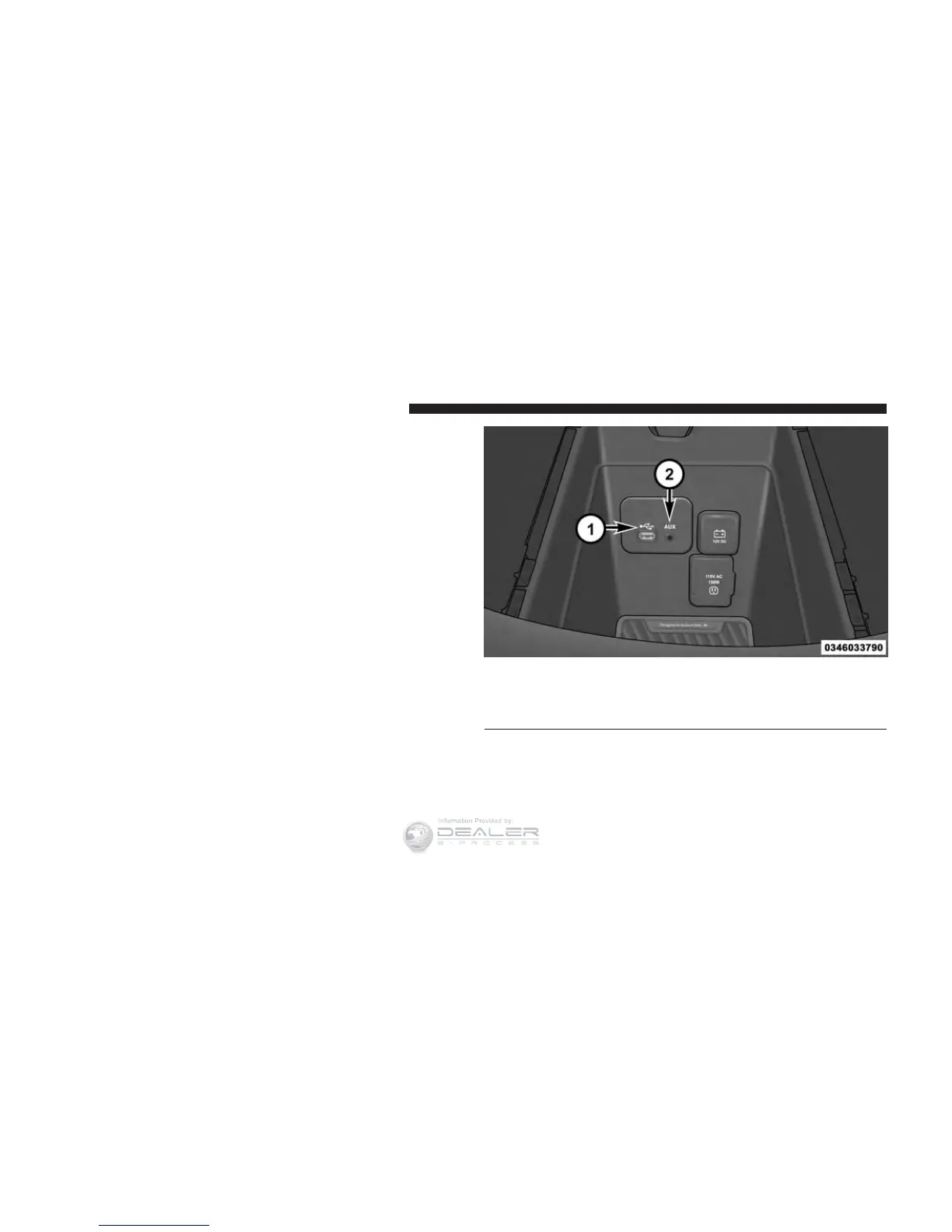
USB PORT AND AUX JACK — IF EQUIPPED
Located in the front storage area of the center console,
this feature allows an external device, to be connected to
the audio system.
For further information, refer to the Uconnect User’s
Manual.
USB Port and AUX Jack
1 — USB Port
2 — AUX Jack
398 UNDERSTANDING YOUR INSTRUMENT PANEL














 To Next Page