Air Conditioning Operation
Push the A/C button to engage the Air Conditioning
(A/C). An LED will illuminate when the A/C system is
operating.
MAX A/C
For maximum cooling, when MAX A/C is selected the
A/C is turned on automatically and the air is recircu-
lated. A/C cannot be deselected when in MAX A/C
position. The LED will blink three times if the A/C
button is pushed.
NOTE: If your air conditioning performance seems lower
than expected, check the front of the A/C condenser
(located in front of the radiator), for an accumulation of
dirt or insects. Clean with a gentle water spray from
behind the radiator and through the condenser. Fabric
front fascia protectors may reduce airflow to the con-
denser, reducing air conditioning performance.
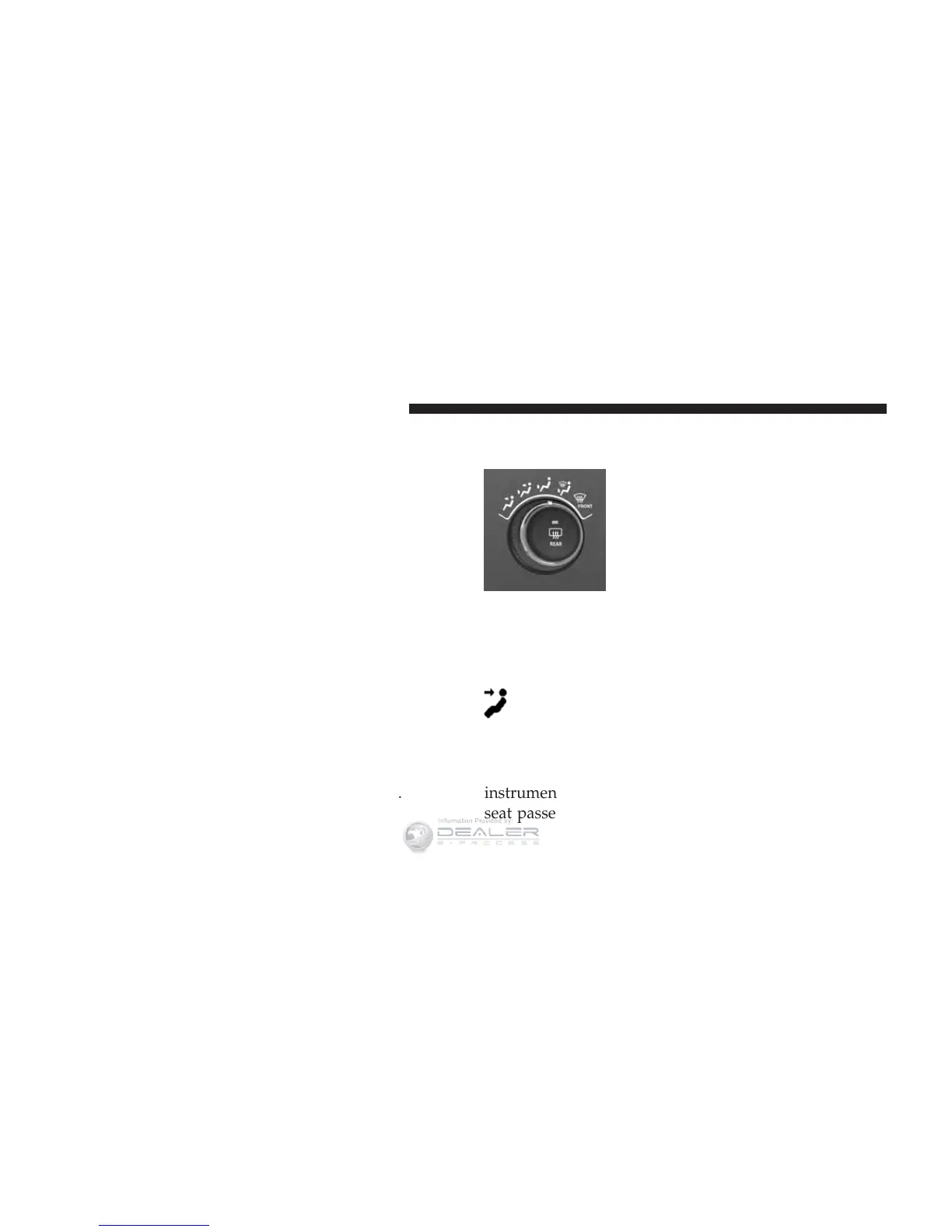
Mode Control (Air Direction)
Mode control allows you to choose
from several patterns of air distribu-
tion. You can select either a primary
mode, as identified by the symbols, or
a blend of two of these modes. The
closer the control is to a particular
mode, the more air distribution you
receive from that mode.
Panel Mode
Air is directed through the outlets in the instru-
ment panel. These outlets can be adjusted to direct
airflow.
NOTE: For maximum airflow to the rear, the center
instrument panel outlets can be directed toward the rear
seat passengers.
404 UNDERSTANDING YOUR INSTRUMENT PANEL













 To Next Page