Q1: Device can not power on.
A1: Check if the charging cable is properly connected, and
try again.
Q2: Can not speak to another device.
A2: Please make sure you are holding the [TALK] button
while speaking. Release the [TALK] button to finish
speaking.
Q3: No sound during communication.
A3(1): Check if the channel is at the same channel (The
units must at the same channel, they can not connect if
the device in the different channels.)
A3(2):Other models device can not be working together.
A3(3):Please try to turn on again then adjust the volume.
Troubleshooting
Channel Lock/Unlock
Hold the [volume]
button for 5s to
lock/unlock the channel.
Quick Start
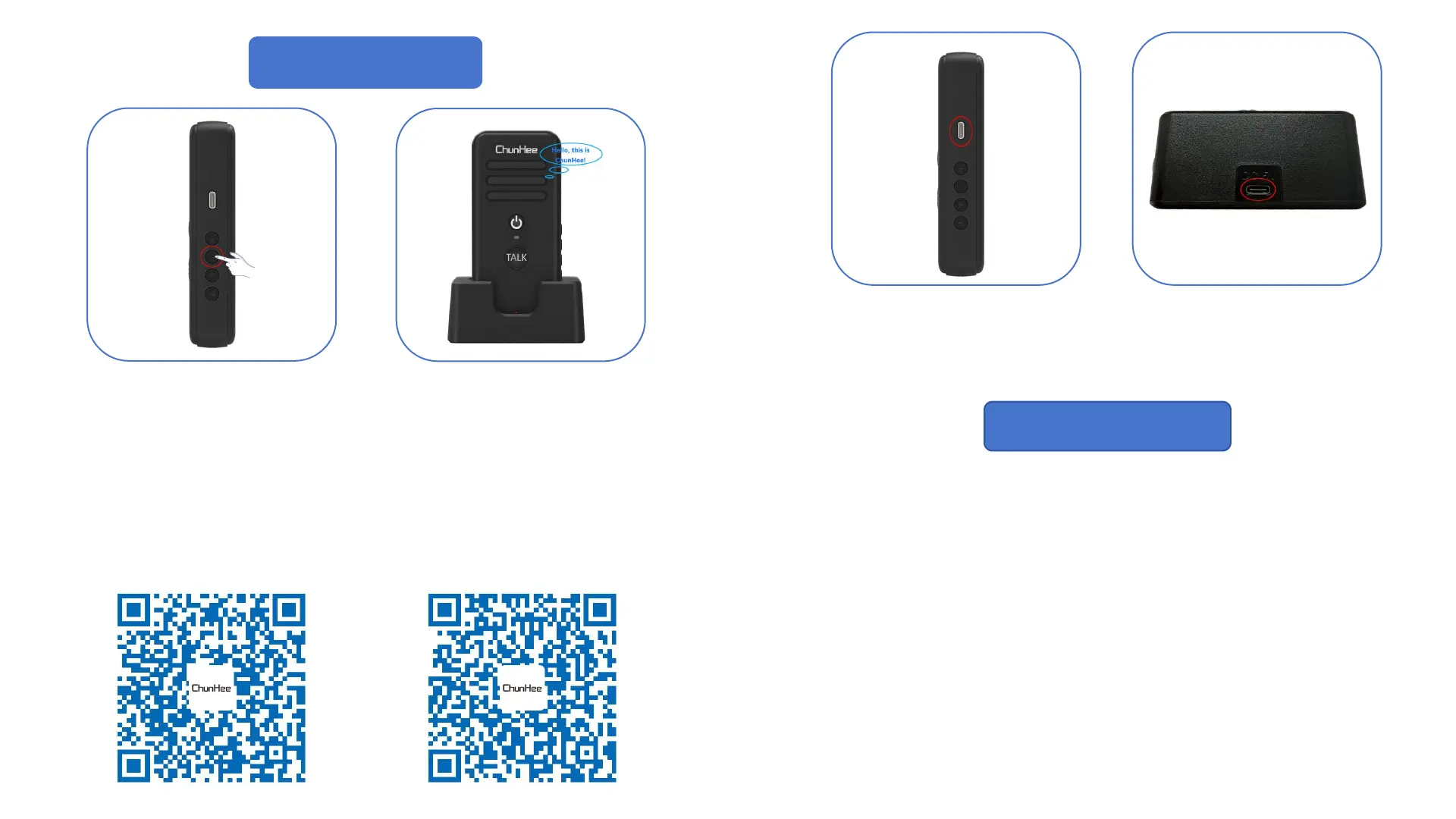
Step 1: Hold power button for 5s to turn
on the device;
Step 2: Set the channel for your device to
the same;
Step 3: Press the Volume button to choose
the volume level;
Step 4: Holding the TALK button start
speaking!
Basic Operation
Direct charge
Use the USB cable connect the
device and power.
* Power Adapter is not provide
Base Station charge
Use the cable connect the
charge base and power.
* Power Adapter is not provide


 To Next Page