2. Precautions
Introduction
2.1 In order to ensure the stability of the power supply of this
projector, please use a power supply line that meets the national
power consumption standard and a power socket with protective
measures such as grounding;
2.2 Please use the power type indicated on the projector and the
power line included for power supply;
2.3 Do not disassemble or modify the projector by yourself, or the
Company will not offer free warranty service;
2.4 Do not look directly into the projector lens while it is working,
or it will burn your eyes ;
2.5 Do not place the projector on objects such as cl
oth or blankets
that may cause the vents to be blocked;
2.6 The product is not waterproof and should avoid being watered or
splashed, and objects filled with liquid shall not be placed near
the product such as vases or cups;
2.7 To prevent electric shock, please protect the projector from rain
or dampness;
2.8 Please turn off the power supply and disconnect the power line
from the plug if the projector is not used for a long time;
2.9 Please use the original foam and other vibration-proof materials
when transporting the product;
2.10 If the product is damaged, do not attempt to repair it yoursel
f.
Please contact the dealer.
3.Package Include
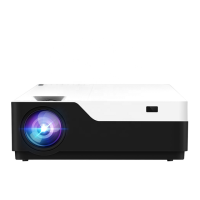
CiBest Projector x1
Product Manual x1
Remote Control(Battery not Included) x1
Power Cable x1
3 in 1 Video Cable x1
HDMI Line x1
Adjustable Foot (At the bottom of the projector) x1
2


 To Next Page