
EasyManua.ls Logo

CIECO PCI-100LS - User Manual

CIECO PCI-100LS
17 pages
Print Icon
To Next Page IconTo Next Page
Loading...
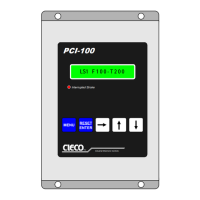
PCI-100LS
Programmable Limit
Switch
Programming and Installation Manual
V2.6
•PH: 412-262-5581 •WEB: CIECOCONTROLS.COM •FX: 412-264-9272

Questions and Answers

  • I
    iclarkAug 10, 2025
    What to do if I have an ANGLE FAULT on my CIECO Switch?
    • R
      Rebekah HarrisAug 10, 2025
      If you're encountering an ANGLE FAULT with your CIECO Switch, it could be due to several reasons. First, check the resolver cable to ensure it's properly connected. A disconnected cable can cause this fault. Second, verify that the line voltage is stable and within acceptable limits, as momentary voltage drops can trigger this issue. Third, eliminate any noise present on the line voltage, brake input, or resolver input, as noise can interfere with the system's operation. Finally, ensure that the resolver speed remains below 999 SPM (strokes per minute); exceeding this limit can also cause an ANGLE FAULT.
  • T
    Tracey RussellAug 25, 2025
    What to do if my CIECO PCI-100LS Switch shows a MOTION FAULT?
    • N
      Nicholas HernandezAug 25, 2025
      If you're experiencing a MOTION FAULT on your CIECO Switch, there are a few potential causes. It could be due to a broken resolver to machine shaft coupling or chain, so inspect and repair these components if necessary. Alternatively, excessive clutch slippage or a motion delay set too short could be the issue; adjust the clutch or motion delay settings accordingly. Lastly, ensure the brake solenoid input is properly connected, as attempting to run the machine with it disconnected will cause this fault. Reconnect the brake solenoid input.

CIECO PCI-100LS Specifications

General IconGeneral
BrandCIECO
ModelPCI-100LS
CategorySwitch
LanguageEnglish