Quick Tip: LED indicator on Breez Eco
should blink once after receiving the
remote control’s signal. If it does not blink,
please check the batteries of the remote
control.
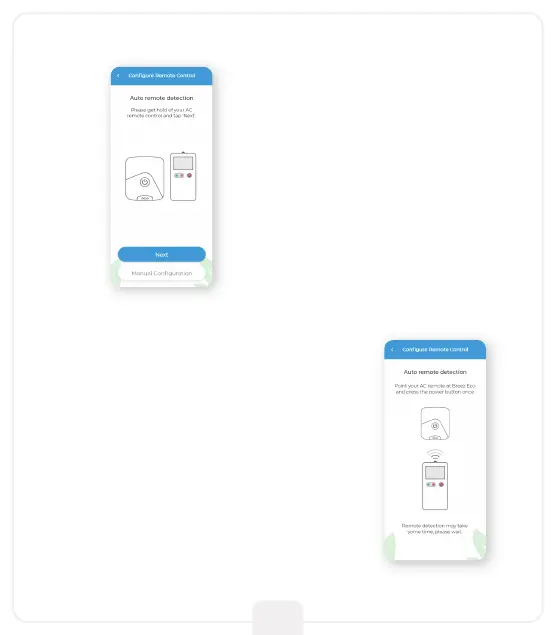
Step 6:
Get hold of your AC remote
and tap ‘Next’.
Step 7:
Point your AC remote at Breez Eco and
press the remote’s ‘Power button’ once.
It will start the configuration process.
10



 To Next Page