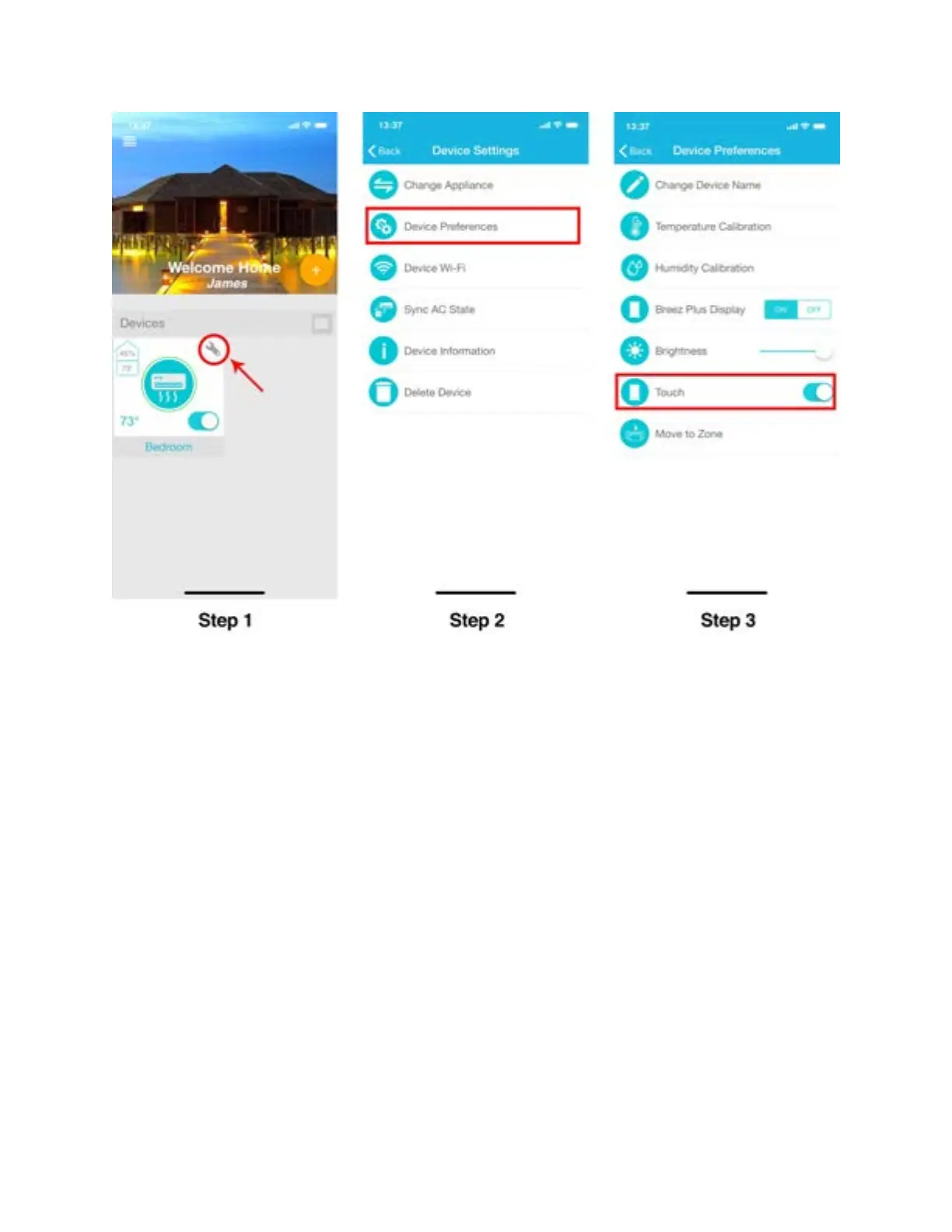
Step 4P: Zone Settings of your connected Air Conditioners -
iOS users
1. Creating a zone
A zone will allow you to control power of all your registered devices together with a simple tap.
To create a Zone in app, follow these steps:
Step 1: Tap on ‘Wrench’ of the registered Device you want to create a zone with.
Step 2: In Device settings, tap on 'Device Preferences'.
Step 3: In Device preferences, tap on 'Move to Zone'.



 To Next Page