Step 11b: Creating a Zone (for iOS Users)
To create a Zone in Cielo Home App, follow the below mentioned instructions:
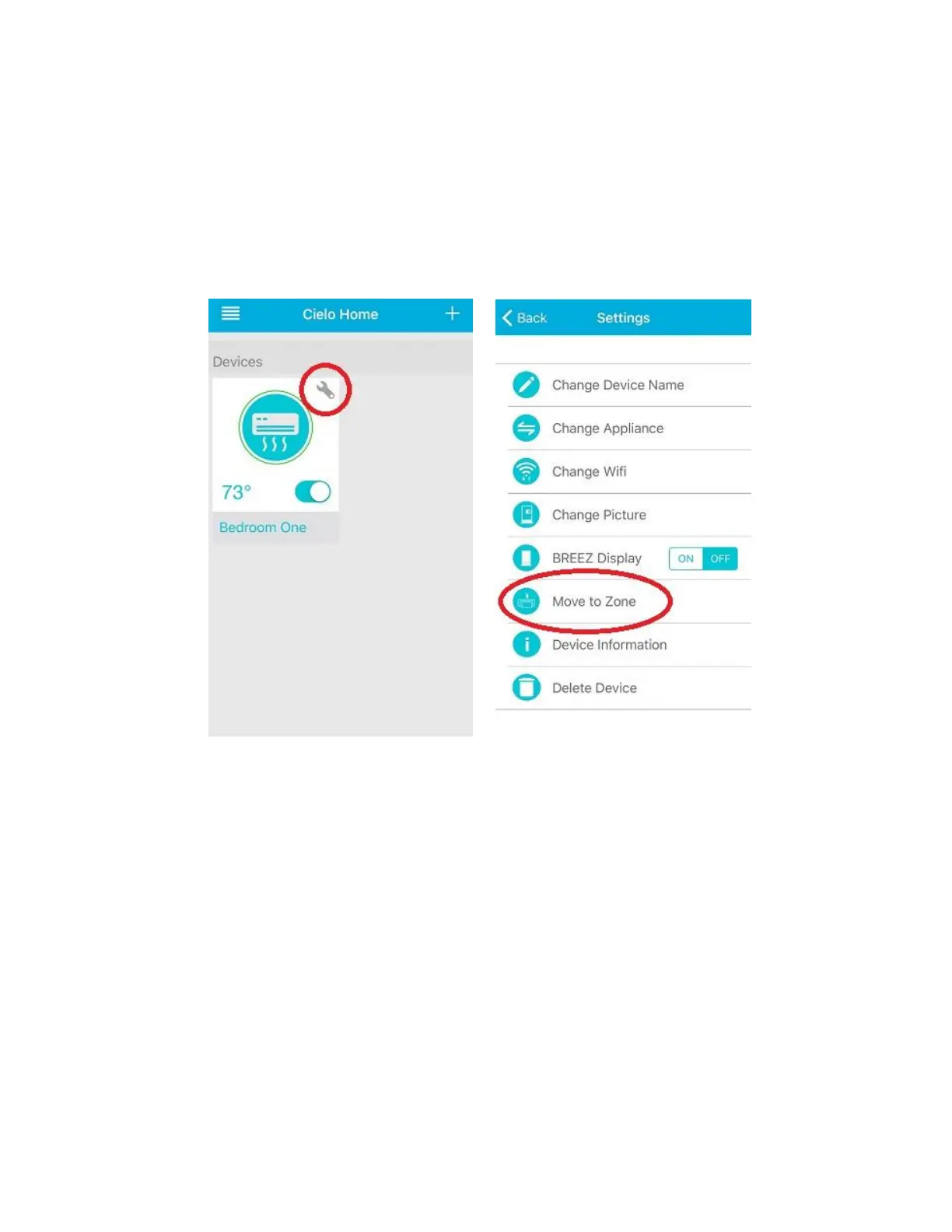
Open Cielo Home App and tap on the "wrench symbol" of the device that you want to add in a certain
Zone. Press "Move to Zone". Cielo Home App will prompt you to create a Zone of your choice. You can
choose an icon from the available icons and give it a name.
Select the name of the Zone, for exampe First Floor, to add the device. Your desired device has been
added to the Zone.



 To Next Page