Step 15a: Deleting Cielo Breez from Cielo Home App (for iOS
Users)
There are two ways to delete Cielo Breez if you are an iOS User:
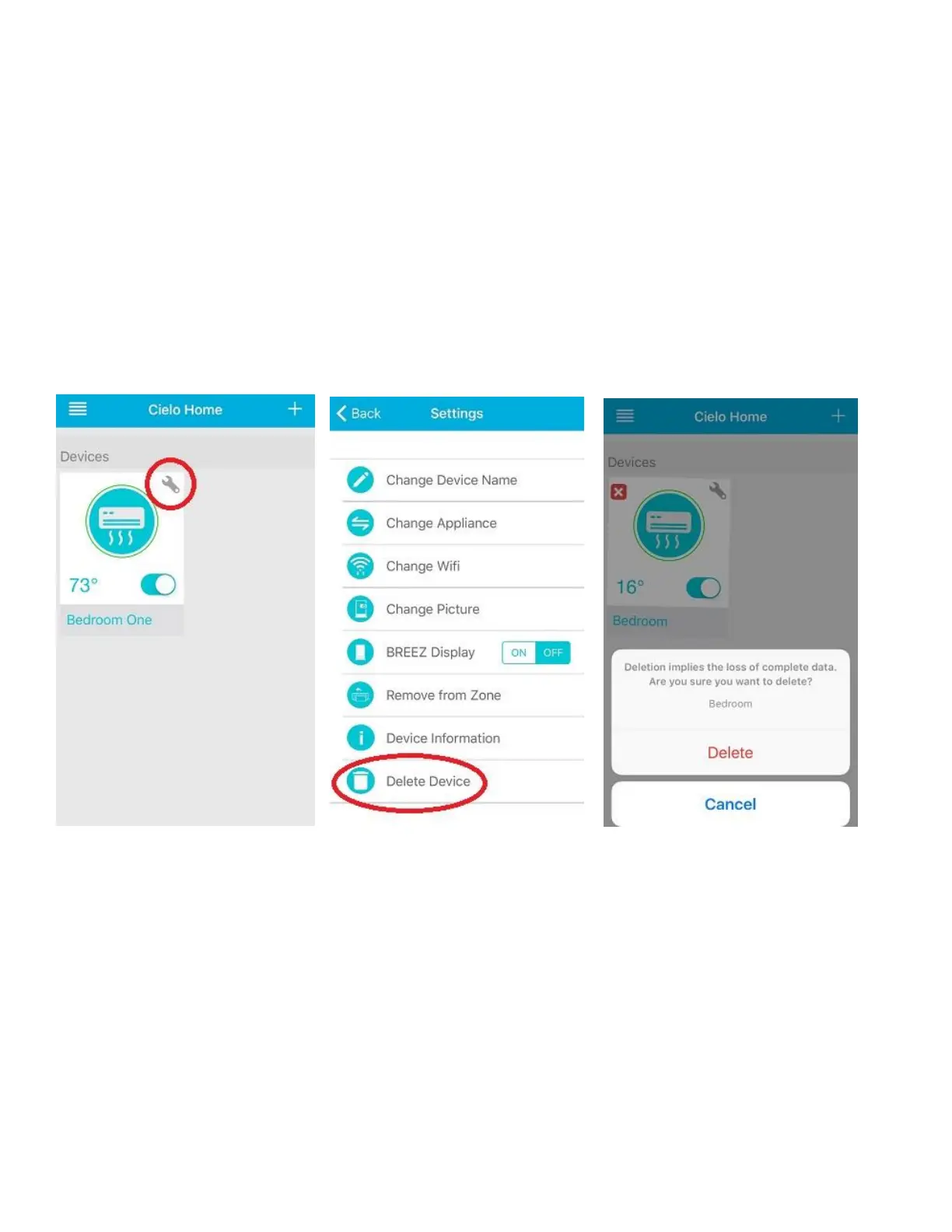
Long tap on the Cielo Device you want to delete. The device will start shaking with an 'X' sign.
Press 'X' button.
Press ‘Delete’. Your Cielo Device has been deleted.
OR
Press the "wrench symbol" of the device you want to delete.
Press "Delete Device". Confirm the action to Delete your device.



 To Next Page