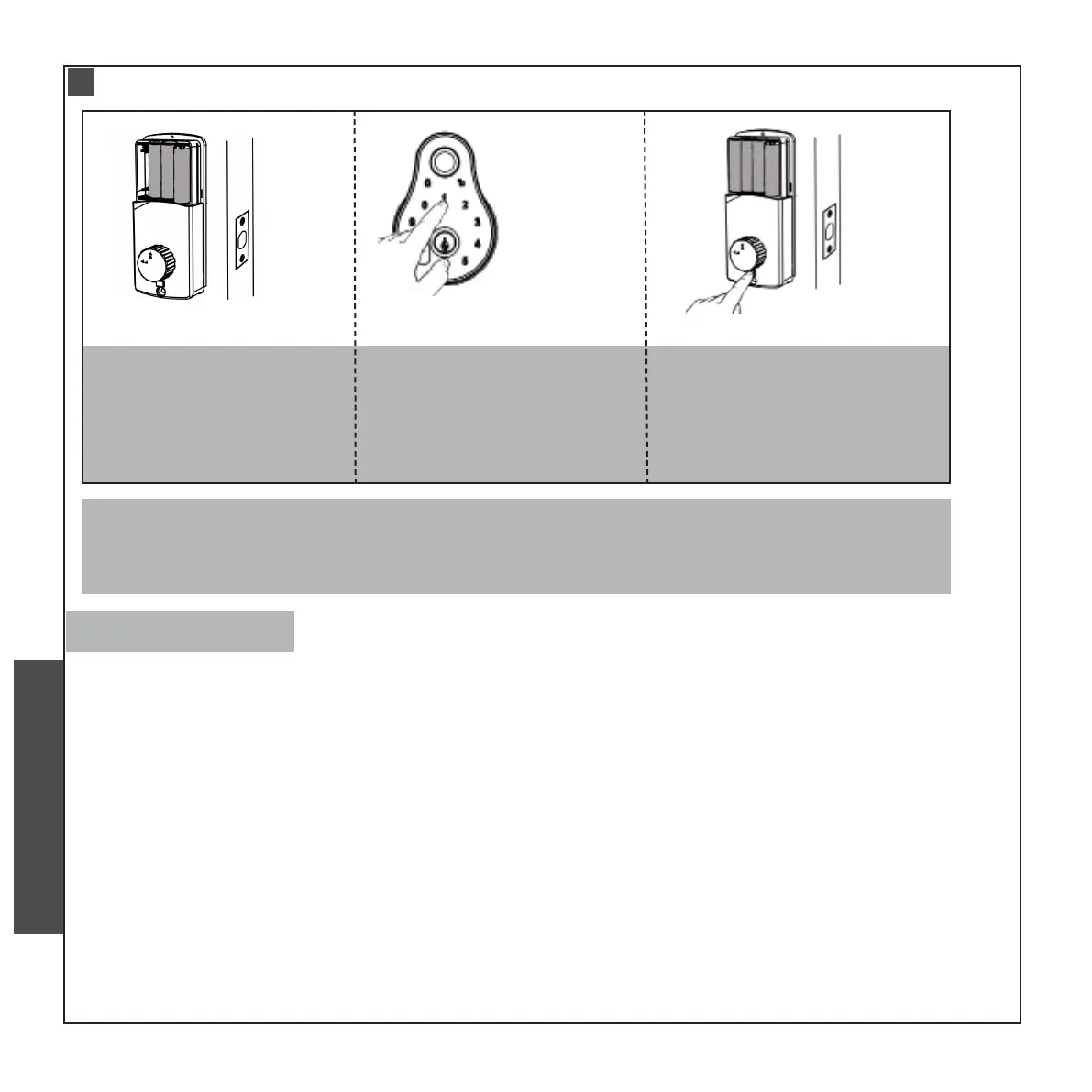
SYSTEM RESETTING
a.Removing one of the
Battery
b.Touch anywhere on
the keyboard
C. Install the battery back.
When the “1” of the key-
board ashes,long press
the Anti-Lock Switch for
10 seconds.
You will hear two beeps and a fast ashing blue light, and then a long beep means that
the lock is restored to the factory settings.
Ⅲ
• Indicator and sound of operation success/failure
a.The indicator will turn green and a long beep sound will be heard in the case of any successful
operation or normal operation.
b.The indicator will turn red and 4 short beep sounds will be heard in the case of any operational
failure or mis-operation
• The password consists of 6-12 bits
• Low Power
When the lock voltage is too low and the password is entered, the lock will emit 4 “beep” sounds
as an alarm prompt. You need to replace the battery in a timely manner.
If the voltage is too low ,the moving speed of the latch will be slow and the latch cannot be re-
tracted completely ,please replace the battery in time.
• Wrong code
If you enter incorrect passwords consecutively for more than four times, the keypad will be
locked for 1 min, and the system will make no response within 1 min and automatically unlock after
1 min.
Precautions
CHECK AND PREPARATION
INSTALLTION STEPS
INSTRUCTION OPERATION


 To Next Page
 Loading...