Ⅳ
USER SETTING
A.
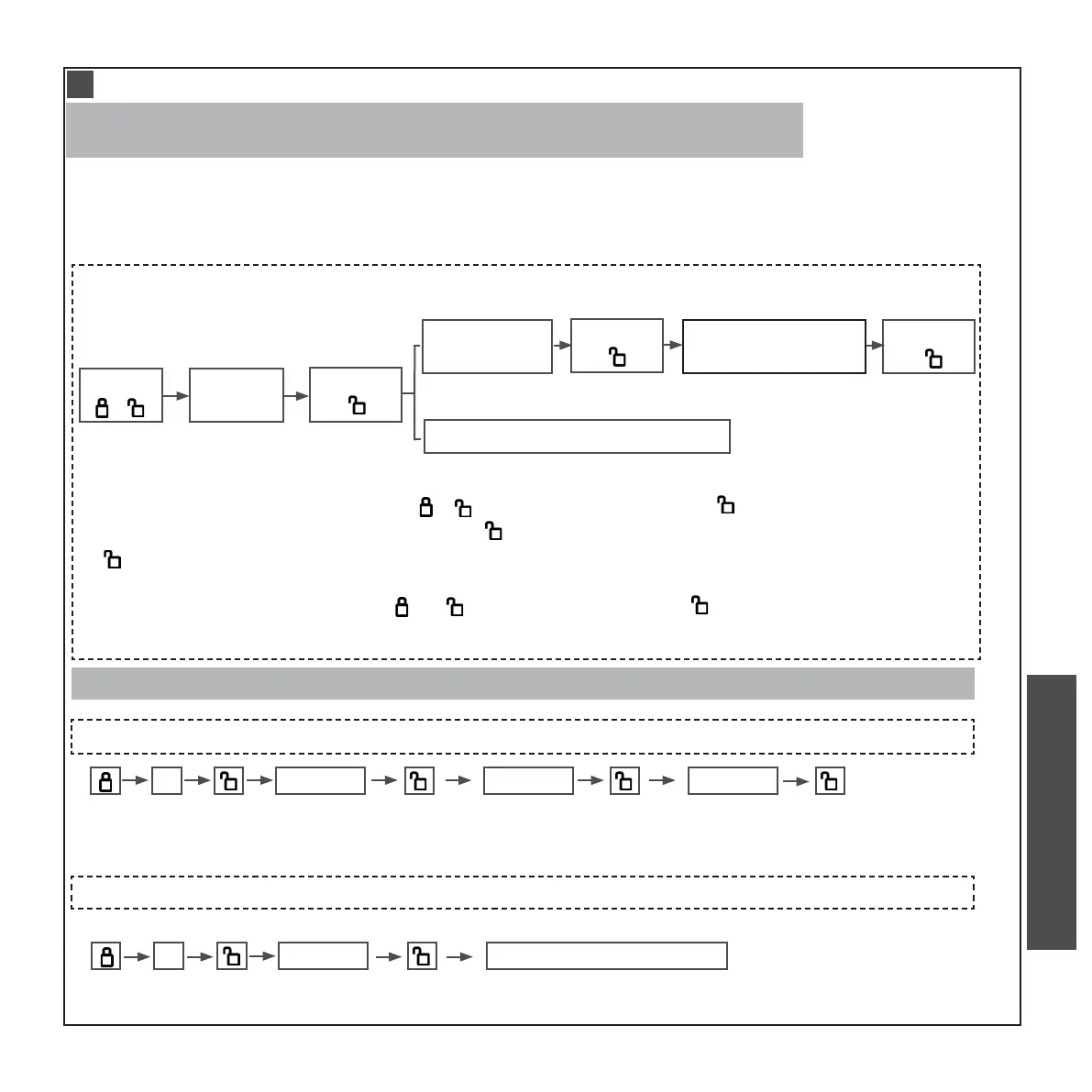
ADD ADMINISTRATOR CODE
(ONLY ONE ADMINISTRATOR CAN BE ADDED. THE ID NUMBER OF THE ADMINISTRATOR IS 000.
THE SAME PASSWORD CANNOT BE REGISTERED REPEATEDLY.)
Move swiftly during programming. If no digit is pressed for 10 seconds,
the system will time out and you will need to restart the procedure.
Press
” 1 “
Enter
”123456”
Press
“ ”
Enter new
admin code
Enter new admin
code again
Press admin nger four times
Press
“ ”
Press
“ ”
eg, if you choose “ 666666” as the new admin code,the enter steps are as follows:
1 123456 666666 666666
• In the Default mode, press “ ”and enter “ 123456 ”, enter a new code(-
consisting of 6-12 bits),press “ ”, enter the new code again, press
“ ”, until a long beep sound is heard. The rst code is the admin code.
1
• In the Default mode, press “ ”and enter “ 123456 ”, press admin nger four
times
1
(6-12bit)
(original admin code)
eg, if you choose ngerprint as the new admin code,the enter steps are as follows:
1 123456 press nger four times
(original admin code)
Note:The admin code can only be one of the digital password and ngerprint.
CHECK AND PREPARATION
INSTALLTION STEPS
INSTRUCTION OPERATION


 To Next Page
 Loading...