1 666666 333333 333333
eg, if “ 666666”or ngerprint is your admin code and you choose”333333”as the new user’s
code.
After add new password successfully, you can press “ ” “ 333333 ” “ ” to open the lock.
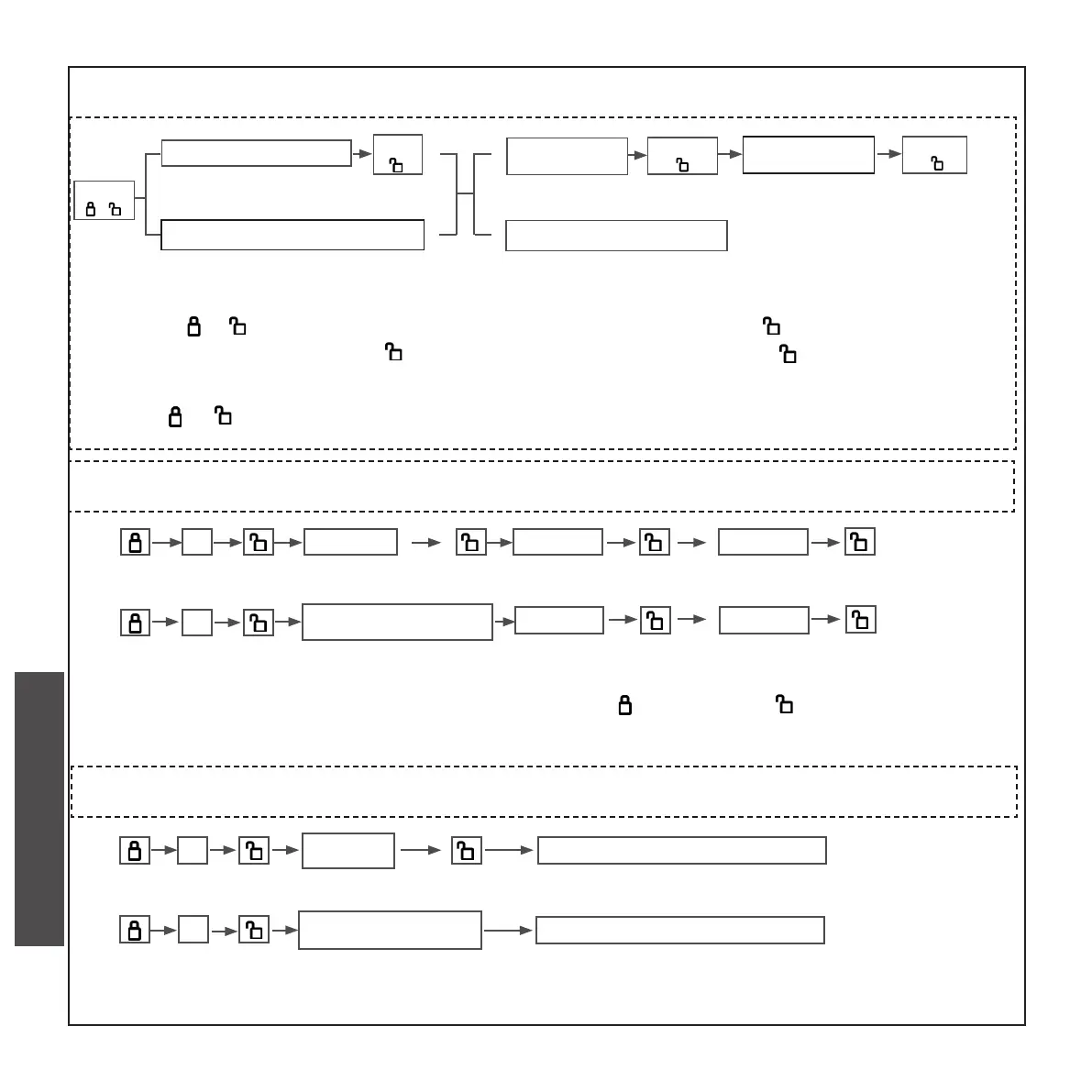
B. ADD GENERAL USER’S CODES
(CAN BE ADDED CONTINUOUSLY)
Press
” 1 “
Enter admin code
Press
“ ”
Enter new
user passwprd
Enter new user
password again
Press user nger four times
Press
“ ”
Press
“ ”
• Press “ ”and enter admin password or ngerprint ,press ” ”, enter a user code(-
consisting of 6-12 bits),press “ ”, enter the user code again, press “ ”, until a long beep
sound is heard.
1
(6-12bit)
• Press “ ”and enter admin ngerprint, ,press user nger four times 1
eg, if “ 666666”or ngerprint is your admin code and you choose user ngerprint as the new
user’s code.
1 press user nger for times
After add new ngerprint successfully,you can press the nger on the ngerprint reader to
open the lock.
Enter admin ngerprint
1
admin ngerprint
333333 333333
666666
1
admin ngerprint
press user nger for times
CHECK AND PREPARATION
INSTALLTION STEPS
INSTRUCTION OPERATION


 To Next Page
 Loading...