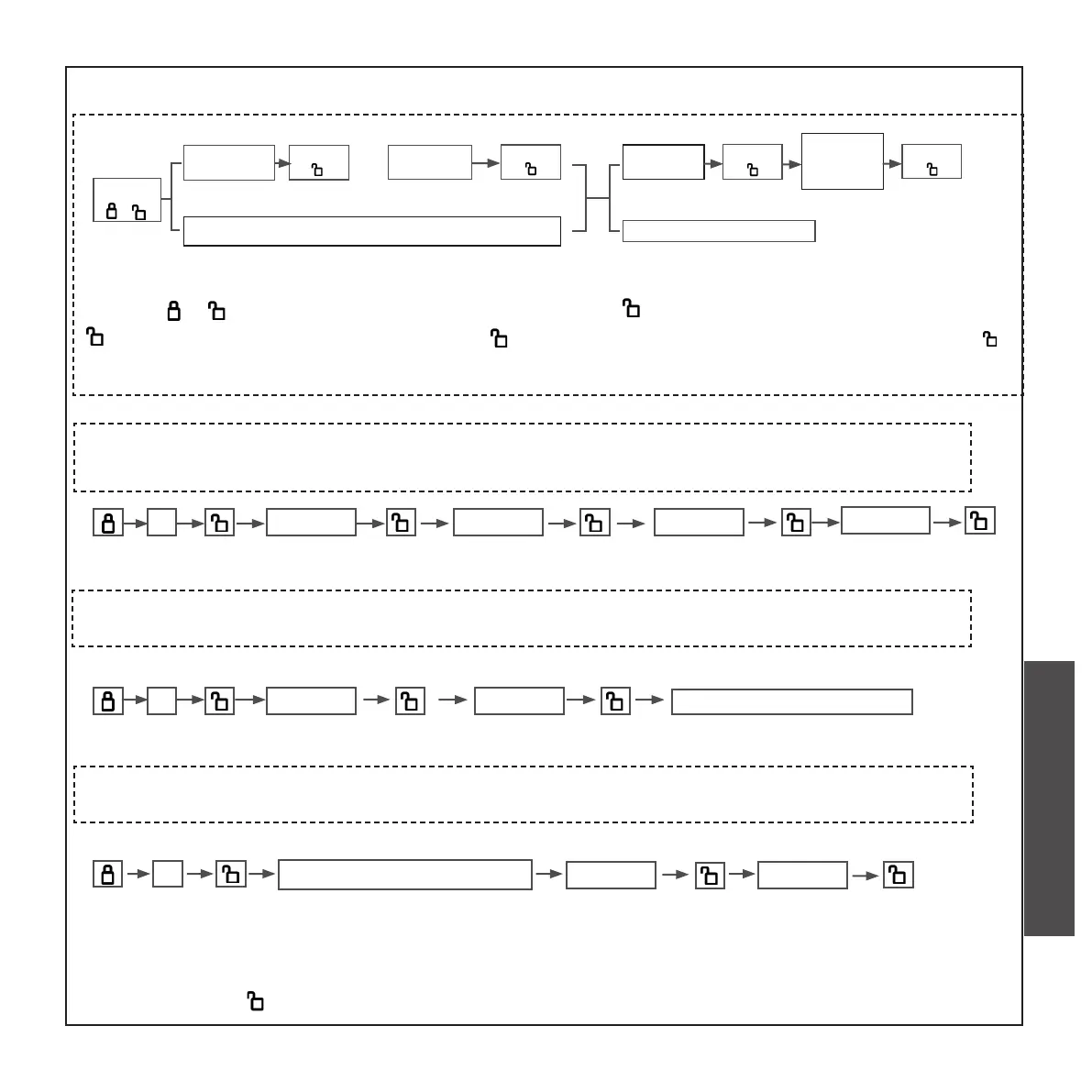
• Press “ ” , enter the old admin code and press “ ”enter the old admin code and press
“ ”. Enter a new admin code and press“ ”. Enter the new admin code again and press “ ”.
Thus, the admin code is changed successfully.
2
C. CHANGE ADMIN CODE
Press
” 2 “
Enter
admin code
Press
“ ”
Enter old
admin code
Enter new
admin code
Press
“ ”
Press
“ ”
Enter new
admin code
again
Press
“ ”
(6-12bit)
eg, if you want to change the old admin code “666666” into the new one“555555”,the
enter steps are as follows:
2 666666 666666 555555
555555
eg, if you want to change the old admin password “666666” into the ngerprint,the enter
steps are as follows:
2 666666 666666
press nger four times
eg, if you want to change the old admin ngerprint into the new code”666666”,the enter
steps are as follows:
2
press admin ngerprint
press nger four times
Enter old admin ngerprint
666666
666666
• Password anti peeping function: you can add some irrelevant codes before and after the password,
and then press conrm (the maximum length is 15 digits). you can enter the password as follows:
XXX password XXX
CHECK AND PREPARATION
INSTALLTION STEPS
INSTRUCTION OPERATION


 To Next Page
 Loading...