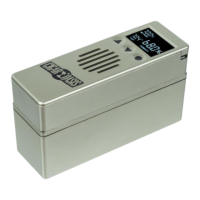
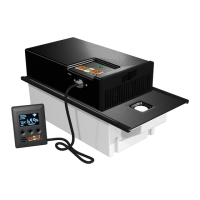
ASSEMBLY & STARTING YOUR CIGAR OASIS PLUS 3.0
Remove all contents from the box and remove all plastic wrap.
Locate the water cartridge which must be filled with distilled water
only (see refill instructions below).
1) Place the cartridge on a table with the Cigar Oasis sticker
facing you.
2) Place the control top with the screen on the left side on top
of the cartridge while aligning the notches on both pieces.
3) Hold the cartridge in place while sliding the control top left
(push from the logo side) until it locks into place.
4) Connect the ribbon cable A to the port on the PLUS 3.0 unit
A. The flat part of the ribbon cable will slide out the side of
the humidor or through the hinges at either corner.
5) Connect the Ribbon Cable B to the Micro USB cable B.
6) Then connect C to the Adapter C and plug into an outlet.
Cartridge Refill Instructions
1) Pour distilled water only into large opening in the center
of the cartridge and wait for water to absorb. Repeat until
cartridge stops absorbing water.
2) Empty all remaining water out of the cartridge so only damp
foam remains. **No water should drip out when the
cartridge is held upside down**.
3) Dry off the cartridge and put the unit back together.
USING YOUR CIGAR OASIS PLUS 3.0
Once the unit is put together and plugged in, it turns on after
a few seconds of powering up and then it will read the
current humidity. The unit is factory preset at 70% humidity.
As soon as the humidity drops below 70% the fan will come
on to add moisture to the humidor.
To raise or lower the humidity settings use the UP or DOWN
arrows.
When the unit needs to be refilled with distilled water, the
Low Water and Alert icons will flash on display.
When the cartridge is refilled and the unit gets to the setpoint
the icons will shut off.
Change Temperature Between Fahrenheit and Celsius
1) Hold the CIRCLE button until the F or C start flashing.
2) Press the UP arrow to select Celsius or Fahrenheit.
3) Hold the CIRCLE button down until F or C stop flashing to
save the changes.
Calibrate Humidity
1) Hold the CIRCLE and UP arrow until the screen displays U.
2) Use UP and DOWN arrows to raise or lower humidity +-9%.
3) Hold the CIRCLE and UP arrow to save the changes.
Set UP Wi-Fi
If you would like to have access to your PLUS 3.0 from your phone
anywhere in the world download our Cigar Oasis SmartHumidor™
App. Create an account and follow the instructions in the app to
setup. While setting up you will be prompted to download a Setup
App to connect to your network.

 Need help?
 General

 To Next Page