10
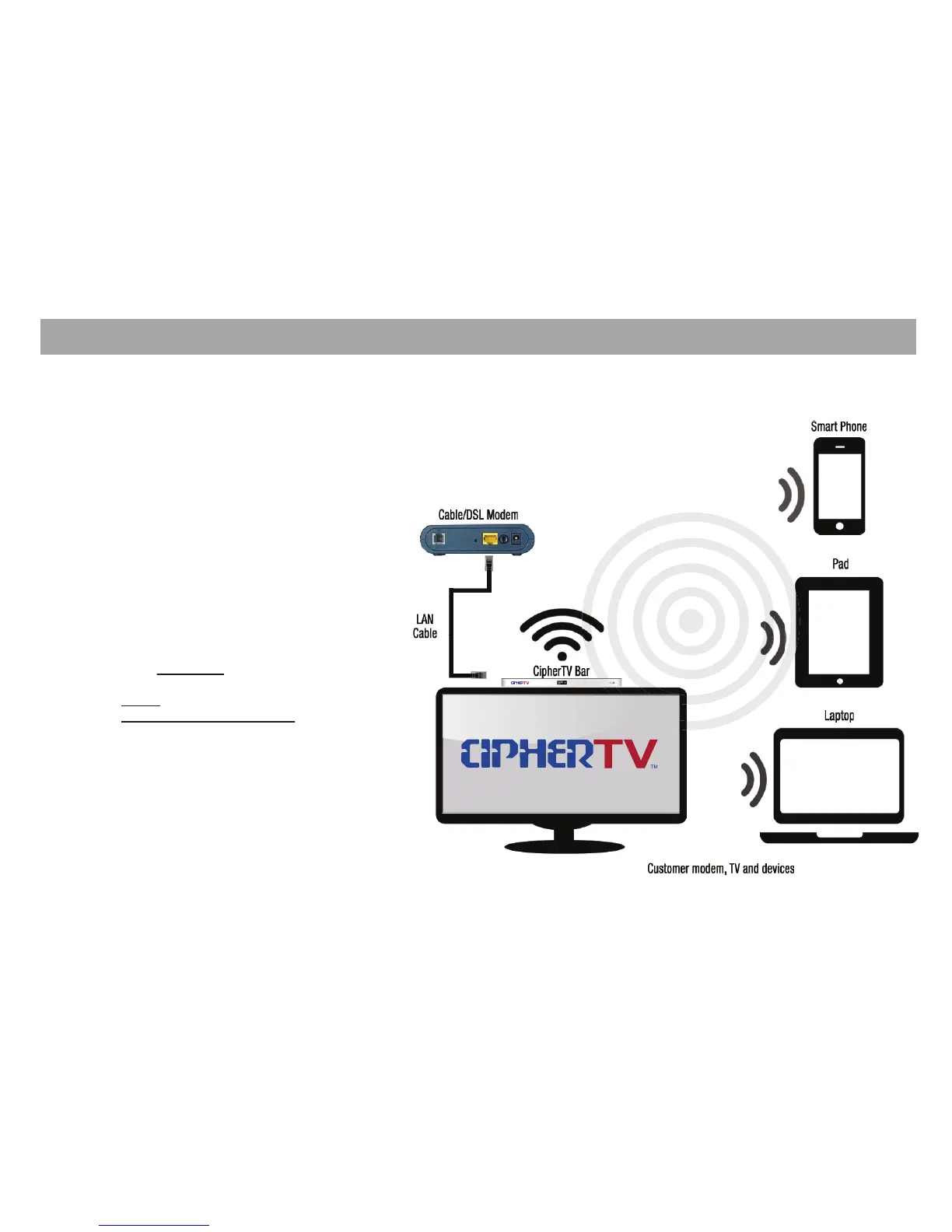
Wi-Fi Hotspot Setup Guide
1. Connect Ethernet cable to the LAN port at the
back of the CipherTV Bar and the other end to
your Internet modem or router.
2. Turn on your TV and power up CipherTV Bar.
3. Click on the “Settings” icon and under
“Wireless & Networks” turn on the Ethernet.
4. Click “More” then select Portable hotspot.
5. Tick the Portable Wi-Fi hotspot box
(check mark should appear).
6. Click on “Set up Wi-Fi hotspot”.
a. Enter Network SSID.
e.g.: CipherTV
b. Security
Open (no security password).
WPA2 PSK or WPA PSK (need to enter
security password).
7. Save and Enjoy your CipherTV Bar Hotspot
Wi-Fi service. Note: Wi-Fi Hotspot may affect
streaming video performance.
Wi-Fi Hotspot



 To Next Page