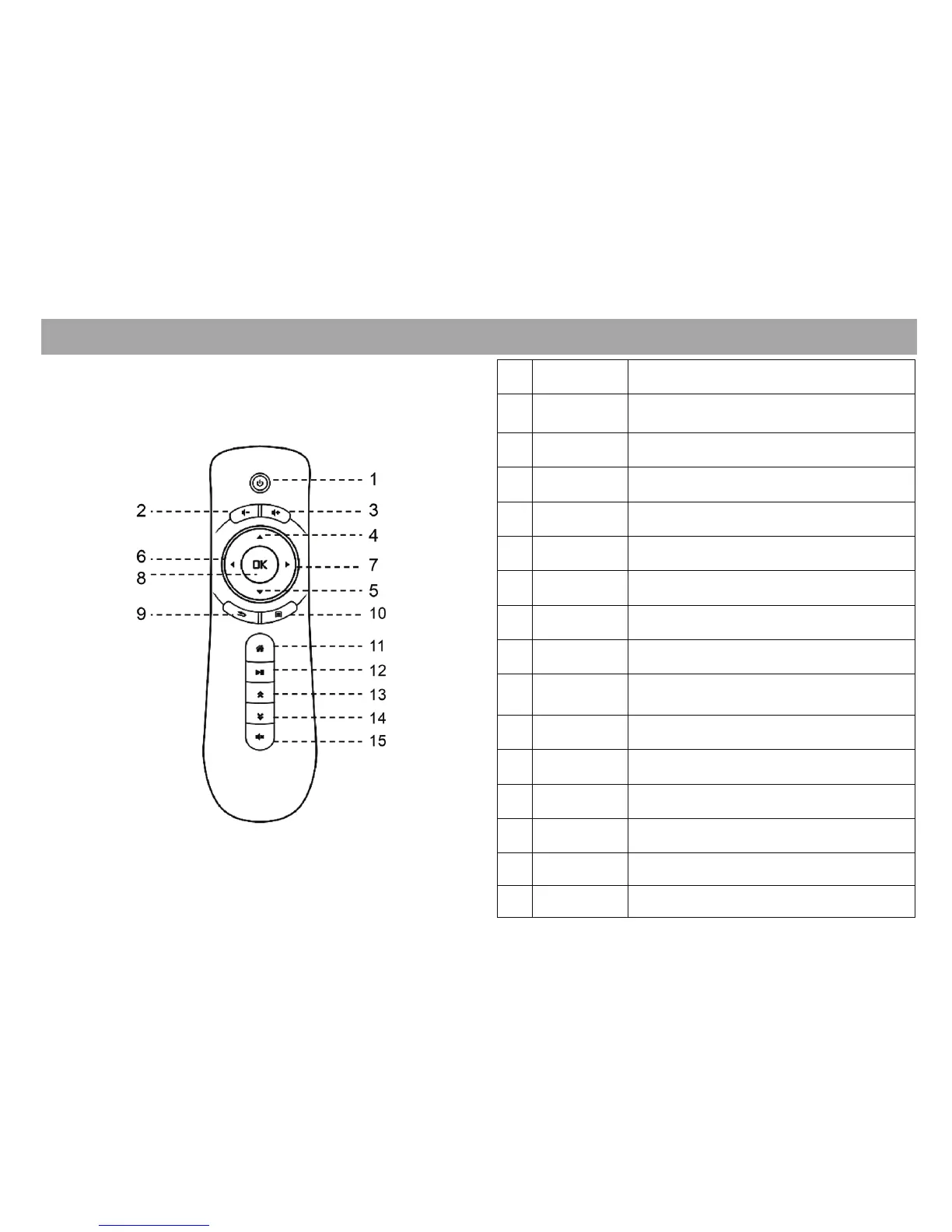
Definition
Function
‘*EPG – Electronic Programming Guide
Air Mouse Remote Control
No.
1
Power button is disabled
2
Decrease volume
3
Increase volume
4
Move cursor up / TV channel up
5
Move cursor down / TV channel down
6
Move left / TV EPG left
7
Move right / TV EPG right
8
Confirm / hold for Icon properties
9
Back to previous page TV EPG
or full screen
10
Display the running App menu
11
Go to Apps page / hold to reboot STB
12
Play or pause
13
Page Up on EPG
14
Page Down on EPG
15
Turn off the sound
5
Page Down
Page Up
Play/Pause
Home
Menu
Back
OK
Right
Left
Down
Up
Volume +
Volume -
Power
Mute



 To Next Page