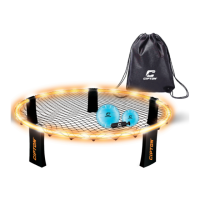
Cone Setup
1. Turn the cap on the top of the cone counterclockwise to unscrew.
Remove the cap.
2. Remove the battery pack. Pull the pack of battery cells out of its
transparent tube.
3. Pull out the spacers in between the battery cells. You should now be
able to press on the top of the battery pack and have the lights turn on.
4. Place the pack of battery cells back into its transparent tube, and place
back into the cone. Place the cap back on and turn clockwise to
tighten, but don’t screw it on too tight.
Using the LED Lights
• Press the button on the top of the cone to turn the LED lights ON. They will
turn on in Solid Light mode.
• Press the button on the top of the cone a 2nd time to switch to Flashing
Light mode.
• Press the button on the top of the cone a 3rd time to power the LED lights
OFF.
Using the Cones



 To Next Page