39
Raption Series User Manual
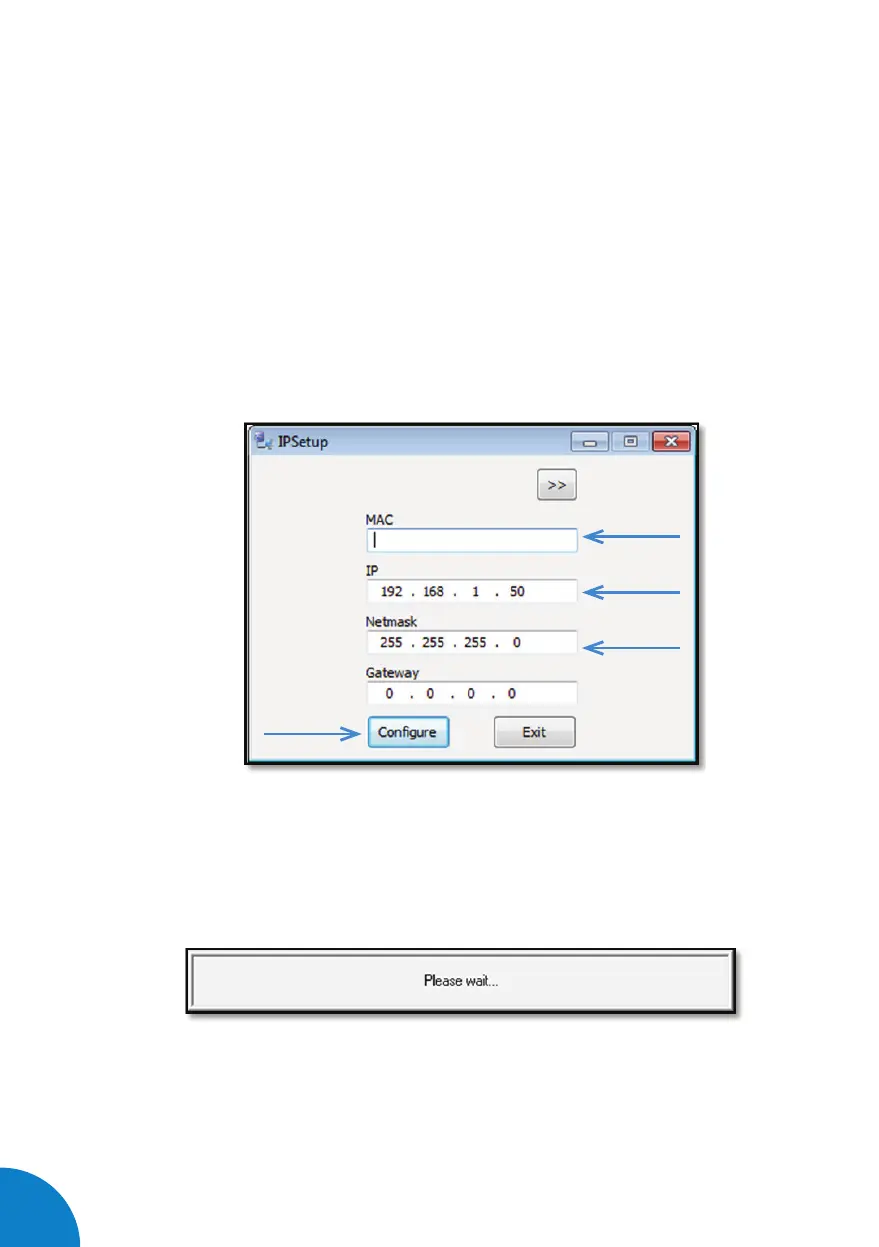
7- Enter the following parameters and click on ‘Congure’
• MAC of the Charge Point (see label on the cover’s screen)
• IP address: i.e.(192.168.1.50)
• Netmask: i.e. (255.255.255.0)
• Gateway: leave default settings.
8- Wait 30 seconds approximately until the process is complete.


 To Next Page