43
Raption Series User Manual
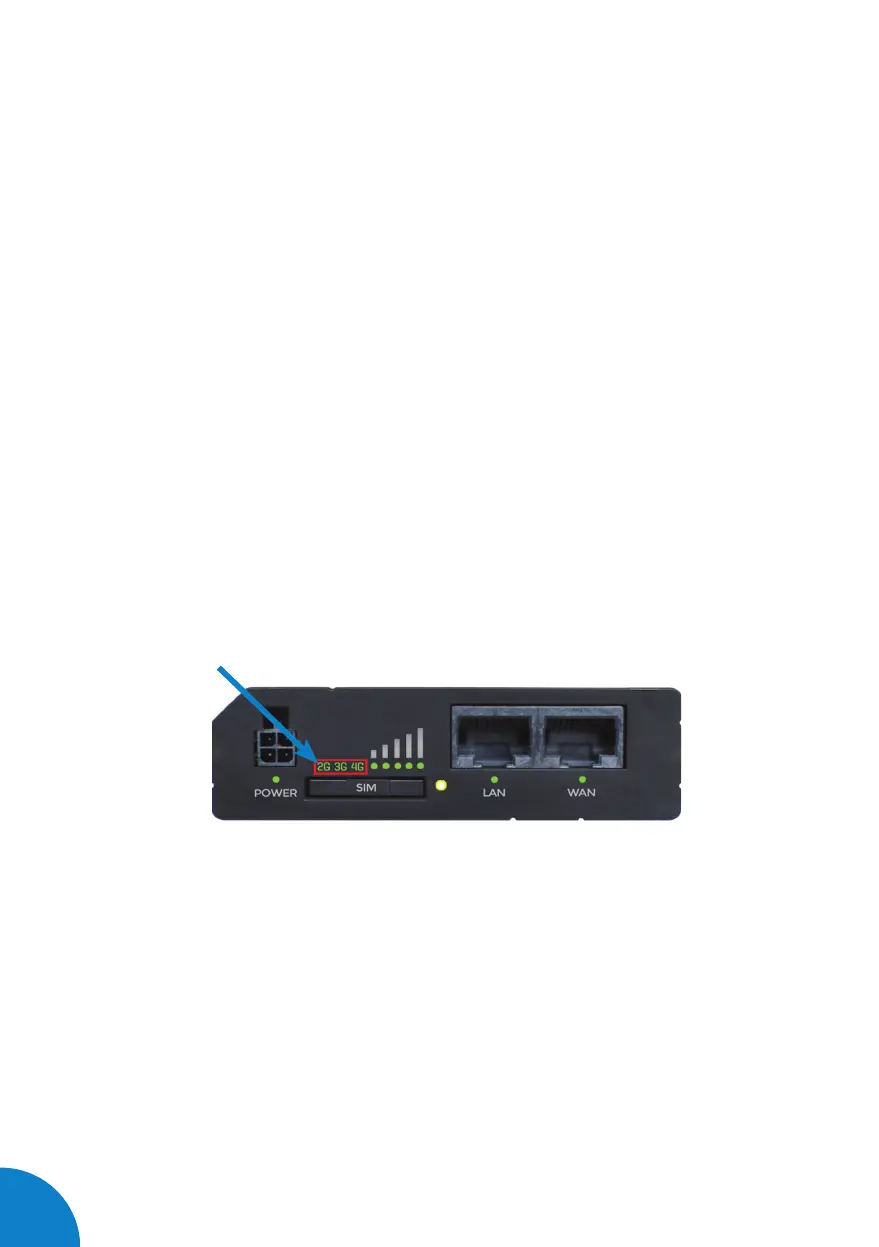
2 — CONNECTION STATUS LED
Explanation of connection status LED indication:
• Signal strength status LED’s turned on: router is turning on
• 2G, 3G and 4G LED’s blinking every 1 sec: no SIM or bad PIN
• 2G/3G/4G LED’s blinking every 1 sec: connected 2G/3G/4G, but no data session
established
• Blinking from 2G LED to 4G LED repeatedly: SIM holder not inserted or access
to network denied
• 2G/3G/4G LED turned on: connected 2G/3G/4G with data session
• 2G/3G/4G LED blinking rapidly: connected 2G/3G/4G with data session and data
is being transferred.


 To Next Page