Easy-Touch Pro Getting Started Guide 5
Startup
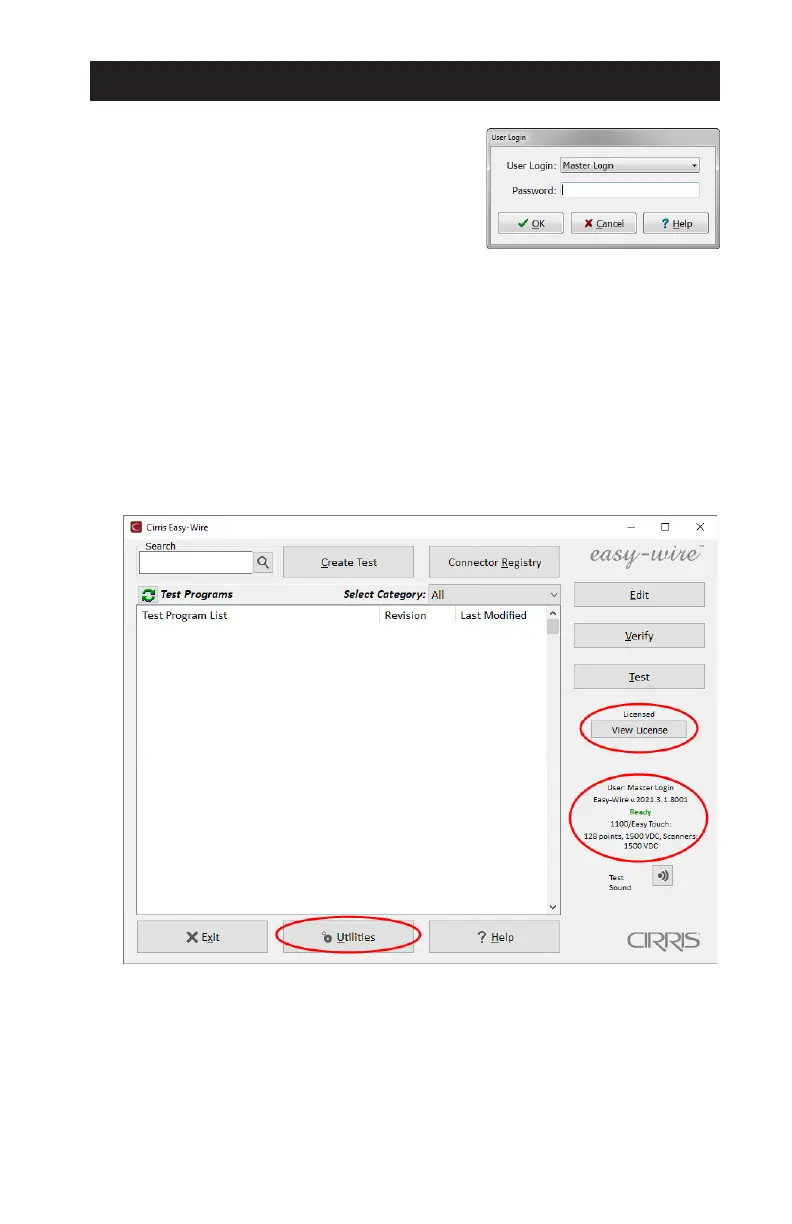
1. After power up, the Easy-Wire software
will open to the User Login window. Select
Master Login from the drop down list. Do
not enter a password. Click OK
Passwords and new users can be created
from the Main Menu > Utilities > Setup
Security. See the Easy-Wire Help.
2. The tester performs a series of self-tests during initialization. These tests
ensure that the hardware and software are working properly. When the
self-test passes, the Main Menu will open with a Ready status indicator.
3. The software license purchased with a new Easy-Touch Pro tester includes
software upgrades for a period of one year. The Main Menu shows a
Licensed status. Details can be accessed by clicking/tapping View License.
4. To turn o the tester, click/tap Exit > Power O.



 To Next Page