Cirris6
Changing the Interface Language
The language used in the Easy-Wire interface can be changed to one of the
available options.
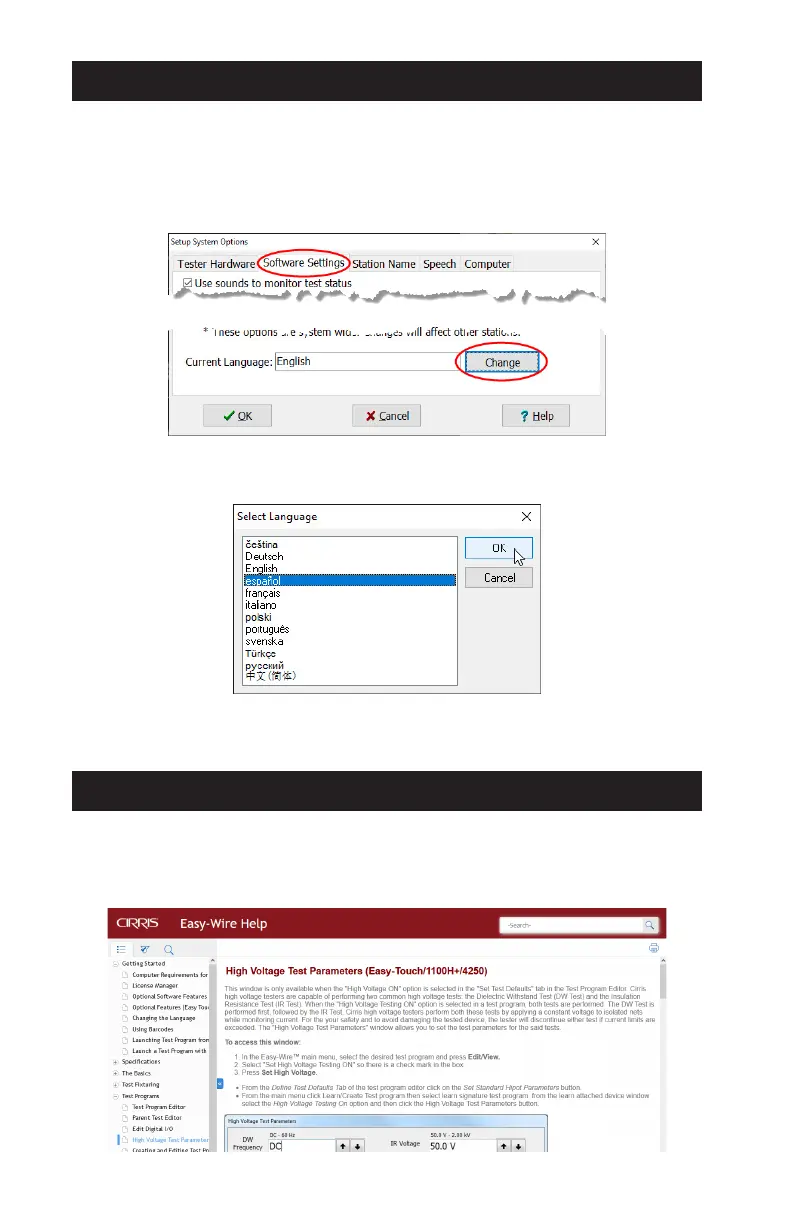
1. From the Main Menu > Utilities > Setup System Options.
2. Under the Software Settings tab, select Change.
3. Select a language from the list of options and click OK.
4. Click OK on the Setup System Options window to return to the Main
Menu.
The Easy-Wire Help
The Easy-Wire software includes a contextual Help system accessed by clicking/
tapping the Help button available on most Easy-Wire windows. The Help can be
browsed using its Table of Contents or searched by keywords.



 To Next Page